
A nofollow link is a special kind of hyperlink that tells search engines not to pass its ranking power, or link juice, to the website it points to. A standard link is a clear vote of confidence, but a nofollow link is more like a neutral citation—it shows people where to go without giving an official SEO endorsement.
Understanding Nofollow Links In Plain English
Imagine the internet is a giant map connecting thousands of cities (websites). A standard link, also called a dofollow link, is like a major highway. It signals importance and directs both traffic and authority from one city to another. Search engines see these highways as strong recommendations, helping the destination city build its reputation.
A nofollow link, on the other hand, is more like a local road with a sign that says, "A useful route, but not an official highway." It still gets people where they need to go, but it doesn't carry the same weight in the grand scheme of city planning (or search engine rankings). This distinction is a huge deal for managing your site's credibility.
To make this crystal clear, let's break down the core differences in a simple table.
Quick Guide Dofollow vs Nofollow Links
This table offers a quick reference for the fundamental differences between standard (dofollow) and nofollow links.
| Attribute | Dofollow Link | Nofollow Link |
|---|---|---|
| SEO Authority | Passes "link juice" and acts as a vote of confidence. | Does not pass direct "link juice"; acts as a neutral citation. |
| Search Engine Signal | "Trust this site and count this link as an endorsement." | "Acknowledge this link, but don't count it as an endorsement." |
| Impact on Rankings | Directly helps improve the linked page's search rankings. | Does not directly boost rankings but can have indirect benefits. |
| Common Use Case | Linking to authoritative sources or internal pages. | Paid links, user comments, or links to untrusted content. |
While a dofollow link is what most people chase for direct SEO power, a healthy and natural backlink profile needs a good mix of both.
Why Do Nofollow Links Even Exist?
The whole concept was originally introduced by Google to fight a massive problem: comment spam on blogs. Spammers would drop irrelevant links everywhere just to leech ranking power from other sites. By creating the nofollow attribute, website owners finally had a way to stop spammers from exploiting their site's hard-earned authority.
It was a simple, elegant solution that helped maintain a healthier, more authentic web for everyone.
Nofollow links have long been misunderstood, but they deliver measurable value. Google has explicitly confirmed that nofollow links cannot hurt your SEO—the value may become zero, but it never becomes negative.
The Value Beyond Direct SEO
While they don't pass direct authority, these links are far from worthless. In fact, many of the web’s biggest and most authoritative sites—think Forbes, Wikipedia, and major news outlets—use them almost exclusively.
A nofollow link from a popular publication can still:
- Drive significant referral traffic: Real people click these links, bringing potential customers straight to your doorstep.
- Build brand awareness: Getting mentioned on a trusted platform puts your business in front of a huge, relevant audience.
- Create a natural backlink profile: A mix of dofollow and nofollow links looks way more organic and trustworthy to search engines than a profile that’s 100% dofollow.
Ultimately, recent research confirms that nofollow links from authoritative sources absolutely correlate with improved rankings and organic traffic. You can discover more insights on nofollow SEO value and see how they contribute to a strong online presence.
The Evolution of Link Attributes
For years, the rel="nofollow" attribute was the only tool in the box. It was a simple, one-size-fits-all solution born out of the fight against blog comment spam. It gave website owners a clear way to tell search engines, "Hey, don't count this link as an endorsement." This simple instruction helped clean up the web by making it pointless for spammers to drop links just for ranking power.
But as the internet got more complicated, so did the nature of links. A single nofollow tag just couldn't capture the difference between a random link in a forum post and a paid advertisement. Realizing this, Google announced a big update in 2019, evolving the lone nofollow into a much more descriptive system.
From a Command to a Hint
The most significant change was a fundamental shift in how Google sees these attributes. Before, nofollow was a strict directive: ignore this link for ranking, period. Now, it's treated as a hint. This means Google's systems use the attribute as a strong signal, but they reserve the right to look at the link's context and potentially use it in their ranking calculations anyway.
This "hint" model now applies to the original nofollow tag and two new, more specific ones.
rel="sponsored": This tag is built specifically for any link that’s part of an advertisement, sponsorship, or other paid deal. If you've been compensated to place a link—whether with cash, free products, or services—this is the right attribute to use.rel="ugc": This stands for "User-Generated Content" and should be used for links created by your visitors, like those in blog comments or forum posts. It helps Google easily identify links that you didn't editorially place yourself.
This simple decision tree helps visualize how to think about the main purpose of different link types.
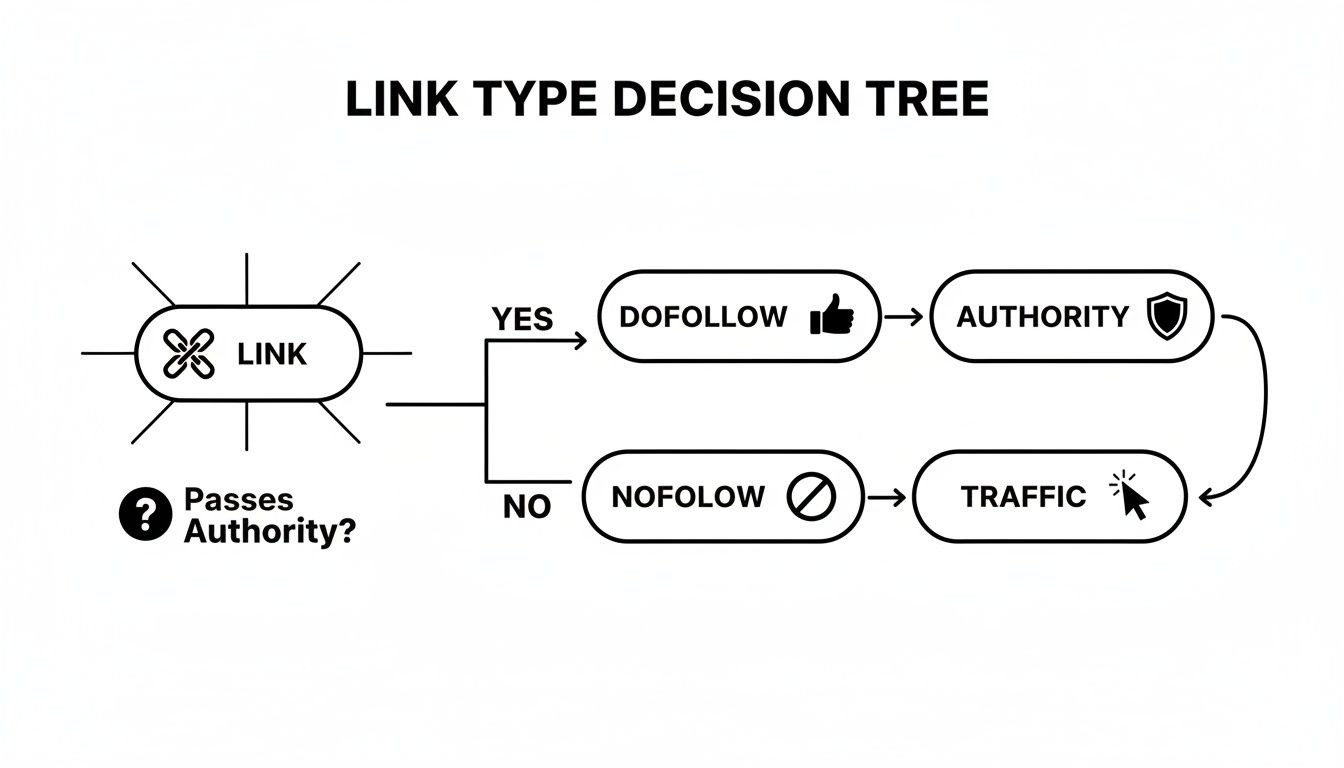
As the infographic shows, while a dofollow link is a direct signal for authority, a nofollow link's primary job is to drive traffic and build brand awareness.
Why This Matters for Your Business
For a business owner, using these attributes correctly is vital for keeping a healthy and credible link profile. Mislabeling paid links could get you into hot water with Google, while properly tagging user content protects your site from getting associated with spam.
Think of it this way: understanding these attributes is a bit like knowing when to use a canonical URL to prevent duplicate content issues. Both are technical signals that tell Google exactly how to interpret your site's structure and its relationships with other pages on the web.
Key Takeaway: Google's evolution of link attributes gives you more precise tools to describe your outbound links. Using
sponsoredfor paid links andugcfor user content is the current best practice for transparency. The originalnofollowstill has its place as a great catch-all when the other two don't quite fit.
The True SEO Value of Nofollow Links
It's one of the most stubborn myths in SEO: nofollow links are worthless. I see it all the time—website owners chasing dofollow links exclusively while completely dismissing nofollows. This is a huge mistake, and it leaves some serious growth opportunities on the table. The real value of a nofollow link isn't about direct ranking power, but in the powerful indirect benefits they bring to the table.
Think of these links as champions of referral traffic. Imagine getting a mention on a major news site like Forbes or a relevant Wikipedia page. Even if that link is nofollow, thousands of genuinely interested readers can click through, landing on your site as highly qualified visitors. This isn't just random traffic; it's an audience that's already warmed up to a topic relevant to your business, which often leads to much higher conversion rates.

Building a Natural and Trustworthy Profile
Search engines prize authenticity, plain and simple. A website whose backlink profile consists only of dofollow links looks incredibly unnatural and can even raise red flags for manipulative tactics. A healthy, real-world mix of dofollow, nofollow, sponsored, and UGC links is a clear signal to Google that you're earning mentions organically across the web. To really get a handle on this, it's worth understanding what goes into genuine organic link building.
This diversity is what builds long-term SEO resilience. It shows you’re a real brand being talked about in a variety of ways.
Key Insight: A diverse backlink portfolio, rich with both dofollow and nofollow links, is a hallmark of a natural, authoritative website. It tells search engines that your brand is being discussed in various contexts across the web—from editorial endorsements to forum discussions.
The Hidden Impact on Rankings
Beyond traffic and trust signals, the SEO community is increasingly recognizing that nofollow links have a subtle influence on rankings. The old-school view was that they passed zero value, but that consensus has definitely shifted.
A comprehensive survey of SEO professionals found that 78.8% believe nofollow links affect search rankings. For Kansas City website services and small businesses, this suggests that pursuing nofollow links from reputable sources is a smart, cost-effective strategy. The same survey revealed that a whopping 91.9% of professionals believe competitors are actively building links, meaning if you ignore nofollow opportunities, you’re almost certainly falling behind. You can explore the full survey on link building trends to see for yourself.
Strategic Nofollow Opportunities
So, where do you find these valuable links? The best sources are often high-authority platforms that default to nofollow to protect their own integrity.
- Social Media Platforms: Links you share on platforms like X (formerly Twitter), Facebook, and LinkedIn are typically nofollow, but they can drive enormous traffic and build brand visibility.
- Major Publications and News Sites: Many top-tier media outlets use nofollow links in their articles, but a single mention can establish your brand as an authority in its space.
- Forums and Q&A Sites: Getting involved in relevant discussions on sites like Reddit or Quora can position you as an expert and drive highly targeted traffic back to your site.
- Wikipedia: While notoriously difficult to get and strictly nofollow, a link from a relevant Wikipedia page is a massive signal of credibility and a source of consistent referral traffic.
Ultimately, the key is to see nofollow links as part of a broader marketing strategy. They build your brand, drive sales, and create a robust digital presence that your competitors will struggle to replicate.
When to Use Nofollow Links on Your Own Website
Knowing when to apply the nofollow attribute to your outbound links is every bit as important as analyzing the links coming into your site. Think of yourself as a responsible host at a party. You want to introduce your guests (your readers) to other interesting people (external sites), but you also have to protect your own reputation.
This is where using nofollow links becomes a critical skill. The main reason you’d use one is to avoid passing your site’s hard-earned authority to a page you don’t fully trust or one that simply doesn’t need an SEO boost from you. It keeps your site's credibility intact and your relationship with search engines clean.
Untrusted and User-Generated Content
One of the most common—and critical—places to use nofollow is on any user-generated content (UGC). This covers any spot on your site where visitors can drop their own links.
- Blog Comments: This is literally the reason the nofollow attribute was invented. Applying
rel="ugc"(or the classicnofollow) to comment links stops spammers from hijacking your site for their own SEO schemes. - Forum Posts: If you run a community forum, any links posted by users should automatically get a nofollow tag to keep the environment from turning into a spam-fest.
- Guestbook Entries: Just like comments, any links left in a guestbook or a user submission form are prime candidates for the nofollow attribute.
By nofollowing these links, you’re telling Google, "Hey, I didn't personally vet or endorse this," which protects you from any potential penalties down the road.
Sponsored or Paid Links
Another non-negotiable scenario is for any link you've been paid for in any way. Google is crystal clear about this: if a link is part of an ad, a sponsorship, or any other paid deal, you must disclose it to search engines.
Google's Guideline: Failing to properly tag paid links is a direct violation of Google's webmaster guidelines and can lead to a manual penalty that absolutely tanks your search rankings.
Use the rel="sponsored" attribute for things like:
- Affiliate links
- Sponsored blog posts or paid reviews
- Any advertisement that looks like native content
To get a better handle on how this fits into a bigger picture, check out our guide on building a smart link acquisition strategy.
Luckily, modern tools make this easy. Here’s a look at the standard WordPress interface, where you can tag a link as "nofollow" with a simple toggle.
That little checkbox is a powerful tool. With a single click, it helps you stay compliant and protect your site’s authority.
How to Add Nofollow Links in WordPress
Putting nofollow links on your WordPress site is way easier than you might think—no need to be a coding whiz. For most business owners, there are a few simple ways to get it done right inside the WordPress editor you already use, or with the help of a good SEO plugin.
Once you get the hang of these methods, you'll have total control over how your site gives (or doesn't give) its "vote" to other websites. Let's walk through the three most common ways to add that nofollow tag to a link. Each one offers a different level of control, so you can pick the one that fits the situation perfectly.
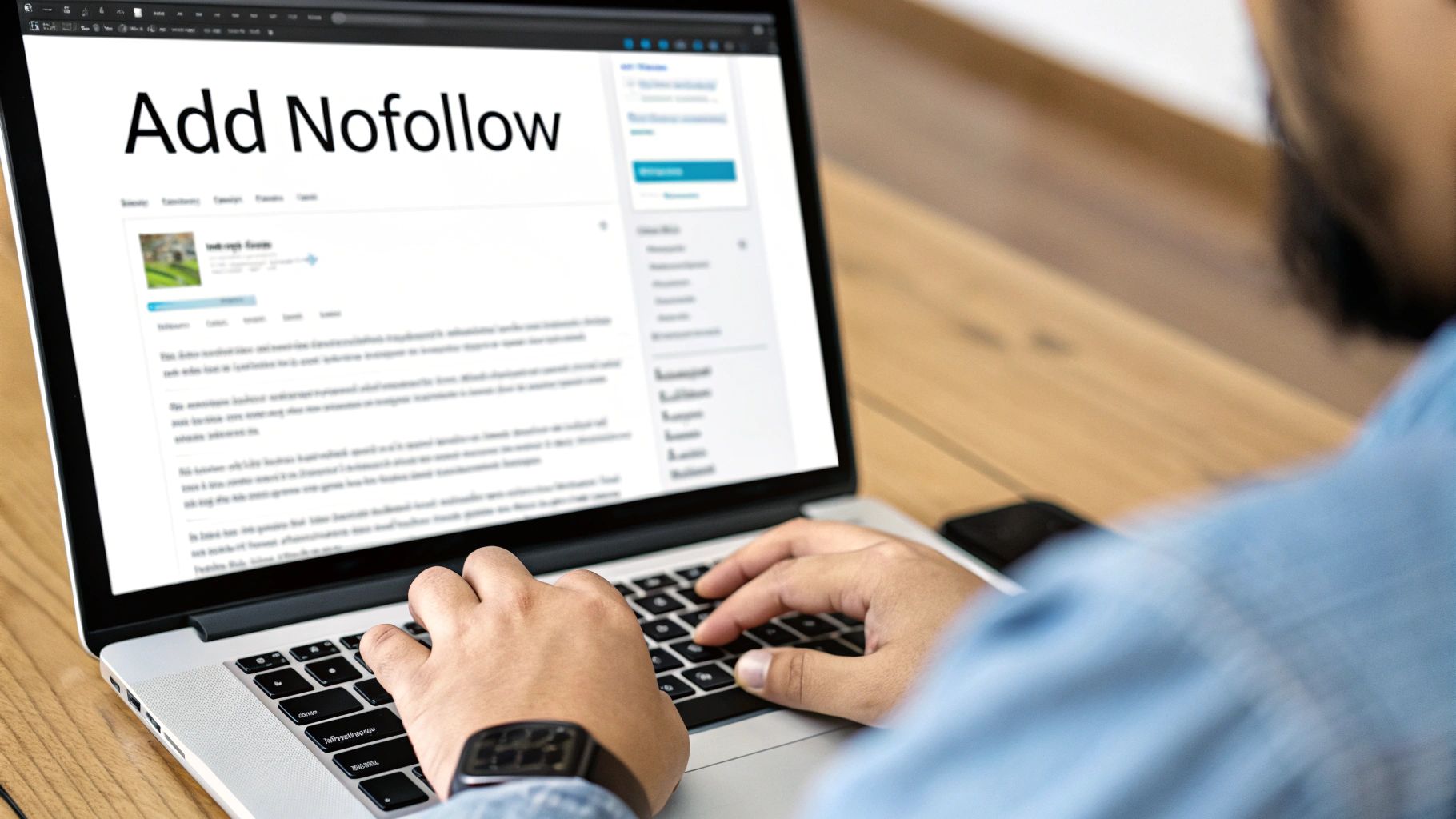
Using the Default WordPress Editor
The quickest and simplest route is using the built-in Gutenberg block editor. This is your go-to for adding individual nofollow links without needing any extra tools.
- Highlight Text and Add Link: First, highlight the text you want to turn into a link and click the little link icon in the toolbar that pops up.
- Paste Your URL: Drop the destination URL into the box and hit Enter. Bam, you've got a link.
- Open Link Settings: Now, click on the link you just made to bring up the toolbar again, and then click the "Edit" (pencil) icon.
- Activate Nofollow: In the settings, you'll see a switch labeled "Mark as nofollow." Just flip that on.
That’s it! WordPress handles the messy part, automatically adding the rel="nofollow" code to the link's HTML behind the scenes. Simple and clean.
Manually Editing the HTML
For those moments when you want a bit more precision, you can always edit the HTML code directly. This comes in handy if you need to add multiple attributes at once, like tagging a link as both sponsored and nofollow.
- Switch to Code Editor: In the block editor, find the three vertical dots on the toolbar for that block, click them, and choose "Edit as HTML."
- Locate the Link: You'll see the raw code. Just find the hyperlink, which always starts with
<a href=.... - Add the Attribute: Inside that opening
<a>tag, simply typerel="nofollow". It should look like this:<a href="https://example.com" rel="nofollow">This is a nofollow link</a>
This method gives you complete, granular control over every single attribute on your link.
Leveraging an SEO Plugin
If you’re already using a solid SEO plugin like Rank Math or Yoast, you’ve got even more powerful and convenient options. These tools often give you dedicated checkboxes not just for nofollow, but also for sponsored and ugc.
Using an SEO plugin is the smart play, especially for managing affiliate links or sponsored content. It puts all your essential link settings in one obvious place, making it dead simple to stay compliant with Google’s guidelines without having to touch a line of code.
When you add a link with one of these plugins active, a more advanced settings panel will appear. From there, it's as easy as checking the boxes you need. Honestly, this is the recommended method for most businesses. It streamlines the whole process and helps you manage all your different link types like a pro.
Choosing Your WordPress Nofollow Method
Not sure which path to take? This quick table breaks down the pros and cons of each method to help you decide.
| Method | Best For | Ease of Use | Control Level |
|---|---|---|---|
| WordPress Editor | Quick, one-off nofollow links on standard content. | Very Easy | Basic |
| Manual HTML Edit | Applying multiple attributes (sponsored, ugc) or for precise code control. |
Moderate | Complete |
| SEO Plugin | Most businesses, especially those managing affiliate or sponsored links. | Very Easy | High |
Ultimately, using an SEO plugin offers the best blend of simplicity and power, making it the top recommendation for managing your links effectively and staying on Google's good side.
How to Analyze Your Nofollow Backlinks
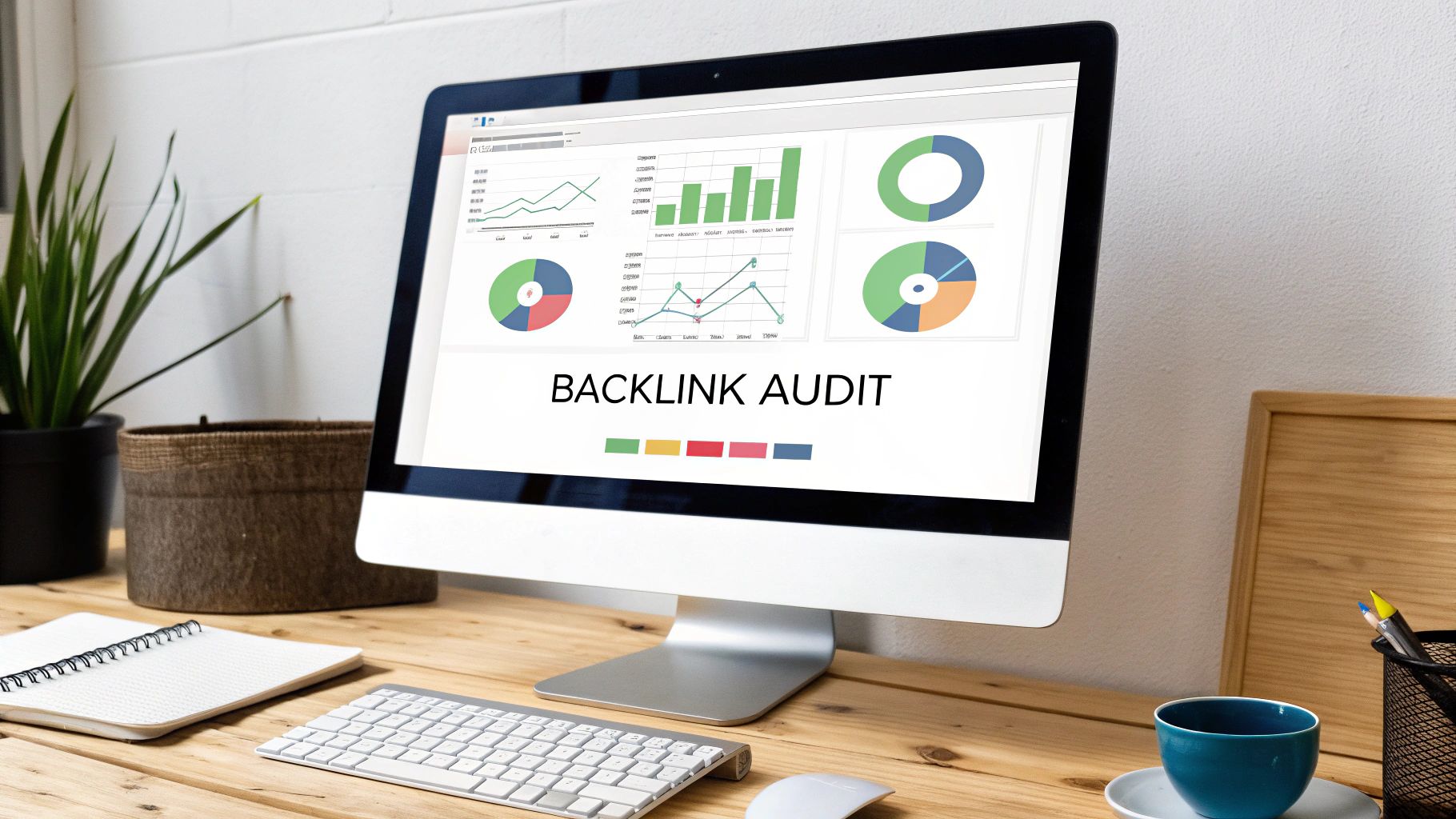
You can't improve what you don't measure. Diving into your nofollow backlinks is the first real step in turning raw data into an SEO strategy that actually works. It's how you get a clear picture of your brand's digital footprint, spot high-value traffic sources, and even uncover new opportunities for building relationships.
Auditing your backlink profile lets you see exactly where those nofollow links are coming from and, more importantly, judge their quality. This isn't just an SEO exercise; it's about understanding how and where your brand is being talked about across the web. To get the most out of this, it's a good idea to audit backlinks as part of a bigger look at what your competitors are up to.
Using SEO Tools for Analysis
Powerful platforms like Semrush and Ahrefs make this whole process surprisingly straightforward. These tools are constantly crawling the web, giving you a near real-time snapshot of your backlink profile. You can quickly see who's linking to you and exactly how they're doing it.
The process usually breaks down into a few simple steps:
- Enter Your Domain: Start by plugging your website into the tool's backlink analytics report.
- Filter by Link Attributes: Look for the filter options. You can typically isolate nofollow, sponsored, and ugc links to view them separately from your dofollow links.
- Analyze the Sources: Now, scan the list of domains linking to you with nofollow tags. Keep an eye on their Domain Authority or Authority Score—a high score is a sign of a powerful and trustworthy source.
This screenshot from Semrush shows just how easy it is to filter your backlinks by their attributes, letting you zero in on the "Nofollow" links for a closer look.
From here, you can immediately see the referring domains, check their authority scores, and analyze the specific pages that are pointing to your site.
What to Look For in Your Audit
Once you have your list of nofollow links, don't just count them. Dig deeper. The real value is in the insights that can shape your strategy moving forward. If you want a more detailed walkthrough, check out our guide on how to find backlinks on Google.
Key Insight: A healthy backlink profile almost always has a natural blend of dofollow and nofollow links. A high percentage of nofollow links from authoritative sites is often a fantastic sign of strong brand presence and referral traffic.
As you sift through the data, focus on answering these critical questions:
- Who is linking to me? Are these high-authority publications, respected industry blogs, or forums?
- Which of my pages are getting the links? See if specific articles or guides are attracting mentions. This can tell you which topics are resonating with your audience and where you should create more content.
- What is my dofollow vs. nofollow ratio? A natural-looking ratio is a sign of an organic growth strategy, not one that's trying too hard to manipulate search engines.
Got Questions About Nofollow Links? Let's Clear Things Up
Even with a solid plan, it's totally normal for a few questions to pop up. Let's tackle some of the most common ones I hear from business owners to make sure everything is crystal clear.
Can Nofollow Links Hurt My SEO?
Nope. A nofollow link can't directly tank your SEO rankings. Google has made it clear that, at worst, the link just doesn't provide any value. It will never actively harm you.
In fact, a healthy backlink profile is a mix of both dofollow and nofollow links. It signals a much more natural and trustworthy pattern to search engines. A profile that looks too perfect—stuffed with only dofollow links—can sometimes raise a red flag. The presence of nofollow links shows that your site is earning mentions organically across all kinds of different platforms.
Should I Actively Build Nofollow Links?
Absolutely. While they won't pass direct ranking authority, nofollow links from high-quality, relevant websites can be a goldmine for referral traffic and brand exposure. You should think of them as valuable marketing and traffic-driving tools, not just an SEO tactic.
For instance, a single, well-placed link in a popular guest post on a high-traffic blog can send a steady stream of potential customers your way, even if it’s tagged as nofollow. To learn more about this, check out our full guide on how to approach SEO guest posting.
Key Takeaway: Treat nofollow links as a marketing tool first and an SEO tool second. The real goal is to get your brand in front of the right audience; any indirect SEO benefit is just a bonus.
How Can I Tell If a Link Is Nofollow?
You can easily check this yourself without needing any special tools. In your browser, just right-click on the link and choose "Inspect" or "Inspect Element." This will pop open the developer tools and show you the link's HTML code.
If you spot rel="nofollow", rel="sponsored", or rel="ugc" inside the <a> tag, you're looking at a type of nofollow link. If you don't see any of those attributes, it's a standard dofollow link.
At Website Services-Kansas City, we specialize in building robust SEO foundations that drive real growth for businesses. From technical audits to strategic link building, we help you navigate the complexities of search optimization to achieve lasting results. Get in touch with us today to see how we can boost your online presence.
