
A broken link, often called a dead link, is exactly what it sounds like: a hyperlink that leads nowhere. When a user clicks on it, instead of finding the awesome content they were promised, they hit a dead end—usually a 404 error page. It's the digital equivalent of a disconnected phone line.
Your Guide to Understanding Broken Links

Imagine giving a potential customer directions to your Kansas City storefront, only for them to arrive at an empty, abandoned lot. That's precisely the experience a broken link creates for your website visitors.
It’s a broken promise. This frustrating moment can instantly damage their trust in your brand and send a clear signal to search engines that your site might be outdated or just poorly maintained. For example, if a local plumbing company in Kansas City links to a "24/7 Emergency Services" page that returns a 404 error, that potential customer in a panic isn't just lost—they're immediately calling a competitor.
These digital dead ends are more than a minor annoyance; they're a symptom of a much bigger problem often called "web rot." This is the natural decay that happens over time as pages get deleted, content gets moved, and other websites you link to simply disappear. It happens to everyone.
This decay is a widespread issue. In fact, a deep-dive analysis from Similarweb found that traffic to top websites has dropped by over 11% in the past five years, partly due to the digital clutter left behind by decaying sites. You can get more details on these website traffic trends from Axios. Fixing these links isn't just a technical chore; it's a critical part of protecting your online reputation and keeping your website a valuable asset.
Why Broken Links Matter to Your Business
For any business in Kansas City, from a Brookside boutique to a downtown law firm, every website visitor is a potential lead or sale. A single broken link can sever that connection in an instant. The impact hits you from two different angles, damaging both your user experience and your performance in search results.
Here’s a quick breakdown of what happens when a user hits a broken link:
- Trust Disappears: When a user clicks a link and gets an error, they feel like their time was wasted. That frustration chips away at their perception of your brand's professionalism.
- Opportunities Are Lost: The customer journey grinds to a halt. They can't access the product info, read the blog post, or find the contact form they were looking for.
- SEO Takes a Hit: Search engines like Google rely on links to understand and rank your site. Broken links disrupt that process, acting like roadblocks that can seriously harm your search visibility. You can learn more about how links impact SEO in our complete guide to what is a backlink profile.
How Broken Links Damage Your Business
Let's be clear: broken links aren't just minor technical glitches. They're active threats to your website's performance and, ultimately, your bottom line. Every dead link is a pothole on the road to conversion, creating a jarring experience that can send potential customers running and slowly make your site invisible to search engines.
The damage happens on two critical fronts: your search engine optimization (SEO) and your user experience (UX). For any business, especially one in a competitive market like Kansas City, failing to see a broken link as a lost opportunity is a costly mistake.
The Hidden SEO Penalties
Search engines like Google want to send their users to the best, most helpful websites. A site littered with broken links sends a powerful, negative signal that it's neglected or low-quality. This directly torpedoes your ability to rank.
Here’s how the damage unfolds behind the scenes:
- Wasted Crawl Budget: Search engines have a finite amount of energy, or a "crawl budget," to spend indexing your site. When their bots keep hitting dead ends, they waste that precious budget on non-existent pages instead of discovering your new, valuable content.
- Blocked Link Equity: Backlinks from other sites are like votes of confidence. When another site links to one of your pages and that link is broken, all the SEO value—or "link equity"—that should have flowed to your site simply evaporates. It vanishes into thin air.
- Lower Perceived Quality: A high number of broken links tells Google your site isn't well-maintained. This can drag down its perception of your overall authority and trustworthiness, leading to lower rankings across the board.
The User Experience Catastrophe
While the SEO damage is significant, the impact on your visitors is immediate and often far more severe. A person who clicks a link and hits a 404 error page feels frustrated and confused. In that instant, the trust you've worked so hard to build starts to erode.
This isn't just a minor annoyance; it has a real financial impact. Frustrating user experiences, with broken links being a primary cause, are present in nearly 40.1% of all website sessions. This frustration sends bounce rates through the roof and can slash pages per visit down to as low as 1.29, a huge drop from the 1.82 seen on well-kept sites.
For an e-commerce store, the consequences are disastrous. A single broken link during the checkout process can lead directly to cart abandonment and lost sales. In fact, customer satisfaction can plummet by 16% for every one-second delay caused by errors from faulty links.
To really grasp the severity, consider the terrible tale of a broken shopping cart during a critical sales period. Each broken link creates friction, pushing potential customers straight into the arms of your competitors.
If you're worried about visitors leaving your site prematurely, you should also learn more about how to reduce website bounce rate in our article. At the end of the day, fixing broken links isn't just about site maintenance; it's about protecting your revenue and your reputation.
How to Find Broken Links on Your Website
You can't fix what you can't find, and leaving broken links on your site is like ignoring potholes on a busy road. Sooner or later, they’re going to cause problems for someone. Fortunately, hunting down these digital dead ends is pretty straightforward once you know where to look.
The good news? You don’t need a huge budget to get started. Most site owners can find a surprising number of broken links using powerful, free tools they probably already have access to.
Starting with Free and Accessible Tools
One of the best places to begin your search is Google Search Console (GSC). This free platform from Google is an absolute must-have for monitoring your site's health, giving you a direct line to how the search engine actually sees your pages.
Inside GSC, the “Pages” report is your command center for spotting indexing issues. Look for pages flagged with “Not found (404)” errors. This is literally a list of every URL Google tried to crawl but couldn't find, giving you an immediate, actionable checklist of broken internal links to investigate. If you need a hand getting set up, check out our full guide on how to set up Google Search Console.
The flowchart below shows the negative chain reaction that a single broken link can set off.
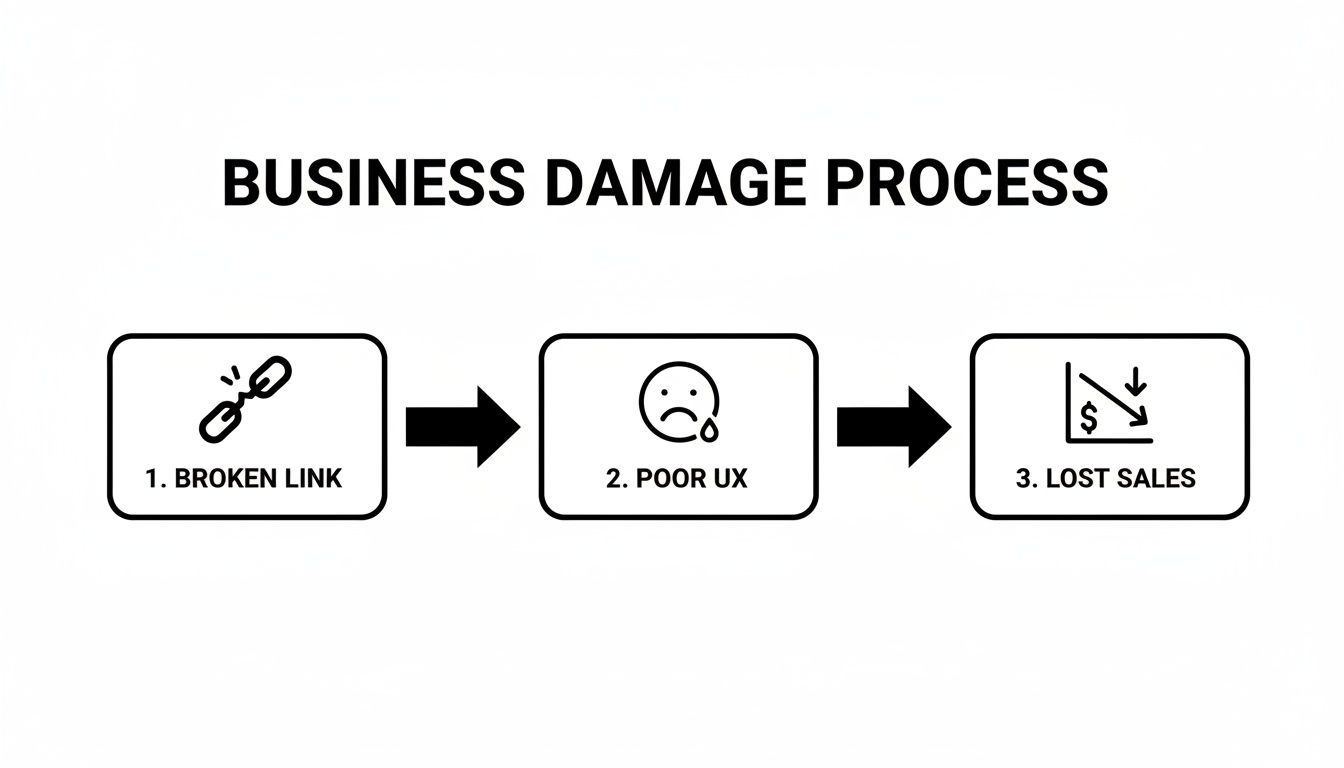
As you can see, the path from a broken link to a poor user experience—and ultimately, lost sales—is direct and damaging.
Graduating to Professional SEO Audits
While GSC is fantastic for spotting internal errors, professional SEO platforms give you a much more detailed and comprehensive health check. Tools like Semrush and Ahrefs are what expert Kansas City SEO services use to run deep diagnostic scans that catch everything.
These tools have dedicated “Site Audit” features that crawl your entire website, just like a search engine would. They then generate in-depth reports that pinpoint a massive range of issues, including:
- Internal Broken Links: Finding links pointing to non-existent pages right on your own site.
- External Broken Links: Flagging links that point to other websites which have since moved or deleted their content.
- Redirect Chains: Uncovering inefficient redirect paths that slow down your site and dilute link authority.
To really streamline the process, you can use specialized tools like an Ahrefs Broken Backlink Checker. These tools automate the discovery work, saving you hours of manual clicking and ensuring nothing gets missed. Running these audits on a regular basis is the key to maintaining a healthy, high-performing website that gives every visitor a seamless experience.
Fixing Broken Links to Improve Your SEO

Finding a list of broken links on your site is the easy part. The real work—and the real payoff—comes from fixing them. Ignoring these errors is like knowing there are dead-end aisles in your store but not bothering to redirect customers.
Luckily, repairing these dead ends is usually a straightforward process, and your go-to tool for the job is the 301 redirect.
Think of a 301 redirect as filing a permanent change-of-address form with the post office. It tells both users and search engines, "Hey, this page has moved for good, and here's the new address." This is absolutely critical because a 301 passes most of the original page's authority, or "link equity," over to the new one, preserving the SEO value you worked so hard to build.
Implementing 301 Redirects Effectively
Setting up a 301 redirect is almost always the right move for internal broken links, especially when the old content has a new, relevant home on your site. For instance, if a Kansas City real estate agent deletes a listing page for a sold property, they shouldn't just leave a 404 error.
Instead, they should set up a 301 redirect to send anyone looking for that sold property to their main "Current Listings" page. This ensures that anyone who bookmarked the old page or clicks a lingering link gets sent to a helpful, relevant place. More importantly, it signals to Google that all the ranking power of the old page should be transferred to its replacement.
By redirecting a deleted page to a relevant one, you create a seamless user journey and prevent link equity from vanishing. This simple action can salvage significant SEO value that would otherwise be lost.
This same logic applies when you're consolidating content. Maybe you have two older, similar blog posts and decide to merge them into one powerhouse article. You'd keep the stronger URL and simply 301 redirect the weaker one to it, effectively combining their SEO authority.
Fixing broken links often shines a light on other structural issues, like discovering orphan pages that hurt your SEO—pages that have no internal links pointing to them at all.
Knowing When to Redirect vs. Remove
While the 301 redirect is your primary tool, it’s not a one-size-fits-all solution. The right fix depends entirely on the situation. Knowing whether to redirect, update, or just remove a link is key to maintaining a clean and efficient website.
Here’s a quick guide to help you make the right call for different broken link scenarios you might find on your site.
When to Redirect Versus When to Remove a Broken Link
| Scenario | Best Action to Take | Why This Is the Right Move |
|---|---|---|
| An internal link points to a product you no longer sell. | 301 Redirect the old product URL to the most relevant category page. | This keeps the user on your site and helps them find similar products, preserving link equity and preventing a dead end. |
| An external link to a partner's site is now a 404. | Update the Link. Do a quick search to see if they moved the page to a new URL. | This is the easiest fix. It maintains the value of your content and provides a good user experience without needing redirects. |
| You're merging two similar blog posts into one definitive guide. | 301 Redirect the URL of the weaker post to the URL of the new, consolidated one. | This combines the SEO authority of both pages into a single, stronger asset, ensuring all old links now point to the best version. |
| An external link points to a resource that is outdated or no longer exists. | Remove the Link. Simply delete the hyperlink from your content. | If there's no suitable replacement, leaving a dead link just creates a bad experience. Removing it cleans up your page. |
Making these small, strategic decisions is what separates a well-maintained site from one that slowly decays. By choosing the right fix for each broken link, you keep your website healthy, your users happy, and your SEO strong.
A Proactive Strategy to Prevent Broken Links
Fixing broken links is important, but if you’re always playing whack-a-mole, you’re losing the battle. The best long-term strategy isn’t just about being a good fixer; it’s about preventing those links from breaking in the first place. When you shift from a reactive to a proactive mindset, you save a ton of time, protect your SEO, and make sure your visitors never hit a dead end.
This isn’t about adding a bunch of complicated new tasks to your plate. It’s about building a few simple, smart habits into your website management routine. For a busy Kansas City business owner, a little prevention is worth hours of cure. And it all starts with a schedule.
Establish a Consistent Maintenance Schedule
The foundation of any good proactive strategy is regularity. You wouldn’t wait for your car’s engine to seize up before getting an oil change, right? The same logic applies to your website. Committing to a schedule turns maintenance from a stressful, hair-on-fire emergency into a simple, predictable task.
For most small businesses, a great place to start is scheduling a full site audit once a month. This gives you a consistent pulse on your site’s health, letting you catch a new broken link before it has time to do any real damage. Just set a recurring reminder in your calendar—it's a surprisingly effective way to stay on track.
Develop Smart Content Management Habits
Honestly, a lot of broken links are self-inflicted. They happen when we delete old pages or move content around without thinking through the consequences. A huge part of prevention is just adopting smarter habits when you manage your site’s pages and posts. By planning a step ahead, you can avoid creating dead ends for both your users and search engines.
Here’s a simple checklist to keep you on the right track:
- Redirect Before You Delete: Never, ever delete a page or post without a plan. Before you hit that delete button, figure out which relevant, existing page you can redirect the old URL to. This is the single most important habit you can develop.
- Update URLs with Care: When you rename a page or change its URL slug, your very next move should be to set up a 301 redirect from the old URL to the new one. This ensures every existing link continues to work seamlessly.
- Vet Your External Links: Before you link out to another website, take a quick second to check its credibility. Does the site look professional and well-maintained? Linking to unstable or low-quality sites is just asking for those links to break down the road.
Prevention is all about building an intentional workflow. By making redirects a standard part of your content removal process, you safeguard your link equity and user experience without creating a bigger mess to clean up later.
Adopting these habits helps you maintain a clean, efficient website architecture from the ground up. If you're looking to strengthen your site's foundation, learning how to plan website structure is a fantastic next step for long-term success. This proactive approach ensures your website remains a powerful asset for your business, free from the digital decay that plagues so many neglected sites.
Got Questions About Broken Links? We’ve Got Answers.
Even after you get the hang of what broken links are, a few practical questions always seem to pop up. Let's tackle some of the most common ones I hear from business owners who are trying to manage these digital dead ends.
How Often Should I Check for Broken Links?
For most small business websites, running a check once a month is a solid starting point. This rhythm is frequent enough to catch new issues before they start chipping away at your user experience or SEO.
However, if you're running a bigger operation—like a large e-commerce store or a site where you’re constantly adding and removing content—you’ll want to bump that up to bi-weekly checks. The real goal is consistency. Regular audits turn what could be a massive, messy cleanup project into a quick, manageable task. It's a proactive habit that keeps your website healthy and professional.
Can a Single Broken Link Really Hurt My Rankings?
While a single broken link is unlikely to send your rankings into a nosedive, it’s a mistake to just ignore it. Think of it this way: Google sees a site with lots of broken links as being poorly maintained, which can gradually erode your site's perceived quality and authority over time.
A single broken link on a critical conversion page—or one that blocks the flow of valuable link equity—can have a disproportionately large negative impact. It's always best practice to fix any broken link as soon as you find it.
What Is the Difference Between Internal and External Links?
Getting this distinction right is key because it dictates how you fix the problem.
- Internal Broken Links: These are links pointing to other pages on your own website that don't exist anymore, like a deleted blog post or an old service page. The good news? You have 100% control over fixing these, usually with a simple 301 redirect.
- External Broken Links: These point to pages on other websites that have been moved or deleted. While you can't control what happens on someone else's site, it's still your responsibility to remove or update that link on your page to make sure your visitors have a good experience.
At Website Services-Kansas City, we turn reactive cleanups into proactive strategies. If you're tired of chasing down errors and want a healthy, high-performing website that works for your business, let our experts help. Get your free SEO audit today.
