
In the competitive digital landscape, gaining a search engine advantage is crucial for growth. While comprehensive SEO is a long-term commitment, several high-impact adjustments can deliver significant gains almost immediately. This guide is built to provide exactly that: a prioritized list of practical and actionable quick seo wins designed for small businesses, new websites, and especially those powered by WordPress.
We are bypassing the generic advice that often floods the internet. Instead, you'll find step-by-step insights, real-world examples, and specific tool recommendations to help you implement these changes effectively. These are the same foundational tactics used to help businesses compete in tough local markets, from Kansas City to any other competitive metro.
Think of this as your SEO accelerator. We will cover everything from optimizing your site's speed and fixing critical indexation issues to refining your on-page elements for maximum impact. Each strategy is designed to deliver measurable results without requiring a months-long campaign. Let's dive into the wins that will move the needle for your organic traffic and rankings today.
1. Fix Core Web Vitals and Page Speed Optimization
Improving your website's speed is one of the most impactful quick SEO wins you can achieve. Google uses Core Web Vitals as a key measure of user experience, directly influencing your search rankings. These metrics, including Largest Contentful Paint (LCP), First Input Delay (FID), and Cumulative Layout Shift (CLS), determine how quickly and smoothly your pages load for visitors. A slow site frustrates users, leading to high bounce rates and lost conversions, making speed optimization a critical first step.
Why It's a Quick Win
Page speed is a confirmed ranking factor for both desktop and mobile searches. By focusing on it, you simultaneously improve your SEO potential and enhance the user experience. A faster website feels more professional and reliable, building trust with potential customers. This is especially vital for e-commerce stores where a delay of even one second can significantly impact sales.
How to Implement This Win
You don't need to be a developer to make significant improvements. For immediate and impactful improvements, consult resources that offer proven fast tips to improve website performance, directly addressing Core Web Vitals.
Here are actionable steps you can take today:
- Install an Optimization Plugin: For WordPress sites, plugins like WP Rocket or Autoptimize can handle complex tasks like caching, file minification, and lazy loading with just a few clicks. This is often the single most effective action you can take.
- Compress Your Images: Large image files are a primary cause of slow load times. Use a tool like TinyPNG or an image optimization plugin to compress images without sacrificing quality. For a local Kansas City roofing company, compressing their high-resolution gallery images could cut page load time in half.
- Enable Browser Caching: Caching stores parts of your site on a visitor's browser, so it loads much faster on subsequent visits. Most optimization plugins can enable this for you.
- Use a Content Delivery Network (CDN): A CDN stores copies of your website on servers around the world, delivering content from the server closest to the user, which drastically reduces load times. Cloudflare offers a generous free plan that is perfect for small businesses.
By implementing these fixes, you address Google's core requirements for a positive user experience. You can learn how to improve your website's loading speed with our detailed guide, which provides more advanced techniques.
2. Optimize Title Tags and Meta Descriptions
Your title tag and meta description are your website's first impression on the search engine results page (SERP). These HTML elements are what users see before they even click, making them incredibly powerful tools for driving traffic. Optimizing them is one of the most immediate quick SEO wins because the changes reflect in search results almost instantly, directly influencing your click-through rate (CTR) without complex technical work.
Why It's a Quick Win
A compelling title and description can dramatically increase the number of clicks your page receives, even if its ranking doesn't change. This higher CTR sends a positive signal to Google, indicating that your result is highly relevant to the search query, which can in turn improve your rankings over time. For new websites, establishing a strong CTR early on is crucial for building authority and visibility.
How to Implement This Win
Using a WordPress plugin like Yoast SEO or Rank Math makes this process simple, providing a template to fill in for every page and post. These tools also give you a preview of how your listing will appear on Google, helping you craft the perfect message. For those just starting, learning how to write an effective meta description is a fundamental skill that pays dividends.
Here are actionable steps you can take today:
- Front-Load Your Keyword: Place your main target keyword at the beginning of the title tag. For instance, a Kansas City-based agency should use a title like: "Kansas City SEO Services | Expert Digital Marketing".
- Highlight User Benefits: Your meta description should function like a mini-advertisement. Instead of just listing features, explain what the user will gain. For example, a local plumber's service page could say: "Need a plumber in KC? We offer 24/7 emergency service, transparent pricing, and a 100% satisfaction guarantee. Get a free estimate now!"
- Add a Call-to-Action: Encourage users to click with action-oriented language. Phrases like 'Learn More,' 'Get a Free Quote,' or 'Shop Now' are effective.
- Ensure Uniqueness: Every page on your site should have a unique title and meta description to avoid confusing search engines and to accurately reflect the page's content. Use Google Search Console to find pages with high impressions but low CTR—these are prime candidates for a title/meta refresh.
3. Implement Schema Markup and Structured Data
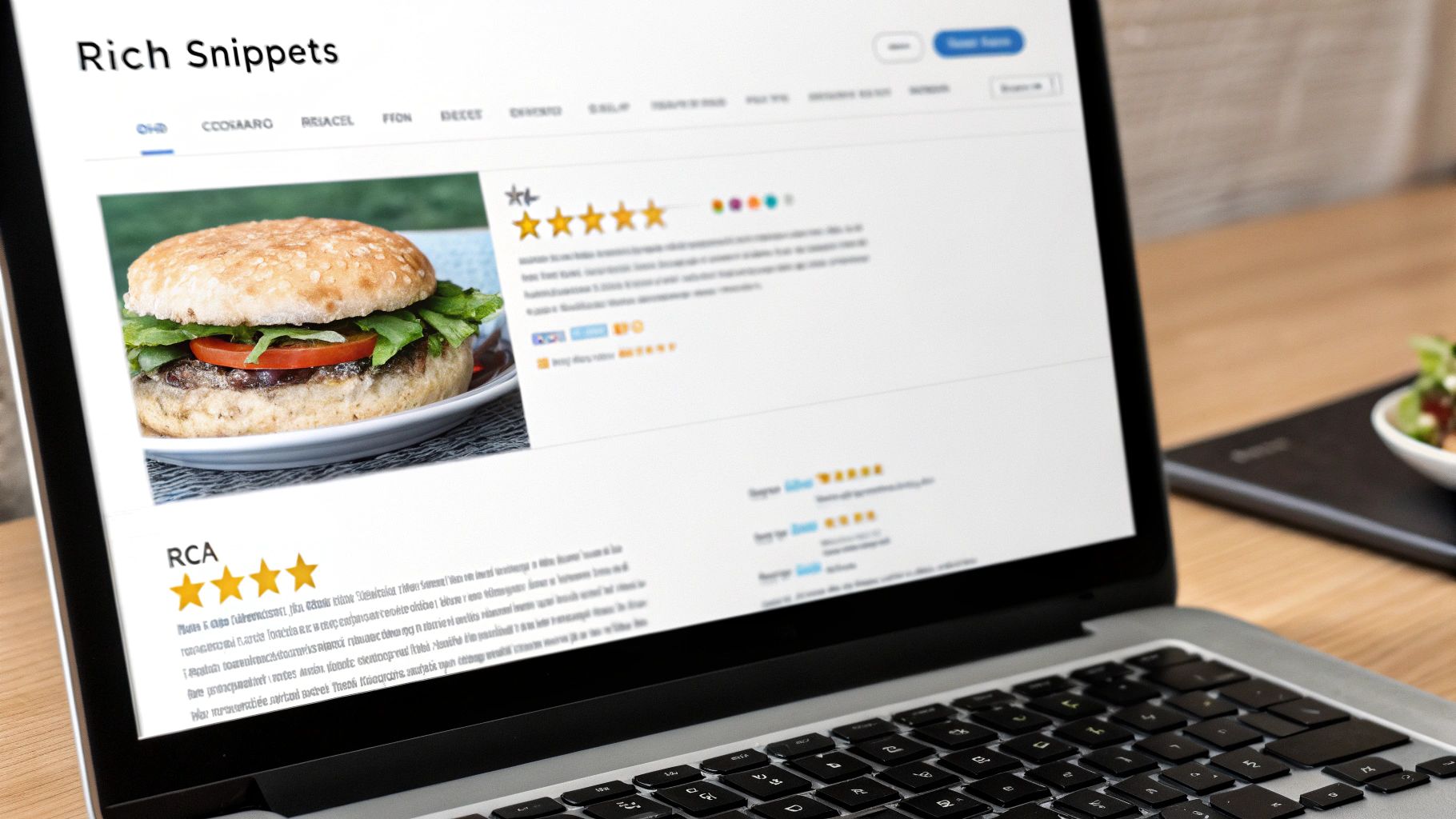
Implementing schema markup is one of the most powerful quick SEO wins for providing context to search engines about your page's content. This structured data code acts as a translator, helping Google understand your information and display it as rich snippets in search results. These enhanced listings, which can include star ratings, prices, and FAQs, make your website stand out from the competition, boosting click-through rates and driving targeted traffic.
Why It's a Quick Win
Adding structured data directly influences how your site appears in the Search Engine Results Pages (SERPs). While it isn't a direct ranking factor, the resulting rich snippets can dramatically increase your visibility and CTR. This gives new websites and small businesses a competitive edge without needing years of domain authority. For local businesses, like a Kansas City-based plumber or a Shopify store, it's a fast way to display critical information like hours, product availability, and customer reviews directly in search results.
How to Implement This Win
You don't need to be a coding expert to add schema to your website, especially if you're using WordPress. SEO plugins have made this process accessible to everyone.
Here are actionable steps you can take today:
- Use an SEO Plugin: For WordPress users, plugins like Rank Math or Yoast SEO have built-in schema generators. You can easily add Product, Article, or LocalBusiness schema to relevant pages with just a few clicks.
- Target the Right Schema: Focus on schema types that match your content. Use
LocalBusinessschema on your contact page to specify your address, phone number, and hours. UseFAQPageon a service page to answer common questions and potentially capture a featured snippet. UseProductschema on e-commerce pages to show price and availability. - Validate Your Code: Always test your implementation using Google's Rich Results Test tool. This ensures your code is error-free and eligible for rich snippet display.
- Monitor Performance: Check Google Search Console for any structured data errors or warnings. The "Enhancements" report will show you how Google is processing your schema and highlight any issues that need fixing.
By adding this layer of information, you help search engines better understand and feature your content, leading to more qualified traffic. You can explore a detailed structured data guide on Google's own site to learn about the various types available.
4. Optimize URL Structure and Fix URL Issues
Optimizing your URL structure is another of the most underrated quick SEO wins for any new website. Your URLs are one of the first things search engines and users see. A clean, descriptive URL helps Google understand the page's content and provides a better user experience, which can lead to higher click-through rates. Fixing issues like overly long URLs, cryptic parameters, or improper redirects is crucial for crawl efficiency and proper indexing.
Why It's a Quick Win
A well-structured URL is a foundational SEO element that acts as a strong relevancy signal. Simple changes can make your links more shareable and easier for users to understand, directly impacting their decision to click. For small businesses, especially in competitive local markets like Kansas City, a URL like /wordpress-hosting-kansas-city is far more effective than a generic one like /wordpress_hosting, immediately telling both users and search engines what you offer and where.
How to Implement This Win
Correcting URL issues is straightforward, especially on platforms like WordPress where you can edit slugs directly. The key is to be descriptive, concise, and consistent. For new websites, it's vital to plan your URL structure from the beginning to avoid future cleanup.
Here are actionable steps you can take today:
- Clean Up Your Slugs: Ensure your URLs are short, readable, and include your primary keyword. Change
yourdomain.com/p?id=123toyourdomain.com/web-development-services. On WordPress, this is as simple as editing the "Permalink" on the page editor. - Use Hyphens, Not Underscores: Google prefers hyphens (-) to separate words in URLs. Always use
seo-auditinstead ofseo_audit. - Create a Logical Hierarchy: Organize your content into clear categories. For example, a Kansas City marketing agency should use
/services/seo/and/services/web-design/to create a logical path that helps Google understand site structure. - Remove Unnecessary Parameters: Use tools like Semrush or Rank Math to find and remove old URLs with tracking parameters that could cause duplicate content issues. Setting up proper 301 redirects from old, messy URLs to the new, clean versions is critical to preserve link equity.
By cleaning up your URLs, you build a stronger SEO foundation from day one. You can learn how to create the best URL structure for SEO with our comprehensive guide, which covers advanced strategies for e-commerce and service-based sites.
5. Create and Optimize Internal Linking Strategy
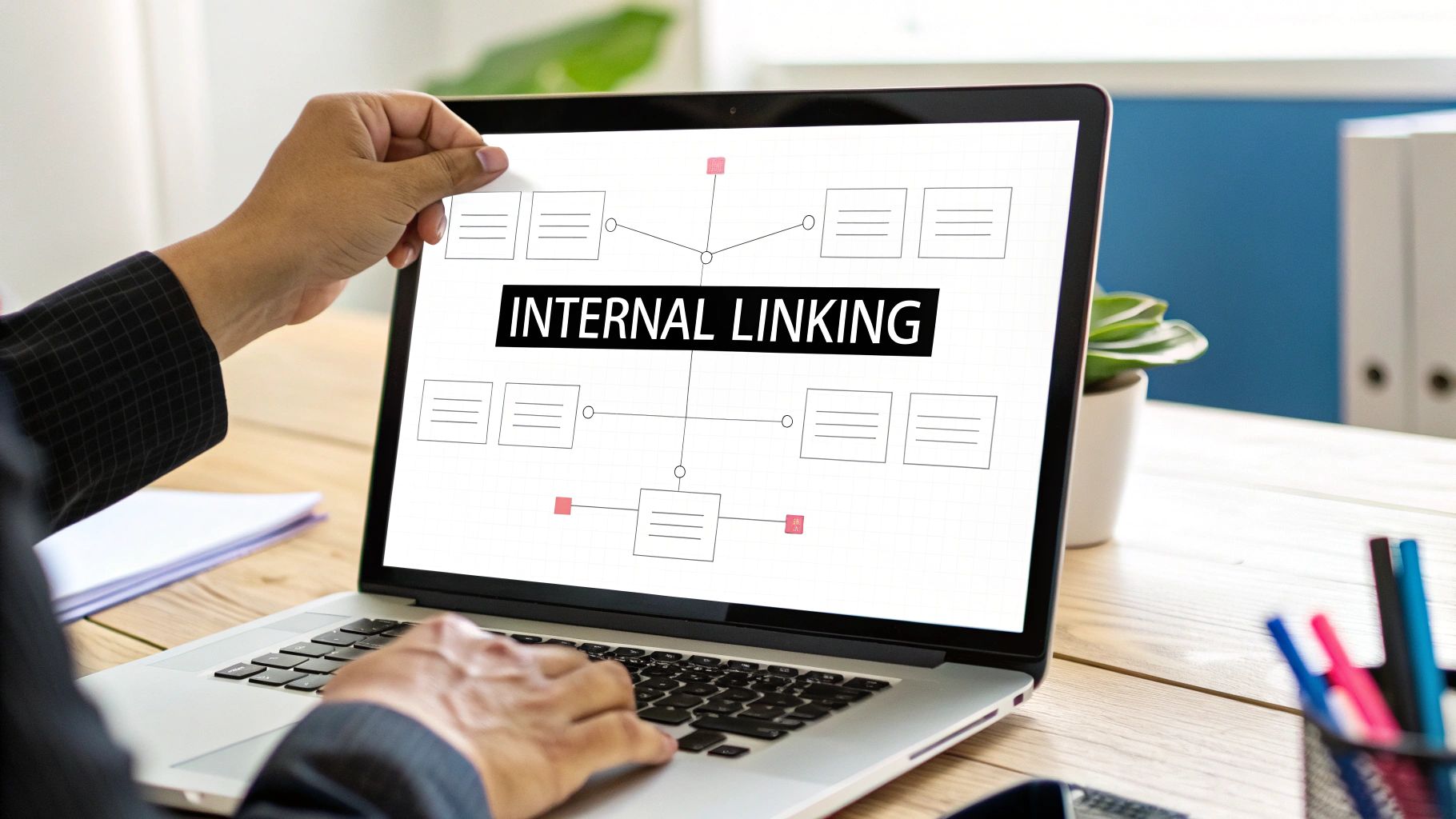
An internal linking strategy is one of the most powerful and controllable quick SEO wins at your disposal. It involves strategically connecting pages on your own website to one another using hyperlinks. This process helps search engines understand the relationship between your content, establishes a clear site hierarchy, and distributes authority (or "link juice") from stronger pages to weaker ones. For new websites, it’s a foundational step to build topical authority and guide both users and search engine crawlers through your site efficiently.
Why It's a Quick Win
Unlike building backlinks, you have 100% control over your internal links. You can implement them immediately without relying on external websites or outreach. This direct control allows you to instantly signal to Google which of your pages are most important. A well-structured site with strong internal links can see ranking improvements in a relatively short time, as it makes your content more accessible and understandable to search engine crawlers.
How to Implement This Win
Creating a logical internal linking structure doesn't have to be complicated. The goal is to create a web of relevant connections that enhances user navigation and clarifies your site's structure for search engines.
Here are actionable steps you can take today:
- Build Topic Clusters: Create a main "pillar" page for a broad topic (e.g., 'Kansas City SEO Services') and link out from it to several more specific "cluster" pages (e.g., 'Local SEO,' 'E-commerce SEO,' 'On-Page SEO'). Then, link from each cluster page back to the main pillar. This structure clearly demonstrates your expertise on the topic to Google.
- Use Descriptive Anchor Text: Avoid generic phrases like "click here." Instead, use anchor text that describes the page you're linking to, such as "learn about our WordPress development services" or "explore our on-page SEO techniques."
- Update Old Content: Go back to your older blog posts and pages and add links to newer, relevant content. This passes authority to your new pages and keeps your older content fresh and valuable. For example, add a link from an old post about "website maintenance" to your new service page for "WordPress security packages."
- Fix Orphaned Pages: Use a tool like Google Search Console or an SEO plugin to find pages that have no internal links pointing to them. You can learn how to find and fix orphan pages in SEO to ensure all your content is discoverable. For WordPress users, plugins like Rank Math offer suggestions for internal links as you write, simplifying the process.
6. Audit and Fix Indexation Issues
If search engines can't find and index your pages, your content is invisible. This is why fixing indexation issues is one of the most fundamental quick SEO wins you can tackle. Indexation problems prevent your pages from appearing in search results, effectively nullifying all your other SEO efforts. These issues often arise from simple misconfigurations like robots.txt blocks, accidental noindex tags left over from development, or server errors that prevent Google from crawling your site.
Why It's a Quick Win
Ensuring your important pages are indexed is the baseline for all organic traffic. Unlike content creation, which takes time to rank, fixing an indexation error can get a page into search results within days. The tools to find these problems, like Google Search Console, are free and provide direct feedback. For a new business or website, resolving these technical roadblocks means your products and services can be found by customers immediately, unlocking your site's earning potential.
How to Implement This Win
Google Search Console is your best friend for uncovering these issues. The 'Coverage' (or 'Pages') report will tell you exactly which pages are indexed and which have errors.
Here are actionable steps you can take today:
- Check Your
robots.txtFile: Ensure you aren't accidentally blocking important pages or entire sections of your site. This file tells search engines which URLs they can and cannot crawl. A common mistake is a line likeDisallow: /services/, which would block all service pages from being crawled. - Remove Stray
noindexTags: A common mistake is leaving anoindextag on a page after moving it from a staging environment to your live site. Use the URL Inspection tool in Google Search Console to check individual pages. - Submit an XML Sitemap: A sitemap is a roadmap of your website. Create one (Yoast SEO and Rank Math do this automatically) and submit it through Google Search Console to help Google discover and index all your important URLs more efficiently.
- Fix Server Errors (5xx): If your server is down or returning errors when Google tries to crawl, it will quickly stop trying. Monitor for these issues in Search Console and work with your hosting provider to resolve them immediately.
By regularly auditing your site's indexability, you ensure that every piece of content you create has a fair chance to rank. You can get a professional to perform a comprehensive SEO audit to pinpoint these and other technical issues holding your site back.
7. Create High-Quality In-Content Backlinks
Building high-quality, in-content backlinks is one of the most powerful quick SEO wins for establishing your site's authority. These are contextual links placed naturally within your body text that point to other relevant pages, either on your own site (internal) or to external authority sites. Unlike footer or sidebar links, in-content links signal to Google that the linked content is valuable, relevant, and supports the topic you are discussing, which can significantly boost your page's credibility.
Why It's a Quick Win
Backlinks remain a foundational ranking factor, and creating them strategically within new content provides immediate authority signals. By linking out to trusted, non-competing sites like industry leaders or research institutions, you associate your content with established authorities. This improves your topical relevance and can help your pages get indexed and ranked faster. For new businesses, this is a crucial step to build a reputation in a crowded digital space.
How to Implement This Win
Integrating backlinks doesn't have to be complicated. The key is to make them feel natural and add value for the reader. For a professional approach, you can work with an agency like Website Services, which specializes in acquiring natural, high-quality links that support long-term rankings.
Here are actionable steps you can take today:
- Link to Authority Sites: In every new piece of content (around 1,000 words), aim to include 2-5 links to high-authority external websites. For example, a Kansas City business guide could link to the local Chamber of Commerce, a relevant Forbes article, or a university study. This practice, known as building "outbound links," demonstrates to Google that your content is well-researched.
- Vary Your Anchor Text: Avoid using the exact same keyword for every link. Use a natural mix of branded names ("Semrush"), generic phrases ("click here"), and partial-match keywords to look authentic.
- Balance with Internal Links: While linking out is important, don't forget to link to your own relevant pages. This helps distribute link equity across your site and improves navigation for users.
- Update Old Content: Review your existing articles and add fresh, relevant in-content links to both internal and external sources. This can give an old post a quick SEO boost.
By strategically placing these links, you create a web of trust and relevance around your content. You can learn how to build backlinks naturally with our comprehensive guide, which covers more advanced strategies.
8. Target High-Intent Long-Tail Keywords with Content
Targeting long-tail keywords is one of the smartest and most effective quick SEO wins for new websites. These are longer, more specific search phrases that, while having lower individual search volume, carry much higher purchase intent. Instead of competing against established giants for broad terms like "web design," you can attract highly qualified visitors by answering their specific needs, such as "responsive web design for plumbing contractors." This strategy allows you to gain traction and secure rankings far more quickly.

Why It's a Quick Win
Long-tail keywords face significantly less competition, making it easier for new or small businesses to rank on the first page of Google. Users searching with these specific phrases are often further along in the buying cycle. Someone searching for "SEO" is likely researching, but a user searching "affordable SEO services for small businesses in Kansas City" is actively looking to hire someone. This high-intent traffic leads to better conversion rates and a more immediate return on your content creation efforts.
How to Implement This Win
To truly excel in targeting high-intent content, mastering Long Tail Keyword Research is an indispensable strategy. You can start finding and targeting these valuable phrases today with a few straightforward steps.
Here are actionable steps you can take today:
- Use Keyword Tools: Leverage tools like Semrush's Keyword Magic Tool or AnswerThePublic to find question-based keywords ("how to," "what is") and specific long-tail variations related to your primary services. Google's "People Also Ask" section is a free goldmine for these queries.
- Add Location Modifiers: For local businesses, this is a game-changer. Simply add your city or service area to your keywords, such as "best WordPress hosting for Kansas City freelancers," to attract local customers.
- Analyze Competitor Gaps: Look at what your competitors are ranking for. You can often find valuable long-tail keywords they have overlooked or only targeted superficially. A tool like Ahrefs' Content Gap analysis can reveal these opportunities instantly.
- Focus on Search Intent: Before creating content, determine if the user's intent is informational, commercial, or navigational. Create a dedicated piece of high-quality content that directly answers the specific need of each long-tail keyword cluster. A blog post for "how to choose a web designer" and a service page for "hire a web designer in KC" serve two different intents.
8 Quick SEO Wins Comparison
| Tactic | Implementation 🔄 | Resources ⚡ | Expected outcomes ⭐📊 | Ideal use cases | Key advantages & tips 💡 |
|---|---|---|---|---|---|
| Fix Core Web Vitals and Page Speed Optimization | Medium–High — requires dev changes (server, JS, images) 🔄 | Medium — developer time, image work, possible hosting/CDN cost ⚡ | High — faster loads, reduced bounce, potential ranking lift ⭐📊 | E‑commerce, mobile‑first sites, new launches | Prioritize LCP, use PageSpeed Insights, enable CDN and caching 💡 |
| Optimize Title Tags and Meta Descriptions | Low — edit HTML or use SEO plugin 🔄 | Low — copywriter or site admin time; bulk-edit via plugin ⚡ | Medium — improved CTR; indirect rankings via higher engagement ⭐📊 | All sites; new domains; pages needing CTR improvement | Use unique titles, place primary keyword early, test CTAs and variants 💡 |
| Implement Schema Markup and Structured Data | Medium — add JSON‑LD via templates or plugins; custom types need dev 🔄 | Low–Medium — SEO knowledge, plugin or dev support for complex schemas ⚡ | Medium–High — rich snippets → higher visibility and CTR ⭐📊 | E‑commerce, local businesses, FAQ/product pages | Validate with Rich Results Test, keep data accurate and up to date 💡 |
| Optimize URL Structure and Fix URL Issues | Low–Medium — planning, slug edits, 301 redirects for changes 🔄 | Low–Medium — content edits; dev for redirects and testing ⚡ | Medium — improved crawlability, clearer SERP links, fewer indexing issues ⭐📊 | New sites; sites with duplicate/parameter problems | Use hyphens, concise slugs, plan redirects carefully; keep URLs <75 chars 💡 |
| Create and Optimize Internal Linking Strategy | Low–Medium — editorial planning and content updates 🔄 | Low — content time; no significant external cost ⚡ | Medium–High — better indexation, distributed authority, topical clusters ⭐📊 | Content-heavy sites, e‑commerce catalogs, sites building topical authority | Use pillar/cluster model, connect orphan pages, avoid over‑linking; monitor in GSC 💡 |
| Audit and Fix Indexation Issues | Medium — diagnose via GSC and fix robots/noindex/crawl errors 🔄 | Low–Medium — GSC access, some dev fixes for server errors ⚡ | High — restored indexing and visibility; prevents traffic loss ⭐📊 | New launches, sites with crawl errors or accidental blocks | Check GSC Coverage weekly, submit sitemaps, fix 4xx/5xx and canonical issues 💡 |
| Create High-Quality In-Content Backlinks | High — outreach, editorial placement, relationship building 🔄 | High — skilled writers, outreach resources, possible placement fees ⚡ | High — improved authority, referral traffic, ranking support ⭐📊 | Brand building, competitive niches, new content needing authority signals | Prioritize relevance, natural anchor text, track links (Semrush); balance external/internal links 💡 |
| Target High-Intent Long‑Tail Keywords with Content | Medium — research plus targeted content creation 🔄 | Medium — content creation time and keyword tools (Semrush, AnswerThePublic) ⚡ | Medium–High — faster rankings for niche queries and higher conversion rates ⭐📊 | New sites, local businesses, niche services seeking quick visibility | Build clusters, use location modifiers and question keywords, analyze intent before writing 💡 |
Your Next Steps to Lasting SEO Success
You have just explored eight of the most impactful quick SEO wins available to any small business, new website, or e-commerce store owner. The strategies we've covered, from optimizing your Core Web Vitals to targeting high-intent long-tail keywords, are not just isolated tasks; they are foundational pillars that support a powerful, sustainable organic growth strategy. Each action you take builds upon the last, creating a cumulative effect that search engines reward.
The true value of these optimizations lies in their ability to create immediate momentum. Fixing a critical indexation issue can bring lost pages back into the SERPs within days, while a well-crafted title tag can improve your click-through rate overnight. Think of each win as another gear in your marketing engine. Optimizing your URL structure makes your site more crawlable, an effective internal linking strategy distributes authority, and implementing Schema markup helps Google understand your content more deeply. These aren't just technical chores; they are strategic moves that enhance user experience and build trust with search algorithms.
From Quick Wins to Long-Term Dominance
The key takeaway is that consistency transforms these initial victories into lasting success. A one-time audit is good, but an ongoing process of monitoring and refining is what separates thriving websites from stagnant ones. The most successful businesses, whether they are local shops in Kansas City or global e-commerce platforms, understand that SEO is not a "set it and forget it" activity. It's an iterative process of improvement.
To keep the momentum going, here are your next actionable steps:
- Create a Prioritized Checklist: Review the eight strategies discussed and rank them based on your website's most urgent needs. Use a tool like Google Search Console to identify the most pressing issues, such as pages with poor Core Web Vitals or high-impression, low-click-through-rate keywords that need title tag optimization.
- Schedule a Monthly SEO Block: Dedicate a few hours each month to review your progress. Are your internal links driving traffic to key pages? Have new indexation errors appeared? This proactive approach ensures you maintain the gains from your initial quick SEO wins.
- Expand Your Content Strategy: Use your success with long-tail keywords as a launchpad. Identify related topics and build out content clusters that establish your site as an authority in its niche, creating more opportunities for internal linking and backlink acquisition.
Mastering these fundamentals is the most reliable path to achieving your business goals, whether that's generating more leads, increasing online sales, or establishing your brand as a market leader. By implementing these practical, high-impact changes, you are laying the groundwork for a website that not only ranks well but also converts visitors into loyal customers.
Ready to turn these insights into measurable results but short on time or expertise? Website Services-Kansas City specializes in executing these exact strategies to deliver tangible growth. Let us perform a comprehensive SEO audit to uncover your site's hidden potential and implement the most impactful quick SEO wins for you. Visit Website Services-Kansas City to learn how our freelance expertise, backed by a 100% money-back guarantee, can accelerate your journey to the top of the search results.