
Outlining a website is all about creating a blueprint—a strategic plan that maps out your site's structure, pages, and how users will move through it, all before a single line of code is written or a color palette is chosen. It’s the foundational work that syncs up your business goals with what your visitors actually need, making sure your final product is logical, effective, and built to perform.
Getting this right from the start saves a ton of time, sidesteps expensive revisions down the road, and lays the groundwork for great SEO from day one.
Why Your Website Blueprint Is the Most Critical First Step

Before you start obsessing over fonts and color schemes, the most important work happens on paper or in a simple document. Thinking of a website outline as just another box to check is a huge mistake; it’s the strategic blueprint that separates a high-performing business asset from an expensive digital brochure.
This is where you make sure your business goals are perfectly aligned with your audience’s needs. It’s your best defense against the dreaded "scope creep" that can derail a project, ensuring everyone from marketing to development is on the same page and working from the same plan.
The Foundation for Growth and Performance
A well-thought-out outline will save you an incredible amount of time, money, and future headaches. It builds a solid foundation for a site that works seamlessly for your visitors and gets understood by search engines like Google. For a structured, human-centered approach to developing your website's blueprint, from understanding users to prototyping solutions, follow the Design Thinking process steps.
This strategic thinking is non-negotiable, whether you’re a local service provider in Kansas City or a national e-commerce store. It’s the core work that guarantees your investment in a website delivers real, measurable returns.
A website without a blueprint is like a building without an architectural plan. You might end up with something that stands, but it won't be efficient, user-friendly, or built to last. Planning is the investment you make in future success.
Standing Out in a Crowded Market
The need for this kind of planning has never been more critical. The web development industry is booming, with the global market expected to hit USD 134.17 billion by 2031. That explosive growth means thousands of new websites are launching every single day, making it tougher than ever to get noticed.
For a new business, this means a well-designed, optimized online presence isn't just an advantage—it's a requirement for survival. Building a professional site requires a plan that considers design, user experience, and SEO from the very beginning. You can learn more about the complete process in our guide on how to create a business website.
Defining Your Website's Purpose and Audience
Before you even think about sketching a single page, we need to get brutally honest about two things: what this website absolutely must achieve, and who you’re building it for. A fuzzy goal like "get more customers" just won't fly when you're laying the foundation for an entire website. You need sharp, measurable objectives that will steer every single decision you make from here on out.
Is the primary mission to generate 20 qualified service leads every month? Or maybe it’s to boost online sales by 15% this quarter? Pinning down these specifics is what transforms your website from a passive online brochure into an active, lead-generating machine for your business.
Pinpointing Your Primary Conversion Goals
Your website's true purpose boils down to its primary conversion goals. These are the most critical actions you want a visitor to take—the moments that directly translate into business growth. Put simply, what does a "win" look like for you?
For a Kansas City plumbing company, the biggest win is almost always a user booking a service call, either through a form or by picking up the phone. For a Shopify store selling handmade goods, the ultimate conversion is a completed checkout. No ambiguity there.
From those main goals, you can map out the smaller, supporting actions that get people there:
- Downloading a Guide: This lets you capture an email address in exchange for a valuable resource, starting a conversation.
- Requesting a Quote: This is how you get a warm prospect into your sales pipeline.
- Signing Up for a Newsletter: This helps you build a long-term relationship with your audience, keeping you top-of-mind.
These "micro-conversions" are crucial pit stops on the customer's journey. Planning for them in your outline is non-negotiable. Weaving them in effectively is a core part of what our team explores when building a content strategy for your business.
Creating a Simple User Persona
Once you know what you want people to do, you have to get inside the heads of the people you want to do it. This is where a simple user persona—a fictional sketch of your ideal customer—becomes essential. This isn't just some fluffy marketing exercise; it's a practical tool that will directly shape your website's tone, design, and structure.
A website designed for everyone is ultimately designed for no one. A deep understanding of your target user ensures your message resonates, builds trust, and drives action.
Get practical with it. Ask questions that get to the heart of their needs and frustrations:
- Pain Points: What’s their biggest headache related to what you offer? (e.g., "I can't find a reliable plumber who shows up for emergency leaks.")
- Information Needs: What information do they need to feel confident enough to hire you? (e.g., "I need to see real customer reviews and clear, upfront pricing.")
- User Context: What device are they likely on when they find you? (e.g., A mobile phone in the middle of a home emergency.)
- Search Intent: What phrases are they typing into Google to find a solution? (e.g., "emergency plumber near me" or "best ac repair kansas city")
The answers to these questions will dictate everything from your homepage headline to the words on your call-to-action buttons. A user-focused design is critical, especially when you consider that 75% of people judge a business's credibility based on its website design alone.
Even worse, a staggering 88% of users won't return to a site after a bad experience. That statistic alone highlights why getting this right from the very beginning is so important. You can dig into more of these crucial web development statistics and see how they impact business growth.
Building Your Sitemap and User Flow
Before you even think about colors or fonts, you need an architectural plan for your website. This is your sitemap—a visual blueprint of every single page you plan to build and, just as importantly, how they all connect. Getting this right is the first step in creating a logical structure that makes sense to both your visitors and to search engines.
This isn't just about making a list of pages. It’s about mapping out an intentional journey for your visitors. You want to guide them smoothly from wherever they land—be it your homepage or a random blog post—all the way to the action you want them to take.
This whole process is built on the foundation of your core business goals.
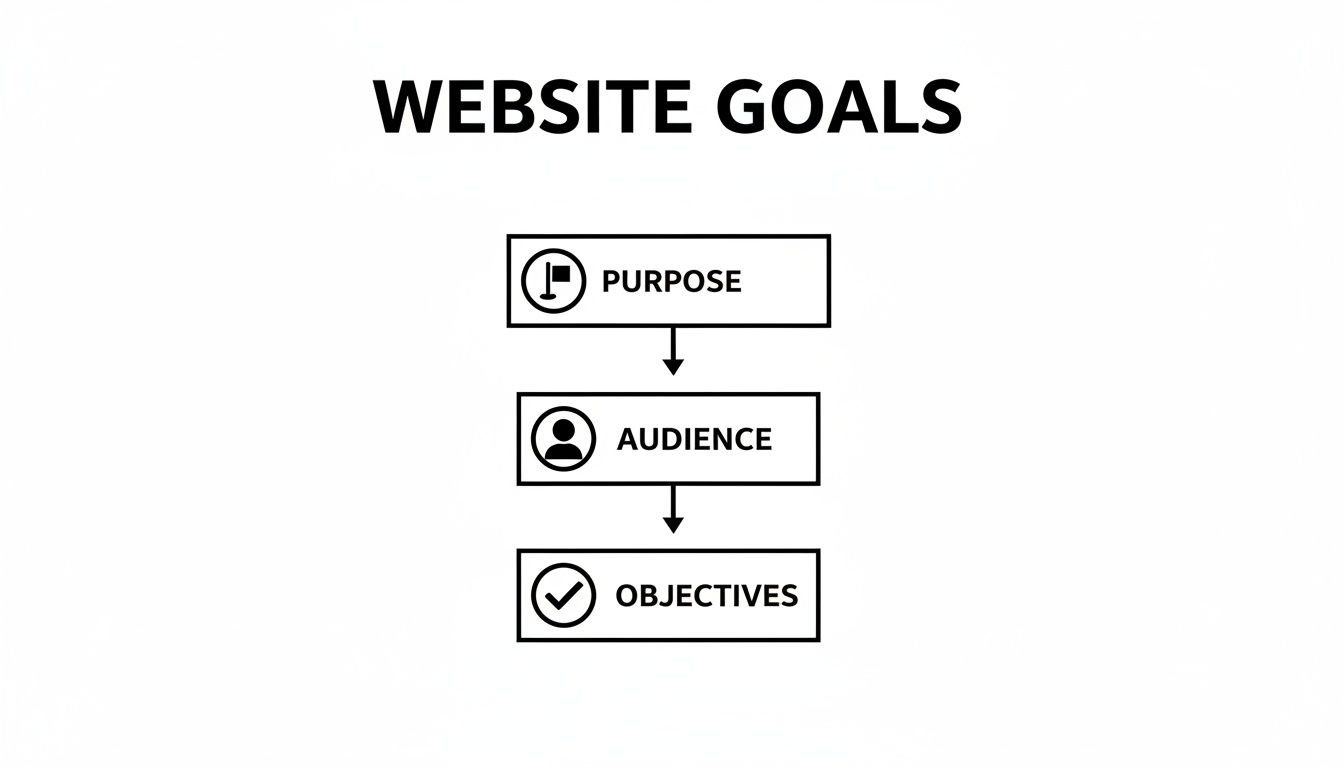
Starting with your site's purpose, defining your audience, and setting clear objectives is what turns a simple list of pages into a sitemap that actually drives results.
Mapping Your Core Pages
First, let's nail down the essentials. These are the non-negotiable, top-level pages that form the backbone of your site and will almost always appear in your main navigation menu.
For most businesses, that initial list looks something like this:
- Home: Your digital storefront and the first impression for most people.
- About Us: Where you tell your story, build trust, and show the human side of your brand.
- Services / Products: A detailed breakdown of exactly what you sell.
- Contact: Clear, simple instructions on how people can get in touch.
Once you have this core set, you start branching out. For example, a local service business—let's say an HVAC company in Kansas City—would build out its "Services" page with sub-pages like "AC Repair," "Furnace Installation," and "Maintenance Plans." Each of these pages is a chance to target a specific customer need and a valuable keyword.
An e-commerce store selling clothes, on the other hand, will have a much more complex structure. You might have main categories like "Men's" and "Women's," which then branch out into sub-categories like "Shirts," "Pants," and "Accessories." You can get a much deeper look at how to organize this by checking out our guide on how to plan website structure.
Essential Page Comparison for Different Business Models
Deciding on your core pages can feel tricky, but it really depends on what you're selling. The must-have pages for a local plumber are quite different from what an online boutique needs. This table breaks down the essentials for both models.
| Page Type | Local Service Business Example | E-commerce Store Example | Primary Goal |
|---|---|---|---|
| Homepage | A clear value proposition, service highlights, trust signals (reviews), and a prominent call-to-action ("Get a Free Estimate"). | Featured products, current promotions, lifestyle imagery, and clear paths to major product categories. | Grab attention, establish credibility, and direct traffic deeper into the site. |
| Services/Products | Individual pages for each service offered (e.g., "Drain Cleaning," "Water Heater Repair"). | Main category pages ("Tops," "Bottoms") that lead to sub-category and individual product detail pages. | Detail the offerings, target specific keywords, and provide clear information to help users make a decision. |
| About Us | The company's story, team photos, and community involvement to build local trust. | The brand's origin story, mission, and commitment to quality or sustainability. | Build a human connection, differentiate from competitors, and foster brand loyalty. |
| Contact | A map, phone number, email, and a simple contact form. Business hours are crucial. | Customer service contact info, FAQ link, and return policy details. | Make it as easy as possible for a potential customer or client to get in touch. |
While the page names might be similar, the content and goals are tailored to the specific needs of their customers. This strategic thinking is what turns a basic website into a powerful business tool.
Charting the User Flow
With your sitemap drafted, it’s time to think about user flow. This is the literal path a visitor takes through your website to accomplish something, whether that’s buying a product or filling out a form. A great user flow feels completely effortless, guiding people so naturally they don't even have to think about what to click next.
For an e-commerce site, a classic user flow might be:
- A visitor lands on the Homepage.
- They click into a Product Category.
- From there, they select a specific Product Page.
- They add the item to their Cart.
- Finally, they move to the Checkout page to buy.
A well-planned user flow is all about reducing friction. By anticipating what your visitor needs to see next, you create a seamless experience that builds confidence and makes them far more likely to convert.
It can be incredibly helpful to look at some essential user flow examples to get ideas for how to structure these journeys. Thinking this through helps ensure your main navigation, footer, and internal links all work together to guide users and spread SEO value across your site.
Creating Page-Level Blueprints and Wireframes
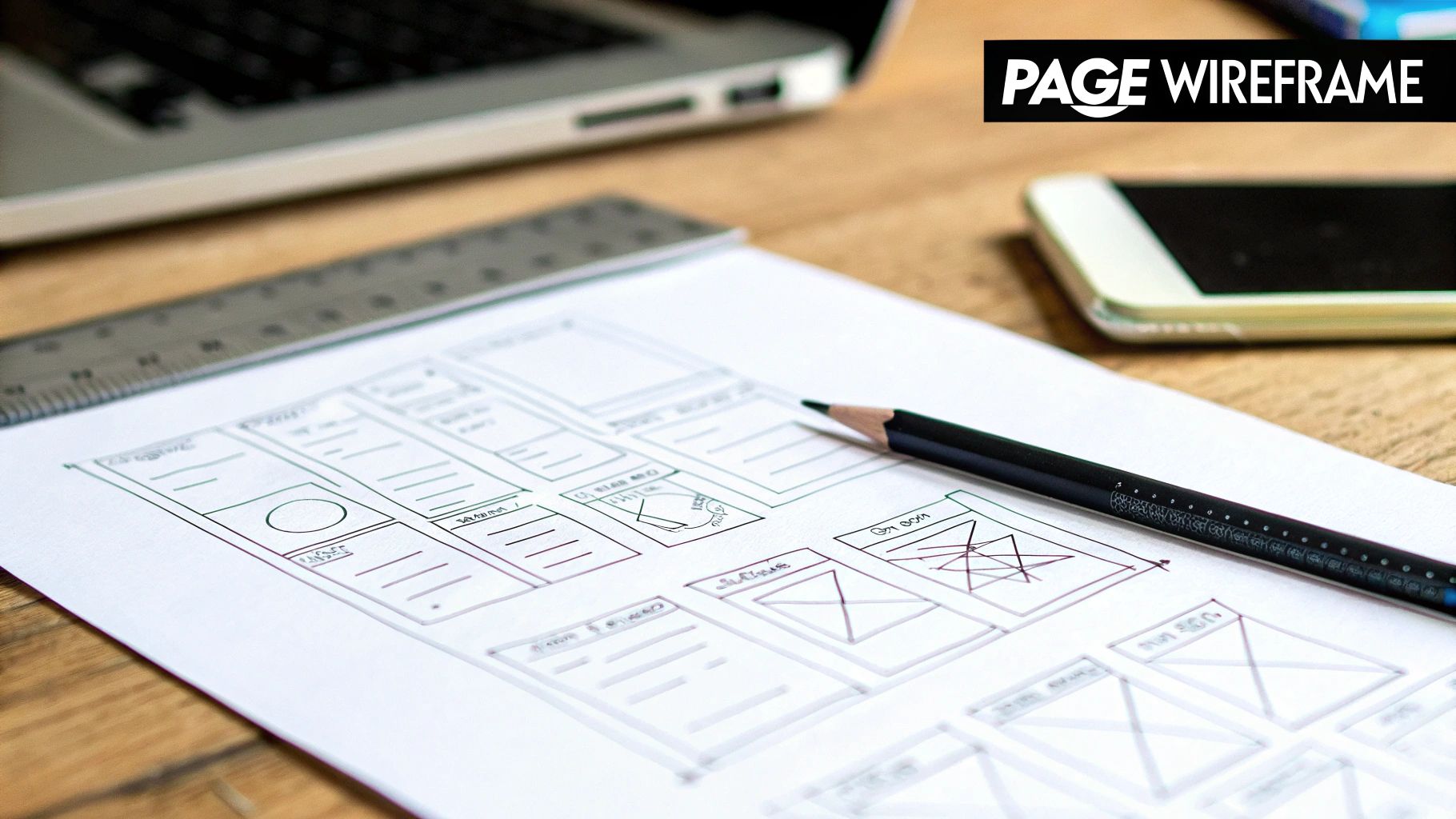
With a solid sitemap in hand, it's time to zoom in. We’re moving from the 10,000-foot view of the entire structure down to the ground level—the detailed floor plan for each critical page. This is where you create your page-level blueprints, what many of us call content wireframes.
Think of these as simple, strategic outlines that map out the hierarchy and purpose of every single element on a page before anyone even thinks about design. The whole point is to make sure every section has a job to do, guiding the user logically toward your main conversion goal.
Defining Key Content Blocks
For each of your core pages—your homepage, a key service page, or your about page—start by mapping out the essential content blocks. These are the fundamental building blocks of your page's story, and getting the flow right is everything. You want to create a narrative that answers a visitor's questions and persuades them to act.
Your page blueprint should include:
- Primary Headline (H1): This is your big promise. It has to instantly tell visitors they’re in the right place and what problem you solve for them.
- Core Message: A short, punchy section right under the headline that expands on your value and builds that first bit of trust.
- Key Features or Benefits: Use bullet points or small sections to detail how you deliver on your promise. Always try to focus on the benefits over the features.
- Social Proof: A dedicated spot for testimonials, snippets from case studies, or logos of clients you’ve worked with. This is your credibility builder.
- Call-to-Action (CTA): The final, crystal-clear instruction telling the user what to do next. Think "Request a Free Quote" or "Shop Now."
This process ensures your content strategy dictates the design, not the other way around. It’s a foundational piece of a strong website user experience design because it puts clarity and function first.
From Blueprint to Visual Wireframe
Once you've outlined all the content blocks, the next step is a simple visual wireframe. Don't let the term intimidate you; you don’t need any fancy software for this. A pen and paper or even a quick whiteboard sketch works perfectly.
A wireframe is just a low-fidelity sketch showing the placement of elements on a page. It's all about structure and layout, not aesthetics. You'll draw simple boxes to represent where your headline, images, text blocks, and CTAs are going to live.
Wireframing is about function over form. Its purpose is to validate the page's structure and ensure the visual hierarchy guides the user's eye exactly where you want it to go.
For example, a wireframe for a service page might show a big box at the top for the main hero image and H1. That could be followed by three smaller, equal boxes for key benefits, a wider section for a customer testimonial, and a brightly outlined box at the bottom for the contact form CTA.
This simple exercise is incredibly powerful. It forces you to think critically about every square inch of your page, making sure each element has a clear purpose. It helps your designer and developer understand the content strategy before a single line of code is written, saving countless hours and preventing expensive revisions down the road.
Integrating SEO from the Very Beginning
Trying to bolt SEO onto a finished website is a classic mistake. It’s like trying to add a foundation to a house that’s already built—messy, expensive, and never as good as doing it right from the start. A truly high-performing website has search engine visibility baked into its DNA, and your outline is the first and best place to lay that groundwork.
Instead of just making a list of pages, this is your chance to strategically plan your keyword targets, map out clean URL structures, and design a content hierarchy that Google will instantly understand. This initial planning ensures every single page is built with a clear purpose for both your visitors and search engines.
Keyword Mapping in Your Sitemap
Keyword mapping is the simple act of assigning a primary keyword (and a few related ones) to every page in your sitemap. This one step transforms your sitemap from a simple flowchart into a powerful SEO blueprint.
Doing this now prevents a common and frustrating mistake known as "keyword cannibalization," which is when you accidentally have multiple pages competing for the same search term.
For example, a marketing agency based in Kansas City might map its core pages like this:
- Home Page: Targets a broad, high-level term like "Kansas City marketing agency."
- Services Page: Gets a little more specific with "digital marketing services KC."
- Sub-Service Page: Becomes hyper-focused on a high-intent term like "local SEO Kansas City."
Mapping keywords this way creates clean, logical pathways for search engines to follow. It gives each page its own unique job and a clear shot at ranking. If you want to dig deeper into these concepts, you can learn more about what on-page optimization is and how it forms the basis of your entire SEO strategy.
Planning SEO-Friendly Page Elements
Once you have your keywords mapped out, you can start drafting the core on-page SEO elements right inside your outline. This gives your developers and copywriters a crystal-clear roadmap, ensuring nothing important gets overlooked during the build.
SEO isn’t a separate step you do later; it's a fundamental part of the outlining process. By planning your URLs, titles, and headings from day one, you build a website that's optimized by design, not by afterthought.
For each key page, your outline should clearly define these elements:
- URL Structure: Plan short, descriptive, and keyword-rich URLs. For that SEO service page, the URL should be
/local-seo-kansas-city, not something generic like/service-3. - Title Tag: Draft a compelling title under 60 characters that includes your main keyword. For instance:
Local SEO Services in Kansas City | Website Services. - Meta Description: Write a short, persuasive summary (under 160 characters) that makes people want to click on your link in the search results.
- H1 Heading: This is your page's main headline. It should state the topic clearly and include the primary keyword, something like "Dominate Local Search with Our Kansas City SEO Services."
- H2 & H3 Subheadings: Outline the main sections of the page, using your secondary keywords to create a logical flow. Think headings like "Our Local SEO Process," "Why Choose Us for KC SEO," and "Local SEO Case Studies."
Integrating these elements from the very beginning ensures your website is not just user-friendly but also perfectly primed for search engines the moment it goes live. This methodical approach turns your simple outline into a direct path for business growth.
Got Questions About Website Outlining? We've Got Answers
Even with a clear process, building a website outline can feel a bit like solving a puzzle. It's totally normal for questions to pop up along the way. Let's tackle some of the most common ones I hear from business owners.
How Detailed Should My Website Outline Be?
The honest answer? It depends on how complex your project is. For a small business website, a solid outline needs to cover the essentials: a complete sitemap, the main goal for each page, a list of content blocks for key pages (like your homepage), and your primary call-to-action.
If you want to be more thorough, you could add simple wireframes and map out on-page SEO elements like your title tags and H1 headings.
The goal is to provide enough clarity for your developers and writers to run with it, without getting bogged down in tiny details. A great rule of thumb is this: be clear enough that a stranger could understand your website's structure and purpose.
What Are the Best Tools for This Process?
You really don't need to shell out for expensive software to get started. In my experience, the simplest tools are often the most effective for just getting your ideas down on paper.
- For Sitemaps: A basic spreadsheet, a text doc with bullet points, or free visual tools like GlooMaps work perfectly.
- For Wireframing: You can literally start with a pen and paper. If you prefer going digital, Canva has simple templates, while platforms like Figma or Balsamiq offer free versions that are great for low-fidelity mockups.
The tool you use is far less important than the process itself. The real value comes from thinking critically about your site’s structure and how users will actually navigate it—not from the software you pick.
Should I Plan Content Before or After the Outline?
You should be planning your content during the outlining process. They really go hand-in-hand. The outline creates the structure, and your content strategy fills in the crucial details.
Your outline should specify what message each page needs to communicate. What’s the headline going to be? What key benefits are you highlighting? What specific problem does this page solve for the visitor?
This approach ensures the design is built to support your message, not the other way around. Trying to shoehorn content into a pre-existing design is a classic recipe for a weak, ineffective website.
Can I Change My Outline After Development Starts?
While small tweaks are always possible, making big changes to your outline after the coding has already started can get expensive fast and lead to major delays.
Changing the sitemap, the core navigation, or page layouts often means developers have to scrap what they’ve done and rewrite code, which can easily blow your budget. This is exactly why a thorough outlining process is so valuable—it forces you to make all the big, foundational decisions upfront, saving you a world of headaches later on.
Ready to turn your website vision into a high-performing reality? The team at Website Services-Kansas City specializes in creating strategic website blueprints that drive growth. From foundational SEO to expert development, we build sites that work. Contact us today to get started.