
Keyword cannibalization happens when you have multiple pages on your website all trying to rank for the same keyword. It’s a classic case of your own content fighting against itself, and it’s one of the sneakiest ways to sabotage your own SEO.
Instead of having one powerful page that Google sees as the clear authority, you end up with several weaker pages. They all duke it out in the search results, splitting your ranking potential and leaving search engines confused.
What Is Keyword Cannibalization Really
Let's make this real. Imagine you run a bakery in Kansas City and you’ve built out two separate pages: one for “custom birthday cakes” and another for “personalized birthday cakes.”
To you, those might feel like distinct services. But to a user—and more importantly, to Google—the intent behind those searches is identical. Someone looking for a custom cake is also looking for a personalized one.
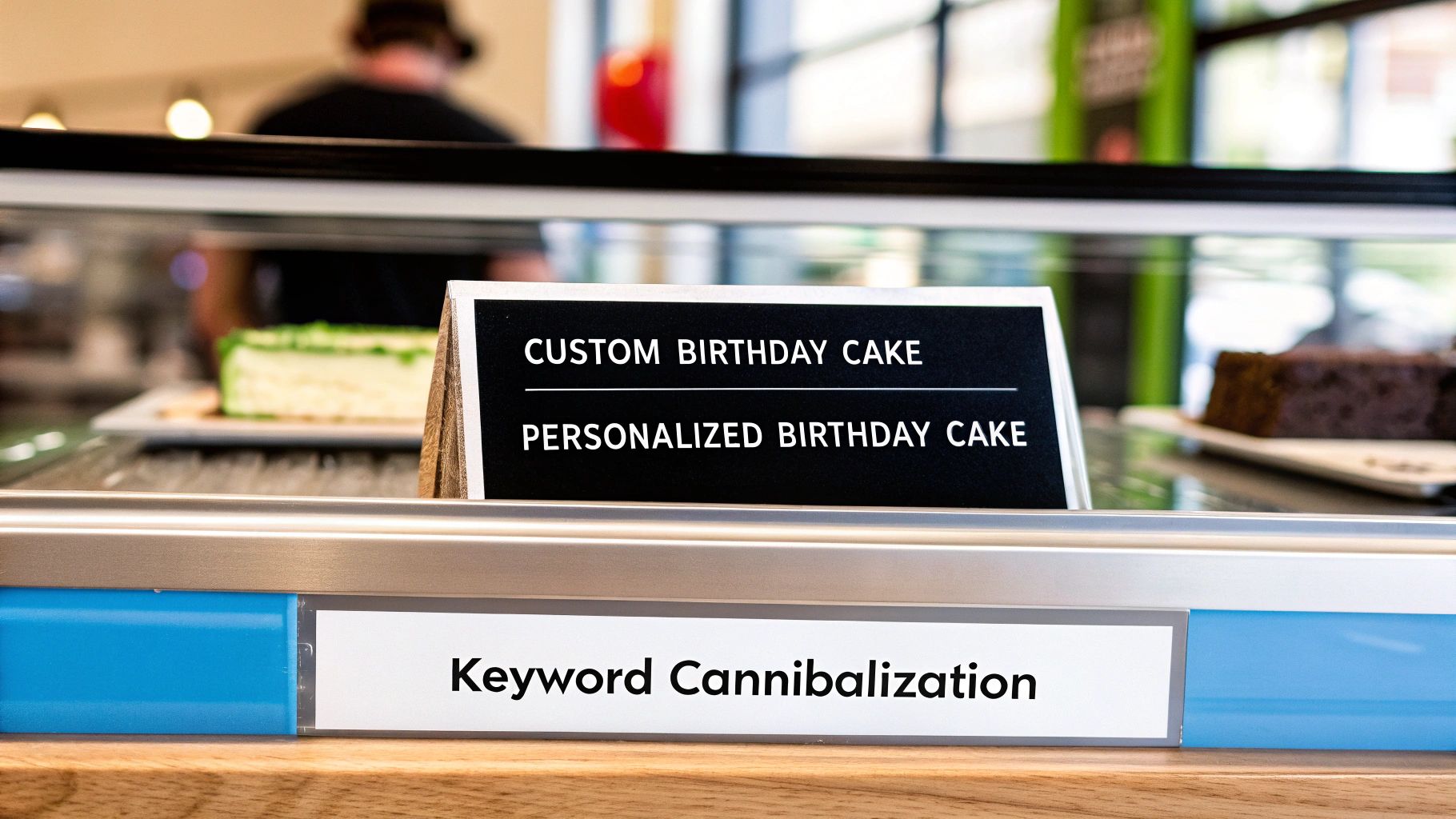
Now, when someone searches, Google is stuck with a choice. Which of your pages is the real authority? Instead of confidently ranking one strong page, it might:
- Rank both of your pages, but much lower in the results (e.g., positions 12 and 15 instead of one page at position 3).
- Show one page today and a different one tomorrow, causing your rankings to bounce all over the place.
- Decide that a competitor’s single, focused page is a better, clearer answer than either of yours.
This internal competition is the heart of what is keyword cannibalization. It’s a problem that often creeps in as a website gets bigger, quietly undermining all your hard work by watering down your authority and muddying the waters for search algorithms.
A Simple Analogy
Think of it like entering two of your own runners into the same race. They just end up competing against each other, splitting their strength and making it easier for a runner from another team to cruise past them for the win.
In SEO, your pages are your runners. You want each one competing in its own specific race, maximizing its chance to win.
By forcing Google to choose between your pages, you're essentially splitting your authority. This means valuable signals like backlinks, internal links, and user engagement are divided, making each individual page less powerful than it could be.
Getting a handle on this concept is absolutely critical for building a solid SEO foundation. To learn more about how to structure individual pages for success, take a look at our guide on what is on-page optimization. By making sure every piece of content has a clear and unique job to do, you ensure it’s contributing to your site's growth, not holding it back.
Why Keyword Cannibalization Silently Sabotages Your SEO
Keyword cannibalization is more than just a simple SEO mistake; it's a quiet saboteur that can bring your growth to a grinding halt. It’s a frustrating state of internal conflict where your own pages are fighting each other for the same spot in Google, and in the end, none of them win. This self-sabotage shows up in a few critical ways that can seriously damage your traffic and your bottom line.
Diluted Page Authority and Weakened Signals
Think about all the hard work that goes into building a page's authority—earning quality backlinks, setting up internal links, and getting user engagement. When you have multiple pages gunning for the same keyword, you're splitting all those powerful ranking signals. Instead of funneling all that SEO value into one powerhouse page, you're spreading it thin across a handful of weaker ones.
Actionable Insight: A single, focused page might attract 100 backlinks. But if you have four pages competing for that same keyword, each one might only get 25 backlinks. This dilution makes it incredibly difficult for any single page to convince Google that it's the definitive resource on the topic. A competitor with one page and just 50 backlinks will likely outrank all four of yours.
Lower Conversion Rates and Lost Revenue
One of the most painful effects of keyword cannibalization is the direct hit it takes on your conversions. Let's say you have two pages targeting "Kansas City SEO services":
- Page A: Your high-converting service page, built to turn visitors into leads with a clear call-to-action and contact form.
- Page B: An informational blog post that explains what SEO services are, with no direct sales pitch.
If Google decides the low-intent blog post is a better fit and ranks it higher than your money-making service page, your conversion rate is going to tank. People looking to hire an agency will land on an article instead of a contact form, which leads directly to lost sales and wasted traffic. Keyword cannibalization can severely impact your website's performance on the Search Engine Results Pages (SERP), leading to decreased organic traffic and lower rankings.
By allowing a less relevant page to outrank your primary conversion page, you are actively steering qualified leads away from the finish line. This is a direct hit to your business's revenue potential.
Unstable Rankings and Search Engine Confusion
When Google’s crawlers find multiple pages on your site that all seem to be about the same thing, they get confused. They struggle to figure out which page is the most relevant for a search query, and the result is unpredictable and unstable rankings. One week, your service page might be sitting at position #8; the next, a blog post pops up at position #15 for the exact same term.
This "Google dance" makes it impossible to build any steady momentum. Instead of climbing the ranks, your pages just fluctuate wildly or get stuck on the second page, never gaining the traction they need to become a dominant force for your target keyword.
Wasted Crawl Budget on Redundant Pages
For bigger websites—especially e-commerce stores on platforms like Shopify or content-heavy WordPress sites—crawl budget is a very real thing. Search engine bots only have a finite amount of time and resources to crawl and index your pages.
When you have tons of redundant pages targeting the same keywords, you're forcing those bots to waste their time crawling and analyzing content that adds little to no unique value. This means they might not get around to your new, important pages as quickly, slowing down your ability to rank for fresh content and wasting precious SEO resources.
Practical Example: Your new LLC's website, optimized by a Kansas City agency, suddenly sees traffic plateau despite great on-page SEO. The culprit? Keyword cannibalization, where synonymous terms like 'WordPress development' and 'custom WordPress sites' pit your pages against each other. This is a hidden hazard where optimizing multiple pages for the same or similar keywords triggers self-competition, especially since Google typically shows only 1-2 results per domain. Statistically, data shows cannibalized keywords can fragment backlinks, reducing the top page's strength by 15-25% on average across audited sites. To find out more, you can read the full research about keyword cannibalization from SplitMetrics at splitmetrics.com.
Recognizing Cannibalization in Your Own Content
Keyword cannibalization can be sneaky. It often hides in plain sight, quietly undermining your efforts until you realize your rankings have flatlined or are bouncing around like a yo-yo. Spotting it means you have to start looking at your own content through the eyes of a search engine.
Let's walk through some real-world scenarios to help you see where this issue might be popping up on your own site.

Practical Example (E-commerce): Imagine you run a Shopify store selling athletic wear. You’ve got separate product pages for "men's athletic shorts" and "gym shorts for men." To you, those might feel like distinct products, but for a user, the goal behind searching either phrase is identical. As a result, Google has no idea which page to prioritize, and both end up ranking lower than a competitor’s single, authoritative page.
The Local Business Dilemma
This problem is incredibly common for local service businesses. Picture a plumbing company in Kansas City. They have a main service page optimized for "emergency plumbing services." But over the years, they’ve also published ten different blog posts, each one titled something like "What to Do in a Plumbing Emergency" or "Finding an Emergency Plumber."
Now Google sees eleven different pages on the same website all fighting for the same customer. This splits their authority and totally confuses the search engine. More often than not, it leads to a lower-value blog post outranking the high-intent service page where customers actually book a job.
The core issue isn't just about matching keywords; it's about matching user intent. If multiple pages serve the exact same purpose for a searcher, you have a cannibalization problem.
This is a classic case of a well-meaning content strategy backfiring. The goal was to build authority, but the result was self-sabotage. You can learn how to spot these confusing signals by finding out how to check the keyword ranking for your pages.
Strategic Depth vs. Accidental Competition
Now, let's contrast that messy approach with a smart one. A big brand like HubSpot targets the core topic of "email marketing" across dozens of pages without creating any internal competition. How? They focus on different user intents.
- Informational Intent: Their blog posts go after keywords like "what is email marketing."
- Educational Intent: The HubSpot Academy has courses targeting "email marketing certification."
- Commercial Intent: Their product pages rank for "email marketing software."
Each page has a distinct job to do and serves a different stage of the customer journey. That’s strategic content depth. The small plumbing business with eleven pages on "emergency plumbing" is stuck in accidental competition.
Actionable Insight: For many new businesses, this distinction is hard to see. For instance, a local Kansas City web designer might be stunned when their services page and multiple blog posts all chase "best freelance web developer," splitting their hard-earned rankings. This dilution of focus happens when similar content is created over time or when broad subcategories, like a '/services/' page, overshadow a more specific '/seo-services/' page. You can discover more insights about this common SEO pitfall by reading a guide on keyword cannibalization at semrush.com. Understanding this difference is crucial for building a site that grows, rather than one that constantly fights itself.
How to Find Keyword Cannibalization Issues
Spotting keyword cannibalization can feel a bit like detective work, but you don't need a magnifying glass to get started. With the right approach, you can systematically figure out which of your pages are tripping over each other for the same search terms. We'll walk through three proven techniques, starting with a simple manual check and moving up to a more powerful, data-driven audit.
Let’s get tactical. These hands-on methods will show you how to diagnose cannibalization issues with confidence, whether you're using a quick Google search or a professional SEO tool.
Method 1: The Quick Google Site Search
The fastest way to get a snapshot of potential cannibalization is by using a simple, advanced Google search operator. This command basically tells Google to show you results only from your own website for a specific keyword you’re curious about.
How to do it (step-by-step):
- Open up Google.
- In the search bar, type
site:yourdomain.com "keyword". - Just swap
yourdomain.comwith your website's address and"keyword"with the term you're investigating.
For example, a search for site:websiteservices.io "Kansas City SEO" will instantly pull up every page on that site that Google thinks is relevant for that phrase. If you see multiple blog posts and service pages all popping up on the first page of those results, you’ve probably got a cannibalization problem. It's your first clue that Google is confused about which page is the real authority.
Method 2: Using Google Search Console
For a more data-backed approach, your next stop should be the free and incredibly powerful Google Search Console (GSC). This tool shows you exactly which queries are driving traffic to your site and which pages are ranking for them. It’s the perfect place to spot internal competition.
Google Search Console gives you direct insight into how Google sees your content. When it shows multiple URLs ranking for the same keyword, that’s a clear signal your page authority is getting split.
How to do it (step-by-step):
- Head over to the Performance report.
- Click on the + NEW filter at the top and select Query.
- Type in the keyword you suspect is being cannibalized (e.g., "Kansas City web design").
- Once the report filters, click on the Pages tab.
This view will list every single URL on your site that has received impressions and clicks for that specific query. If you see two or more pages with a significant number of impressions, they are absolutely competing against each other in the search results. You can even set this up yourself with our detailed guide on how to set up Google Search Console.
Method 3: A Deep Dive with SEO Tools
For the most thorough audit, you really can't beat professional SEO tools like Semrush or Ahrefs. These platforms let you track keyword positions over time and can quickly flag multiple URLs from your domain that are ranking for the same term. This is especially useful for spotting those subtle ranking fluctuations that GSC might not make obvious.
These tools often have dedicated features to spot keyword cannibalization by showing which URLs are "flip-flopping" in the search results for a target keyword—where one page ranks one day, and another page ranks the next.
Actionable Insight: Imagine you're a small business owner in Kansas City who just launched a new WordPress site, excited to drive organic traffic. But then you notice your pages are ranking inconsistently for 'SEO audit Kansas City.' That’s cannibalization in action. This isn't just an annoyance; industry research shows this issue drags down your search visibility and directly hurts conversions because search engines struggle to pick the most relevant page, causing all competing pages to underperform. You can learn more about these keyword cannibalization findings on Backlinko.com.
Choosing the right detection method depends on the tools you have and how deep you need to go. This table breaks down the options to help you decide where to start.
Keyword Cannibalization Detection Methods
A comparison of different methods to identify keyword cannibalization issues on your website, highlighting their pros and cons.
| Method | Tool Required | Difficulty | Best For |
|---|---|---|---|
| Google Site Search | Easy | Quick, surface-level checks on a single keyword. | |
| Google Search Console | Google Search Console | Medium | Data-backed analysis using real performance metrics. |
| Professional SEO Tool | Semrush, Ahrefs, etc. | Medium | In-depth audits, tracking ranking fluctuations over time. |
Each method offers a different lens to view the problem, from a quick spot-check to a comprehensive analysis.
This screenshot from Semrush's position tracking tool shows exactly how multiple URLs can compete for the same keyword.
Notice how the tool flags multiple pages ranking for a single term, providing a clear, actionable list of cannibalization issues that need to be addressed to consolidate your ranking power.
Your 4-Step Plan to Fix Keyword Cannibalization
Alright, so you’ve found the pages that are tripping over each other. Now comes the important part: taking decisive action. Fixing these internal conflicts isn't about blindly deleting content. It’s about making smart, strategic choices to consolidate your authority and give Google a crystal-clear map of your site.
Think of yourself as a general realigning your troops. You want to make sure every unit has a clear mission and isn't accidentally firing on friendly forces. This four-step plan will give you a framework for resolving these conflicts, because the right fix really depends on the value and purpose of the competing pages.
This decision tree can help you visualize the process before you dive in.
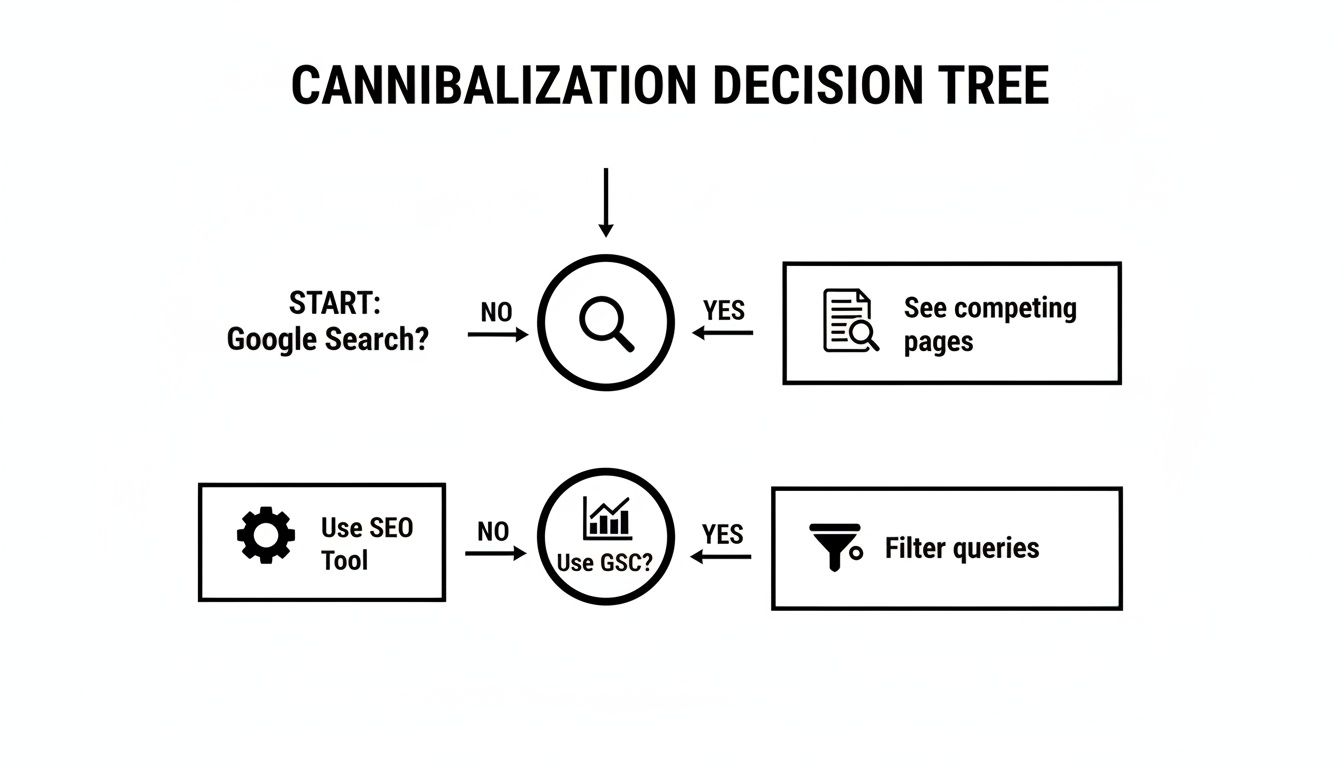
As the flowchart shows, whether you start with a simple Google search, dig into Google Search Console, or use a powerful SEO tool, the end goal is the same: find all the URLs fighting for the same search queries.
Step 1: Merge and Consolidate Content
This is hands-down the most powerful way to fix keyword cannibalization. Merging weaker, competing pages into one authoritative beast is your best bet when you have multiple articles covering the same topic and targeting the same intent, but none of them are exactly knocking it out of the park.
Actionable Example: Imagine you have three separate, mediocre blog posts: "10 SEO Tips for Small Business," "Beginner's SEO Guide," and "How to Improve Your Website's SEO." On their own, they’re probably a bit thin, outdated, and splitting your traffic and backlinks.
By cherry-picking the best parts from each and combining them into a single, ultimate guide—"The Complete SEO Guide for Small Businesses"—you create one powerhouse resource. This new page becomes the definitive authority, soaking up all the ranking signals from the old pages.
After you merge the content, you must set up 301 redirects from the old URLs to the new, consolidated page. This is non-negotiable. It’s how you pass along any existing link equity and make sure users and search engines land in the right spot.
Step 2: Re-Optimize Your Pages
Sometimes, both competing pages are valuable, but one of them is just aimed at the wrong target. Instead of deleting it, you can simply re-optimize it for a different, more specific keyword. This strategy works perfectly when the pages have some keyword overlap but actually serve slightly different user intents.
Actionable Example: Let's say a Kansas City web design agency has two pages ranking for "WordPress development":
- A service page detailing their development packages.
- A blog post explaining the benefits of using WordPress.
The service page should absolutely keep targeting the high-intent keyword "WordPress development." But the blog post can be re-tooled for a long-tail, informational keyword like "what are the benefits of a WordPress website." That small shift eliminates the direct competition, allowing each page to rank for a query that perfectly matches its content and purpose.
Step 3: Use Canonical Tags
Canonical tags are a technical SEO fix that tells search engines which version of a page is the "master" copy that should be indexed and ranked. This is the ideal solution when you have nearly identical pages that need to exist for user experience reasons, like on e-commerce sites.
Actionable Example: Think about a Shopify store selling the same shoe in different colors:
yourstore.com/shoes/running-shoe-blueyourstore.com/shoes/running-shoe-redyourstore.com/shoes/running-shoe-black
All three might start competing for "men's running shoe." By adding a canonical tag to the blue and red pages that points back to the black one, you're telling Google: "Hey, these are just variations. Please consolidate all ranking power into the main black shoe page." To dive deeper, you can learn more about how to properly use a canonical URL in our detailed guide. This keeps the user experience intact without confusing search engines.
Step 4: Noindex the Weaker Page
In some cases, you’ll find a competing page that offers very little value. It gets hardly any traffic, has no valuable backlinks, and might be an old, thin blog post, a duplicate tag page, or a media attachment page that WordPress created automatically.
For these low-value pages, the simplest solution is often to just "noindex" them. Adding a noindex tag to the page’s code tells Google not to include it in its search index at all.
This effectively removes the page from the competition without you having to delete it. The page can still be accessed through direct links, but it will no longer show up in search results. This allows your stronger, more valuable page to soak up all the attention and ranking potential. While it’s often a last resort, it's a clean and effective way to prune low-quality content that’s causing you headaches.
How to Prevent Keyword Cannibalization in the Future
Fixing existing keyword conflicts is a great start, but the real win is stopping them before they ever happen. A proactive approach transforms your content creation from a reactive clean-up job into a strategic growth engine. It’s all about building a cannibalization-proof content plan right from the get-go.
The core idea behind prevention is simple: every important page on your site needs a unique job and a primary keyword. This takes a bit of planning before you write a single word, making sure any new content you create complements your existing pages instead of competing with them.
Create a Keyword and Content Map
The single most effective tool for heading off future cannibalization is a keyword map. Don't overthink it—a simple spreadsheet is all you need to get your arms around this. A keyword map is your website's blueprint, assigning a primary keyword target to every significant URL you have.
Actionable Insight: Here’s a dead-simple way to build one in Google Sheets or Excel:
- Column A (URL): List out all your important URLs (think service pages, core blog posts, and main category pages).
- Column B (Primary Keyword): Give each URL a single, primary target keyword. One page, one job.
- Column C (User Intent): Jot down the main user intent for that page (e.g., informational, commercial, transactional).
From now on, before creating any new content, you consult this map. If the keyword you want to write about is already assigned to a page, you’ve got a clear choice: either update the existing page or pick a new, more specific keyword for your fresh content.
Your keyword map becomes your single source of truth. It guarantees every new article or landing page serves a unique purpose and targets a distinct search intent, wiping out accidental overlap before it can take root.
Develop a Clear Site Hierarchy
A logical site structure is another powerful defense against cannibalization. Think of your website like a book. You have your main title (the homepage), chapters (your main categories or services), and the pages within those chapters (individual blog posts or product pages).
A clean hierarchy, supported by a smart internal linking strategy, naturally signals topical authority to Google. Your most important pages should be linked directly from your main navigation, while more specific, long-tail content should always link back up to these "pillar" pages. This structure makes it obvious to search engines which page is the primary authority on a broad topic. You can find more details on building this foundation by learning how to conduct keyword research that supports a strong hierarchy.
Putting a powerful SEO content strategy in place will drastically cut down the risk of future cannibalization issues. By always auditing your existing content before creating anything new, you ensure every piece you publish strengthens your site's authority instead of watering it down.
Got Questions About Keyword Cannibalization? We've Got Answers
Even after breaking down the concepts, it's normal for a few common questions to pop up. Let's clear up some of the most frequent ones I hear from clients so you can move forward with total confidence.
Is It Ever Good to Have Two Pages Rank for the Same Keyword?
Almost never. I know it seems like you're doubling your chances of getting a click, but what you're really doing is splitting your authority and confusing Google. The search engine will rarely show more than one or two results from the same website for a single search query anyway.
A much smarter, more powerful strategy is to consolidate your efforts. Build one dominant, powerhouse page that can capture and hold that top spot, rather than having two weaker pages that just bounce in and out of the top ten.
How Long Does It Take to See Results After Fixing This Issue?
Patience is the name of the game here, but the results are absolutely worth the wait. Once you've put the fixes in place—like setting up 301 redirects or merging your content—it can take Google anywhere from a few weeks to a couple of months to recrawl your pages, understand the changes, and consolidate all that SEO authority.
Most sites I've worked on start seeing positive movement in their rankings within 4-8 weeks.
Does Cannibalization Only Happen with Exact Match Keywords?
No, and this is a hugely important point to understand. Google's algorithm has gotten incredibly sophisticated. It thinks in terms of topics and user intent, not just exact keyword strings.
Pages that are optimized for closely related terms—think 'Kansas City SEO services' and 'SEO company in Kansas City'—can absolutely end up competing with each other. This is exactly why mapping your topics and search intents to specific, dedicated pages is so essential.
Ready to build a website that avoids these common pitfalls from day one? The team at Website Services-Kansas City specializes in creating strategically optimized WordPress sites that are built for growth. Get your free SEO audit and consultation today!
