
Website maintenance is the ongoing, proactive work you do to keep your website fast, secure, and running like a well-oiled machine. Think of it like the regular tune-ups for your car or the daily upkeep of a busy retail store—it’s absolutely essential for performance, safety, and making a great first impression. If you neglect it, you’re practically inviting slow speeds, security threats, and a frustrating experience for your visitors that will cost you business.
Your Website Is A Digital Storefront That Needs Upkeep

Imagine your website is a real, physical storefront right here in Kansas City. You wouldn't just unlock the doors on day one and then walk away for a year, right? To keep customers coming back, you’d be constantly cleaning the windows, refreshing your product displays, making sure the cash register works, and checking that the security system is armed and ready.
That ongoing effort is exactly what website maintenance is for your online presence.
Just like that physical shop, your website demands consistent attention to stay effective. Leaving it untouched is like letting dust pile up on your shelves or allowing the lock on your front door to rust through. Sooner or later, a problem will pop up that can seriously damage your reputation and your bottom line.
The Four Pillars of Website Maintenance
The best way to get your head around website maintenance is to break it down into four core areas. Each of these pillars supports the overall health of your site, making sure it remains a valuable asset that works for you, not against you.
To help you see the big picture, here’s a quick breakdown of what goes into a solid maintenance plan.
The Four Pillars of Website Maintenance at a Glance
This table provides a quick summary of the essential components of website maintenance, helping business owners understand the scope of what's involved.
| Maintenance Pillar | Core Tasks | Why It's Critical |
|---|---|---|
| Security | Malware scanning, firewall management, vulnerability patching, spam prevention. | Protects customer data, prevents hacks, and maintains brand trust. |
| Performance | Speed optimization, mobile responsiveness checks, image compression, browser caching. | A fast site keeps users engaged, improves user experience, and boosts SEO rankings. |
| Content & SEO | Updating old content, checking for broken links, optimizing for new keywords. | Keeps your site relevant to search engines and visitors, attracting fresh traffic. |
| Technical Health | Software updates (CMS, plugins), regular backups, database optimization. | Ensures the site functions correctly and can be restored quickly if something goes wrong. |
Each of these pillars is connected, and neglecting one can easily cause a domino effect across the others.
A security breach can destroy your SEO rankings overnight. Poor performance drives away customers before they even see what you offer. And outdated content makes your business look like it's no longer relevant.
It's a domino effect. A security breach can tank your SEO rankings, poor performance drives customers away, and stale content makes your business look out of touch. Each pillar holds the others up.
It’s no surprise, then, that the demand for these services is exploding. The global market for website maintenance is projected to jump from USD 5,565 million in 2025 to USD 9,820 million by 2033. This surge shows just how critical ongoing upkeep has become for any business that relies on its website for leads and sales.
For businesses looking to hand off these vital tasks, exploring professional website managed services is a smart move for ensuring everything is handled correctly. And if you're just getting started, our guide on what to do after buying a domain name will help you get off on the right foot from day one.
Your Essential Website Maintenance Tasks Explained
Knowing why you need to maintain your website is the first step. Now, let’s roll up our sleeves and get into the what. A real maintenance plan isn't one giant task you check off a list. It’s a collection of smaller, specific jobs that all work together to keep your digital storefront running like a well-oiled machine.
Think of it like servicing a car. You don’t just "fix the car"—you change the oil, rotate the tires, check the brakes, and top off the fluids. Your website needs that same kind of targeted attention across a few key areas to perform at its best. We can group these essential jobs into three main buckets: technical upkeep, security, and performance.
Core Technical Upkeep and Backups
The foundation of any healthy website is its technical integrity. These are the routine chores that keep all the underlying software and code stable and functional. Without this core maintenance, your website is like a building with a crumbling foundation—it's only a matter of time before you run into serious problems.
One of the most critical jobs here is handling regular software updates. If you're on a platform like WordPress, this means updating the core software, your theme, and all of your plugins as soon as new versions are released. Developers push these updates out not just to add shiny new features, but more importantly, to patch security holes and fix bugs.
But hold on—just clicking "update" can be a risky move. A new plugin version could easily conflict with your theme or another plugin, causing parts of your site to break without warning.
The professional approach, and the one we always recommend, is to test updates on a staging site first. A staging site is just a private clone of your live website where you can safely test changes without your actual visitors ever seeing a thing.
Another non-negotiable task is creating regular, complete backups of your website files and database. A reliable backup is your ultimate safety net. If your site ever gets hacked, crashes during an update, or the server goes down, a recent backup lets you restore everything in a snap, minimizing downtime and lost business.
Your backup strategy should include:
- Automated daily or weekly backups, depending on how often you're adding new content. For an e-commerce store with daily orders, daily backups are a must. For a brochure site that rarely changes, weekly is fine.
- Storing backups in an off-site location, like a cloud service (Google Drive, Dropbox, etc.), so they aren't lost if your whole server has a problem.
- Periodically testing your backups to make sure they can actually be restored. An untested backup is just a hope, not a plan.
Proactive Security Protocols
While technical updates patch known weak spots, a dedicated security protocol is your active defense system. This is all about constantly monitoring for and blocking threats. Just like a Kansas City business needs good locks and an alarm system, your website needs layers of digital protection to keep intruders out.
Key security tasks include:
- Running Regular Malware Scans: Using tools like Wordfence or Sucuri to proactively scan your website’s files for malicious code. Setting up automated weekly scans is a good baseline.
- Implementing a Web Application Firewall (WAF): A WAF acts as a protective shield between your site and incoming traffic, filtering out common threats like SQL injection and cross-site scripting before they can do any damage.
- Monitoring for Unauthorized Login Attempts: Keeping an eye on failed login attempts helps you spot and block brute-force attacks, where bots relentlessly try to guess your password. Set up alerts to notify you of multiple failed logins from the same IP address.
- Managing User Permissions: Make sure every user has only the level of access they absolutely need. Not every team member needs to be an administrator with full control. If a writer only needs to create drafts, give them the "Contributor" or "Author" role, not "Administrator."
Performance Tuning and Optimization
A slow website is a silent business killer. Performance tuning is the ongoing process of making your site as fast and responsive as possible, which has a massive impact on user experience and your rankings on Google. These tasks make sure your visitors have a smooth, frustration-free experience.
A great place to start is with image optimization. Large, uncompressed image files are one of the single biggest reasons websites load at a crawl.
Practical Example: Let's say you upload a 3 MB photo straight from your camera to your "About Us" page. A tool like TinyPNG can shrink that same image down to 300 KB—a 90% reduction—with no visible loss in quality. This one simple change can shave seconds off your page load time.
Another critical task is database optimization. Over time, your website's database can get bloated with junk data like old post revisions, spam comments, and expired temporary files. Cleaning and optimizing your database is like decluttering your office; it just makes everything run more efficiently. If you ever need to move your site, a clean database can make the process much smoother. For those considering a move, you can learn more about how to migrate a website to a new host in our detailed guide.
Finally, you have to regularly check for and fix broken links. Nothing damages your credibility faster than a visitor clicking a link only to land on a "404 Not Found" page. Using a tool like Screaming Frog or a free online link checker to crawl your site for broken internal and external links—and then fixing them—is an easy win for both user experience and SEO.
Protecting Your Business with Proactive Security
Your website is more than just a collection of pages; it’s your digital storefront, your marketing hub, and a direct line to your customers. Just like you’d lock the doors of a physical Kansas City shop at night, your website needs robust, active security to protect it from the constant threats lurking online.

Security isn't something you set up once and forget. It's an ongoing, vigilant process. Hackers and malicious bots are always prowling for vulnerabilities—outdated software, weak passwords, or unpatched security holes—to exploit. This makes proactive security a non-negotiable part of any solid website maintenance plan.
Building Your Digital Defenses
Think of website security as a series of defensive layers. A common threat is a brute-force attack, where automated bots hammer your login page with thousands of username and password combinations, hoping to guess their way in. It's the digital equivalent of a thief standing at your front door, trying every single key on a massive keychain until one finally clicks.
To defend against this and countless other threats, you need a multi-layered strategy. This isn’t just about reacting to problems; it’s about actively preventing them from happening in the first place.
Here are the essential layers of proactive security:
- Web Application Firewall (WAF): A WAF is like having a security guard at the entrance of your website. It inspects all incoming traffic and blocks known malicious requests, filtering out hackers and spam bots before they even reach your site. Many quality hosting providers offer this, as do services like Cloudflare.
- Regular Malware Scans: These are your routine security patrols. Scheduled scans check your website's files for any malicious code that might have slipped through, letting you find and remove threats before they cause serious damage.
- Strong Password Policies: Enforcing complex passwords for all users is a simple yet powerful defense. Use a password manager to generate and store unique, long passwords (e.g.,
Tr!ckY-Dog-B@ttery-9!) for every login. - SSL Certificate Implementation: An SSL certificate encrypts the data exchanged between your website and its visitors, protecting sensitive information like contact details and payment info. You can check out our guide on how to install an SSL certificate to get your site secured.
The scale of this challenge is immense. Automated bots are projected to make up nearly 60% of all web traffic in 2025, dramatically increasing the risk for unprotected businesses. Unpatched sites are prime targets for data breaches, which have cost businesses an average of $4.45 million per incident in recent years.
Security is not a 'set it and forget it' task. It is an ongoing commitment to vigilance, requiring constant monitoring, timely updates, and a proactive mindset to stay ahead of emerging threats.
This relentless nature of online threats is precisely why so many business owners choose to partner with experts. A dedicated team can provide 24/7 monitoring and threat neutralization, giving you the peace of mind that your digital assets are protected around the clock so you can focus on running your business.
Improving Speed and SEO with Performance Tuning
A slow website is a silent killer of opportunity and revenue. When we talk about website maintenance, performance tuning is the work that happens in the engine room—it’s where you have a direct impact on how users feel about your site and, just as importantly, how search engines rank it. These two things are the lifeblood of any online business, which makes speed optimization a critical, ongoing job.
Think of it like the checkout line at your favorite Kansas City shop. If the line is long and crawling, even patient customers get frustrated. The impatient ones? They’ll just drop their stuff and walk out. Your website is no different. A slow, clunky experience will send visitors bouncing before they ever get a chance to see what you have to offer.
The Direct Link Between Speed and Success
This isn't just a theory; it has a real, measurable impact on your bottom line. Today's users are not patient. Website performance directly influences whether people stick around and spend money. In fact, 47% of customers expect a website to load in 2 seconds or less, and a massive 53% will abandon a mobile page if it takes more than 3 seconds to load. For any small business or online store, every one of those lost visitors is a lost sale.
This is exactly why Google is so obsessed with speed. Search engines are designed to give people the best possible experience, and a fast, seamless website is a huge quality signal. This is where a technical concept like Google's Core Web Vitals comes into the picture.
Core Web Vitals are a specific set of metrics Google uses to measure the real-world user experience of a webpage, focusing on loading performance, interactivity, and visual stability. Think of them as Google's official scorecard for your site's speed and usability.
Since 2021, these metrics have been a direct ranking factor. A poor score can actively drag down your visibility in search results, while a great score gives you a clear competitive advantage. This is what turns performance tuning from a simple tech chore into a strategic investment in your online presence.
Actionable Strategies for a Faster Website
So, how do you actually tune your website for peak performance? It comes down to a series of targeted actions designed to shave off load time and create a smoother experience for everyone. When you're looking to boost your site's speed, it helps to read up on proactively improving application performance, since a website is really just a specialized web application.
Here are three foundational strategies that deliver some of the biggest wins:
- Optimize Your Images: Huge, uncompressed images are one of the most common culprits behind slow websites. Every single image should be compressed before you upload it to shrink its file size without killing the visual quality. This one step alone can dramatically slash page load times.
- Leverage Browser Caching: Caching is a clever trick that lets a visitor's browser "remember" parts of your website, like your logo or navigation menu. The next time they visit another page, their browser doesn't have to reload everything from scratch, which makes every subsequent page load feel almost instant. For WordPress sites, plugins like W3 Total Cache or WP Rocket can handle this for you.
- Use a Content Delivery Network (CDN): A CDN is a global network of servers that stores copies of your website's static files (like images and code) in different locations around the world. When someone from Kansas City visits your site, the CDN serves them content from a server that's physically closer to them, which drastically cuts down the time it takes for the data to travel.
Putting these strategies into practice is a core part of effective website maintenance. For a much deeper dive into the technical side of things, check out our guide on how to improve website loading speed. By consistently working on these performance elements, you’re not just making your site faster—you’re showing Google that you care about user experience, an effort that almost always pays off with better search rankings and more organic traffic.
Your Actionable Website Maintenance Checklist
Knowing all the individual tasks is one thing, but organizing them into a repeatable system is how you get real results. A simple, structured checklist is what turns the vague idea of "website maintenance" into a clear plan of attack. We'll break it down by frequency so nothing important ever slips through the cracks.
Think of it like the maintenance schedule for a car. You check the tire pressure often, change the oil every few months, and do a bigger inspection once a year. Each job has its own rhythm, and sticking to it is what keeps the car reliable and safe on the road. Your website is no different.
This timeline shows how consistent work on your site's performance pays off in a big way—starting with a fast-loading site, which leads to happy users, and ultimately results in higher search rankings.
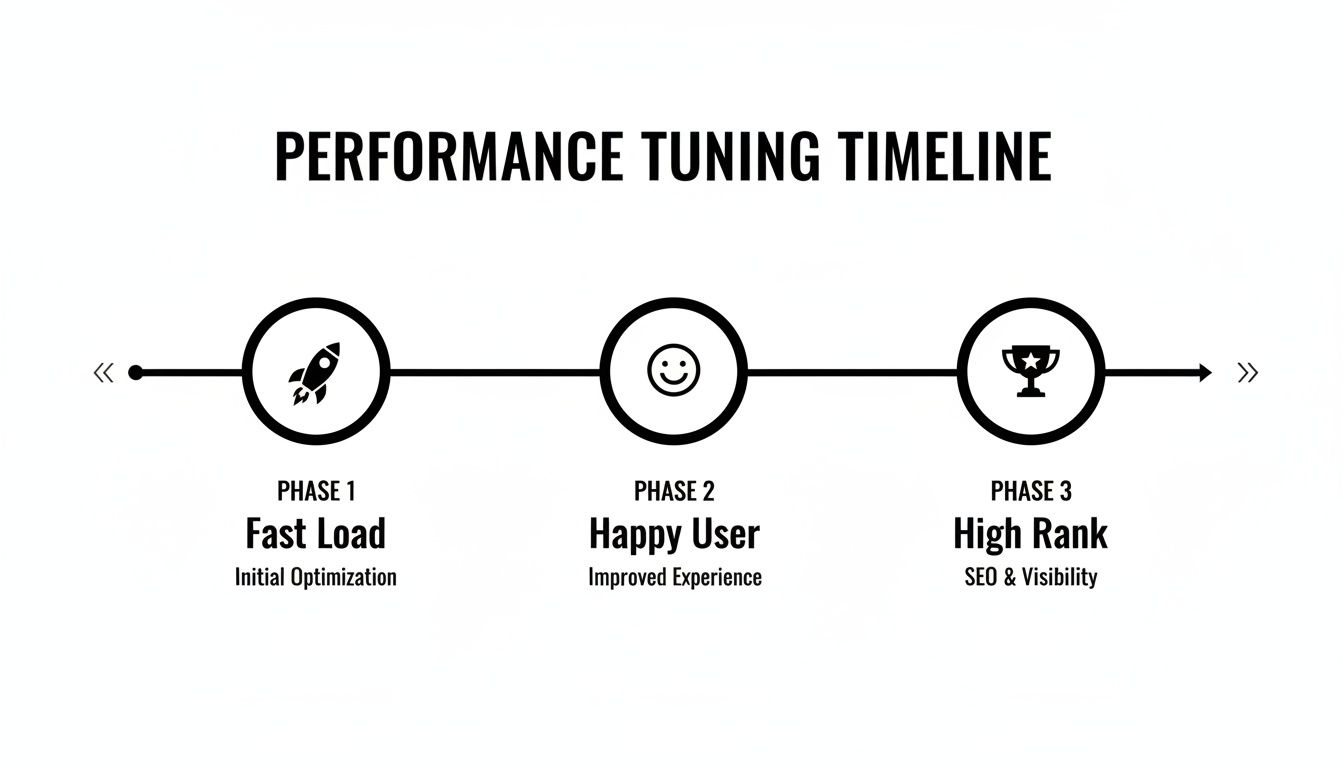
The key takeaway is that your site's technical health has a direct line to user satisfaction and SEO, creating a powerful cycle of growth.
Weekly Maintenance Tasks
Your weekly jobs are the quick, high-frequency checks that stop small problems from snowballing into huge emergencies. This is your first line of defense, focused on keeping the site secure and intact.
- Perform a Full Website Backup: First things first, create a complete backup of all your website files and the database. The crucial part? Store it somewhere off-site, like Google Drive or Dropbox, so it's safe even if your entire server has an issue.
- Check for Software Updates: Look for any available updates for your CMS (like WordPress), plugins, and themes. Applying security patches the moment they're released is one of the most important things you can do to close vulnerabilities.
- Scan for Malware and Vulnerabilities: Run a security scan to sniff out any malicious code or weird activity. Catching something early is the key to preventing a serious breach.
- Moderate and Clear Spam Comments: Get rid of any spam comments on your blog posts or pages. It keeps your site looking professional and stops malicious links from hurting your visitors or your SEO.
Monthly Maintenance Tasks
Once a month, it's time to dig a little deeper into performance and the overall health of your content. These tasks make sure your site stays fast, functional, and user-friendly for the long haul.
A monthly review is your chance to look beyond immediate threats and focus on the user experience. It's about ensuring every visitor has a smooth, frustration-free journey from the moment they arrive.
This is when you analyze how your site is actually performing and make strategic tweaks. These actions directly impact how both users and search engines see your website.
Here’s what to tackle every month:
- Run a Website Speed Test: Use a tool like Google PageSpeed Insights to check your site’s loading times on desktop and mobile. The report will give you a clear, actionable list of things to fix.
- Check for Broken Links: Use a link checker to crawl your site and find any broken internal or external links. Fixing these "404 errors" is a quick win for both user experience and your SEO health.
- Review Website Analytics: Pop open Google Analytics and look at your traffic patterns. See which pages are most popular and, more importantly, where people are dropping off. That’s where you’ll find opportunities to improve.
Quarterly Maintenance Tasks
Every three months, you’ll want to step back and do a more strategic review of your website. These tasks are about the bigger picture—your SEO strategy, core functionality, and overall design.
- Review Your SEO Performance: Dive into Google Search Console to check your keyword rankings, click-through rates, and any crawl errors Google has found. You can learn more about this process in our guide on how to set up Google Search Console. This data tells you exactly what's working and what needs a little help.
- Test Core Website Functionality: It's time to manually test all the critical parts of your site. That means filling out your own contact forms, going through the entire shopping cart and checkout process, and making sure any interactive tools work correctly on different browsers.
- Update and Refresh Key Content: Find any important pages or blog posts that have outdated information or declining traffic. Give them a refresh with new content, current stats, and better visuals to bring them back to life.
Frequently Asked Questions About Website Maintenance
Even with a good grasp of the tasks, it's natural to wonder what website maintenance really means for your time and your budget. Let's tackle some of the most common questions I hear from business owners to give you a clear path forward.
How Much Does Website Maintenance Cost?
The cost of keeping your website in top shape can vary quite a bit, depending on what you need. If you're running a simple blog, a DIY approach might work just fine, where your only real cost is your time and maybe a few premium software fees.
But for a business site or an online store, professional help is usually a much smarter investment.
Typical monthly plans can range anywhere from $100 for basic monitoring to over $500 for comprehensive support. The final price tag really depends on things like your site's complexity (an e-commerce store is a lot more work than a simple brochure site), how much traffic you get, and the level of service you're after. More advanced plans usually include dedicated support, performance tuning, and proactive security.
Can I Handle Website Maintenance Myself?
Absolutely. You can definitely handle the basics on your own, especially with a user-friendly platform like WordPress. Tasks like updating your content, running backups, and hitting the "update" button on simple plugins are well within reach for most business owners.
The real challenge comes when things get more complicated. Trying to figure out which plugin update just broke your entire site or digging into code to make a page load faster requires a much steeper learning curve—and a serious time commitment. The biggest risk with a DIY approach is accidentally causing downtime or, worse, opening up a security hole.
Professional services trade a monthly fee for expert peace of mind. You're not just paying for tasks to be completed; you're paying to reclaim your time and avoid costly mistakes.
Ultimately, it comes down to a trade-off between your budget, your technical confidence, and how much you value your own time.
Does A Brand New Website Need Maintenance?
Yes, 100%. This is one of the biggest misconceptions out there. A brand new website is a lot like a brand new car; it needs immediate and ongoing care to stay in pristine condition. The moment it goes live, your site is exposed to the same online threats as a site that's been around for a decade.
Software developers are constantly pushing out security patches for the very CMS, themes, and plugins your new site was built on. Skipping those first few updates leaves your shiny new site vulnerable from day one.
Starting proactive maintenance right from the get-go builds a secure foundation. It ensures your site stays fast, stable, and protected as your business grows, stopping tiny issues from snowballing into major headaches. Think of it as an investment in your site's long-term health and success.
Ready to take the guesswork out of website maintenance? Website Services-Kansas City offers professional plans designed to keep your site secure, fast, and running smoothly, so you can focus on what you do best—growing your business. Explore our services at https://websiteservices.io and get your free consultation today.
