
Trying to figure out how much a new website should cost can feel a bit like guessing the number of jellybeans in a jar. A website design cost calculator is a great tool for cutting through the noise, breaking down the expenses based on what you actually need.
The final price tag really depends on your goals. A simple, clean "brochure" style site might only cost a few thousand dollars. But if you're building a complex e-commerce platform with all the bells and whistles, you're looking at a much bigger investment. Think of it like setting up a physical shop—a small pop-up in the River Market has a very different budget than a large storefront on the Plaza.
How Much Should a Website Cost in Kansas City
Let's demystify the numbers. Building a website for your Kansas City business isn't an off-the-shelf purchase. The investment is tied directly to the value and functionality you expect it to deliver for your bottom line. A simple "digital business card" has a very different price than a powerful machine built to generate sales around the clock.
To get a clearer picture of what you might spend, it’s a good idea to look at how different agencies package their services. For example, exploring options like Hostmora's pricing structures can show you how adding more features affects the total cost. This helps set realistic expectations right from the start.
Understanding Price Ranges
On average, a solid, professional business website design in Kansas City falls somewhere between $5,000 and $25,000. This range covers everything from a clean 5-10 page WordPress site for a local service business to more interactive platforms with built-in lead generation tools for a growing company.
For any Kansas City entrepreneur, this is a smart investment. Studies consistently show that 75% of consumers will judge a company's credibility based on its web design alone. It’s your digital first impression, and it matters.
To put this in perspective, here are a few common scenarios for local businesses I see all the time:
- The Startup Brochure Site: A new service-based business—think a local plumber in Lee's Summit or a consultant in Olathe—needs a professional online presence. Their main goal is to build trust, showcase their services, and make it easy for people to contact them.
- The Growing E-commerce Store: A boutique in the Crossroads Arts District wants to sell its products online. They need a visually slick Shopify or WooCommerce site with secure payment processing, beautiful product galleries, and inventory management.
- The Established B2B Firm: A corporate firm in Overland Park needs a more sophisticated website with a client portal, a library of resources, and integrations with their CRM. Here, the focus is on building authority and making client interactions more efficient.
Each of these examples requires a different level of design complexity, technical functionality, and strategic planning, all of which directly shape the final cost. Before you start building, it's a good idea to get a handle on the core steps involved. Our guide on how to create a business website offers a great foundational overview of the process, helping you make smarter decisions as you plan your budget.
Breaking Down Your Website's Price Tag
Every website quote is a sum of its parts, a lot like how a final restaurant bill includes appetizers, main courses, and drinks. To really understand your total investment, you first need to see what’s on the menu. A solid website project for any Kansas City business is built on three essential pillars that directly shape the final cost.
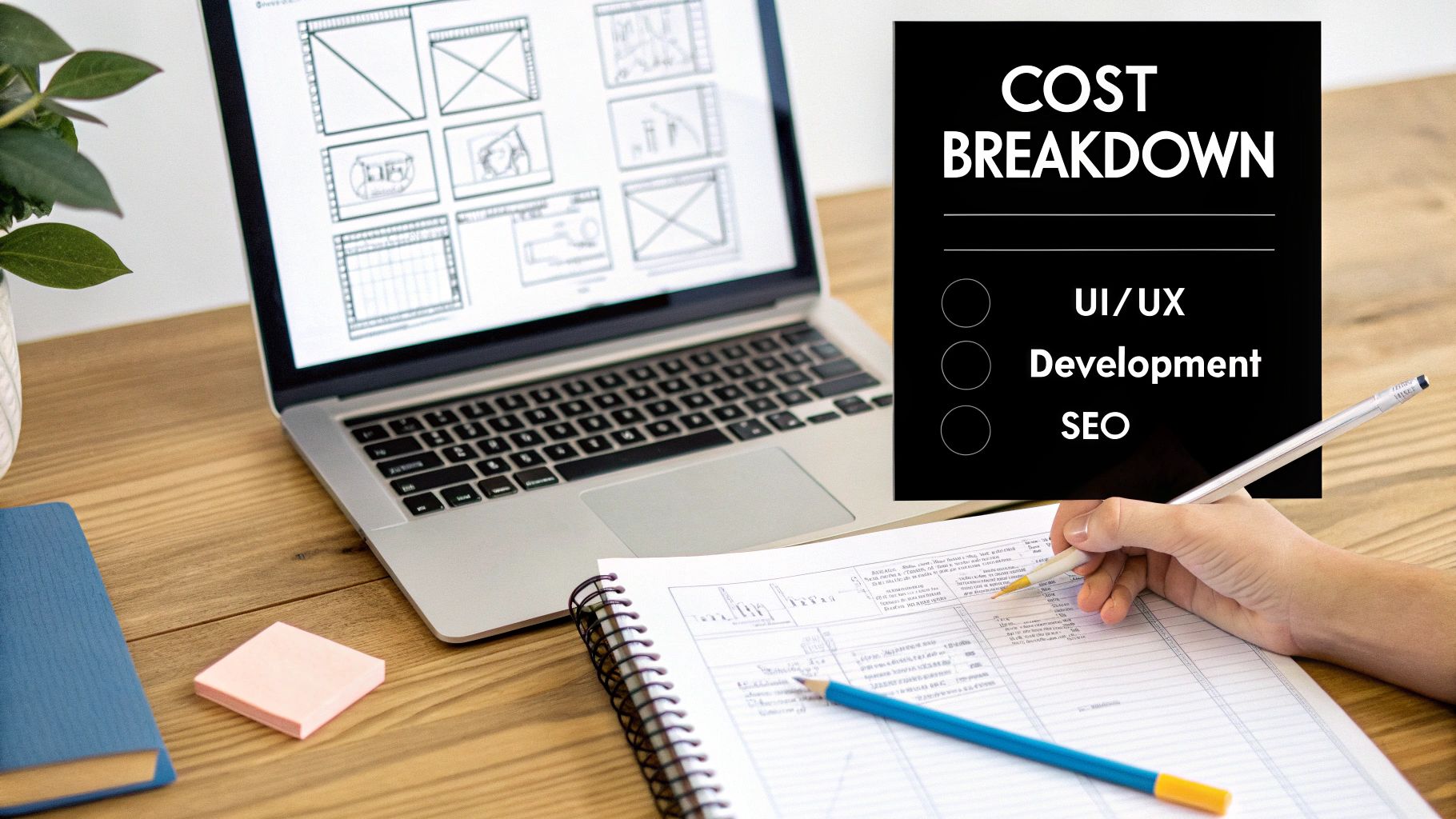
These core components—design, development, and content—all work together to create a site that doesn't just look great but actually performs as a powerful business tool. Getting a handle on how they contribute to the final price is the first step in using a website design cost calculator effectively.
The Foundation: UI and UX Design
A lot of people think "design" just means picking out some colors and fonts. In reality, professional User Interface (UI) and User Experience (UX) design is the architectural blueprint for your entire website. It’s all about creating an intuitive, seamless journey for your visitors that guides them from simple curiosity to becoming a customer.
Good UX design builds trust and makes it dead simple for people to find what they need. A confusing layout or a frustrating checkout process can send potential customers running straight to your competitors in Brookside. A professional designer focuses on creating a flow that feels completely natural and builds confidence in your brand.
The Engine: Development and Functionality
Once the blueprint is ready, it's time to actually build the thing. This is where development comes in, and you’ve got two main paths to choose from, each with different price tags:
- Template-Based Development: Using a platform like WordPress or Shopify with a pre-built theme is like buying a high-quality prefab home. It’s faster and more affordable, giving you a reliable structure that can be customized with your branding. This is an excellent route for many small businesses.
- Custom-Coded Development: This is like hiring an architect to design and build a house from scratch. It offers unlimited flexibility and scalability, allowing for completely unique features and integrations. While the initial investment is higher, it gives you a tailored solution that can grow with your business for years.
Recent data shows that when redesigning a site, new features and functionalities account for 61.5% of the costs, with UI/UX design coming in next at 46.1%. This really highlights how important it is to invest in a user-friendly design and the specific tools your customers will actually use.
The Fuel: SEO-Driven Content
A beautiful, fully functional website is pretty useless if nobody can find it. This is where your content strategy and foundational Search Engine Optimization (SEO) become critical investments. Your website's text isn't just filler; it's the primary way Google understands what you do and who you serve in Kansas City.
Professional copywriting does more than just describe your services. It uses the language of your customers, answers their questions, and strategically includes the keywords they're searching for, like "best HVAC repair in Johnson County" or "family law attorney near me."
This initial SEO work—from keyword research to crafting optimized page titles—is what helps you show up in search results when a local customer needs exactly what you offer. Without this fuel, even the most impressive website will fail to attract organic traffic and generate leads. After all, the technical side of your site also needs a solid foundation; our article on how to choose web hosting can help you make the right choice for performance and reliability.
Using the Website Design Cost Calculator
Alright, let's get down to the brass tacks. Think of this section as your own interactive website design cost calculator. We're going to walk through the big-ticket items that shape your final budget, piece by piece. To make it real, we'll build out estimates for three fictional Kansas City businesses, showing you exactly how different needs lead to very different price tags.
Ready to see how the numbers stack up? Let's start at the beginning.
Step 1 Number of Pages
The page count is one of the most fundamental cost drivers. Every single page needs its own design, copywriting, and SEO attention. A simple 5-page "brochure" site (Home, About, Services, Blog, Contact) is a common starting point, but most businesses find they need more room to tell their story.
- 5-10 Pages (Base Cost: Add $5,000 – $8,000): This is the sweet spot for a professional lead generation site that covers all the essentials.
- 11-25 Pages (Add an additional $2,000 – $5,000): You'll fall into this range if your business has multiple service lines, needs detailed case studies, or wants to show off an extensive portfolio.
- 25+ Pages (Add an additional $5,000+): This is typical for larger firms, e-commerce stores with lots of product categories, or sites heavy on resources like whitepapers and guides.
Step 2 E-commerce Functionality
If you want to sell products directly from your site, this is a major addition to the scope. Setting up an e-commerce store is a lot more than just adding a "Buy Now" button. It means building secure payment gateways, designing product page templates, setting up inventory management, and creating a checkout process that doesn't leak customers.
- Basic E-commerce (Add $3,000 – $7,000): Perfect for shops with a smaller product line (under 50 items) using proven platforms like Shopify or WooCommerce.
- Advanced E-commerce (Add $7,000 – $20,000+): This is for stores with large inventories, complex needs like subscription models, or custom product builders.
Step 3 Custom Features and Integrations
This is where your website goes from being a digital brochure to a hard-working business tool. Custom features can automate tedious tasks, improve the customer experience, and provide unique value that sets you apart from the competition.
A custom feature like a real-time booking system for a local med-spa doesn't just add convenience; it captures leads and generates revenue while you sleep. This is where strategic investment delivers a clear return.
Here are a few common examples of what these features can cost:
- Online Booking/Scheduling System: Add $1,500 – $4,000
- Custom Client Portal/Login Area: Add $3,000 – $10,000
- Advanced Contact Forms & Quoting Tools: Add $1,000 – $3,500
- CRM or Email Marketing Integration: Add $1,000 – $5,000
Step 4 Professional SEO Services
A beautiful website that nobody can find is like a billboard in the middle of the desert. To get discovered by customers here in Kansas City, you need a rock-solid SEO foundation baked in from day one. This goes far beyond just sprinkling in a few keywords; it involves technical optimization, local schema markup, and a smart content strategy.
- Foundational SEO Package (Add $2,500 – $6,000): This is a one-time setup that includes keyword research for your services and location, on-page optimization for all core pages, a properly configured Google Business Profile to appear on the map, and all the technical SEO basics. For any business that wants to show up in local search results, this is non-negotiable.
Kansas City Business Scenarios
So, let's see how this all comes together for three very different local businesses.
Scenario 1: KC Metro Plumbing
A local plumbing service needs a high-converting website designed to generate leads. The main goal is simple: get the phone to ring and fill the contact form with service requests from local homeowners.
- Pages: 10 (Home, About, 5 Service Pages, Blog, FAQ, Contact) = $7,000
- E-commerce: None = $0
- Custom Features: Advanced quote request form = $1,500
- SEO: Foundational SEO Package = $3,500
- Total Estimated Cost: $12,000
Scenario 2: Crossroads Boutique (on Shopify)
A stylish boutique in the Crossroads wants to upgrade its existing Shopify store with a premium design and better features to really grow its online sales.
- Pages: 20 (Home, About, Policies, Lookbook, 15 Category/Product Pages) = $8,000
- E-commerce: Basic Shopify setup with premium theme customization = $5,000
- Custom Features: Integration with an email marketing platform = $1,500
- SEO: Foundational SEO for e-commerce = $4,000
- Total Estimated Cost: $18,500
Scenario 3: Overland Park B2B Consulting
An established B2B consulting firm needs a complete redesign focused on building authority and nurturing long-term leads, including a private area for client resources.
- Pages: 30+ (Corporate pages, case studies, whitepapers, service lines) = $13,000
- E-commerce: None = $0
- Custom Features: Secure client portal for document sharing = $8,000
- SEO: Comprehensive Foundational SEO = $6,000
- Total Estimated Cost: $27,000
Planning For Hidden Costs And Ongoing Investments
Launching your new website feels like crossing the finish line, but it’s really just the beginning. A common surprise for many Kansas City business owners is the realization that the initial design and development cost is just one piece of the puzzle. To keep your site secure, functional, and actually doing its job, you need to plan for a few ongoing investments.
Think of it like owning a delivery van for your business. You don’t just buy the van and call it a day; you have to budget for fuel, insurance, oil changes, and occasional repairs to keep it on the road. Your website is no different. These recurring costs aren't just extra expenses—they’re essential for protecting your investment and making sure it keeps generating value.
This flow chart shows how different elements build on each other to form your total website investment.
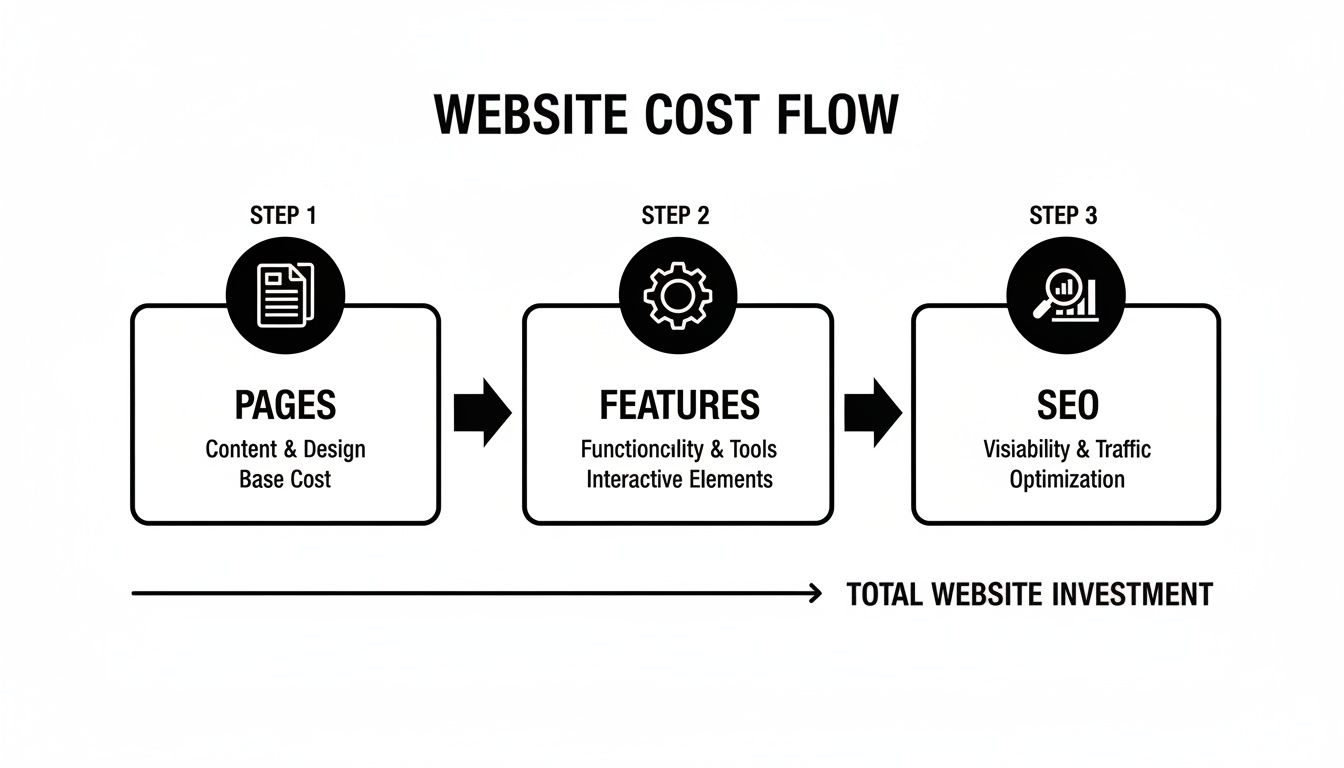
As you can see, the number of pages, complexity of features, and depth of SEO all contribute to your final budget.
Recurring Essentials You Cannot Ignore
Certain ongoing costs are simply non-negotiable for maintaining a professional and secure online presence. These are the foundational expenses that keep your website live, safe, and ready for customers 24/7.
- Domain Name Renewal ($15 – $60 per year): This is the yearly fee to keep your website address (your .com, .org, etc.). If you let it expire, someone else could snatch it up, effectively taking your online identity offline.
- Web Hosting ($100 – $500+ per year): Think of this as the rent you pay for your website's space on the internet. Quality hosting is critical for site speed and reliability—two factors that directly impact user experience and search rankings.
- SSL Certificate ($0 – $200 per year): An SSL certificate encrypts data between your site and its visitors, showing that little padlock icon in the browser. It's an absolute must for security and building trust. Our guide on how to install an SSL certificate has more on why this is so important.
Proactive Website Maintenance
Beyond the absolute basics, proactive maintenance is your website's best defense against security threats and performance hiccups. A well-maintained site is a healthy site.
A maintenance plan isn't just an expense; it's insurance. It protects your site from cyber threats, ensures a smooth user experience, and prevents costly emergency repairs down the road.
A typical maintenance plan from a Kansas City agency will include things like regular software updates (especially for WordPress plugins), security scans, and daily backups. This hands-on approach keeps your site fast, secure, and fully operational, stopping small issues from turning into major problems that could knock your business offline.
Budgeting For Growth And Marketing
Finally, your initial build is just the start. As your business grows, you'll want to add new features, content, and marketing tools to keep up.
A crucial ongoing investment for local businesses is effective local search optimization. This is what helps you get found by the customers right in your backyard.
On top of that, you might invest in:
- Premium Plugins or Themes ($50 – $300+ per year): These tools add advanced functionality to your site, from enhanced security features to sophisticated contact forms.
- Third-Party Software (Varies): This bucket includes costs for services like email marketing platforms (think Mailchimp) or CRM systems to manage your customer relationships.
Choosing Your Web Design Partner in Kansas City
Once you have a solid budget estimate in hand, the next big question is: who’s actually going to build this thing? For any business here in Kansas City, that decision usually comes down to one of three paths, each with its own mix of cost, hands-on involvement, and final quality.
Picking the right partner is what turns your budget from a number on a spreadsheet into a real, high-performing asset for your business. It’s a lot like building a custom home. You could bring in a full-service architectural firm, hire a skilled independent contractor, or try your hand at a DIY kit. You’ll end up with a house either way, but the process, the price tag, and the finished product will be worlds apart.
Option 1: The Kansas City Web Design Agency
Going with a local agency is like hiring that full-service architectural firm. You’re not just getting a single person; you’re getting a whole team. Strategists, designers, developers, and SEO specialists all working together, under one roof. This approach creates a cohesive strategy where every single piece of your website is built with a clear business goal in mind.
The biggest win here is the expertise and total oversight. A good agency manages the entire project from start to finish. They make sure the design is built to convert visitors, the code is clean and ready to scale, and the SEO is baked in from day one, not bolted on as an afterthought. While it’s usually the most expensive option, what you’re really paying for is a streamlined process and a team that can handle even the most complex projects without missing a beat.
Option 2: The Freelance Web Developer
Hiring a freelancer is like working directly with that skilled independent contractor. This can be a fantastic route, especially for businesses with a clear, well-defined project scope. Communication is direct—you’re talking straight to the person doing the work—and since freelancers have much lower overhead, their rates are often more competitive than an agency’s.
The catch, however, is finding the right freelancer. A brilliant developer might not be a great designer, and a talented designer probably doesn't know the first thing about the technical side of SEO. You might find yourself needing to hire and manage multiple freelancers to cover all your bases, which puts you in the project manager’s seat.
If this path sounds right for you, our guide on how to hire a web developer is packed with practical advice for finding and vetting top-tier talent.
An agency is your one-stop shop for strategy, design, and development. A freelancer offers specialized skills with direct communication. The right choice really comes down to your project's complexity and how much time you have to manage the process yourself.
Option 3: The DIY Website Builder
Platforms like Squarespace, Wix, or Shopify are the DIY home kits of the web design world. They offer a super accessible and low-cost way to get a site up and running fast, even if you have zero coding knowledge. For a brand-new business or anyone on a shoestring budget, this is a seriously attractive option.
But the trade-off comes in the form of limitations. You’re working within the platform's templates and features, which can really restrict customization and your ability to scale as your business grows. The biggest hidden cost, though, is your own time. The learning curve can be steep, and you're the one on the hook for absolutely everything—design, content, SEO, and troubleshooting when things go wrong. While the upfront cost is low, the time you’ll sink into it and the risk of ending up with a generic-looking site are major factors to weigh.
Why a Cheap Website Is Your Most Expensive Mistake
In a competitive market like Kansas City, it's incredibly tempting to cut corners and find the cheapest web design option out there. But trust me, that "bargain" website often turns into your most expensive liability. A cheap site isn’t a smart investment; it's a hidden tax on your business's future growth.
Think of it this way: a well-built website is like hiring a top-performing salesperson who works for you 24/7. A cheap site is like hiring someone who shows up late, wears a stained shirt, and can’t answer basic questions about your products. Which one do you think will actually make you money?
The True Cost of Cutting Corners
The initial savings from a low-cost website get erased almost immediately by the revenue you lose. A poorly designed site with a confusing layout and slow loading times will just frustrate visitors and send them running to your competitors.
According to industry data, even a one-second delay in page load time can cause a 7% reduction in conversions. For a Kansas City business, that means potential customers will simply click away and find someone else with a better online presence. Those lost leads and sales add up fast, costing you far more than a quality initial investment ever would.
Want to learn more about how a professional layout impacts customers? Check out our guide on effective website user experience design.
When Your First Impression Damages Your Brand
Your website is your digital storefront, plain and simple. A cheap, amateurish design instantly signals a lack of professionalism and starts eroding your brand's credibility before a visitor even reads a single word. It creates doubt and makes potential customers question the quality of your actual services.
A cheap website tells the world you’re willing to cut corners. A professional website tells them you’re serious about quality and dedicated to serving your customers. Which message do you want to send?
What's worse, these bargain-bin sites are often built on shaky foundations. They are frequently riddled with security vulnerabilities and are almost never optimized for search engines. This means you’ll eventually have to pay an expert to patch the security holes and fix the shoddy SEO, essentially paying twice for the same job.
Your website shouldn’t just be an online brochure; it needs to be a powerful, business-generating asset. Investing in a strategic plan from the get-go delivers a real return and positions your Kansas City business for long-term success.
Got Questions About Website Costs? We've Got Answers.
Navigating the world of web design pricing can feel a bit like reading a foreign language. For business owners here in Kansas City, cutting through the jargon to understand what you're actually paying for is the key to making a smart investment. Let's tackle some of the most common questions we hear.
Does the Project Timeline Affect the Final Cost?
It absolutely does. Think of it this way: time is a resource, just like anything else. A standard business website can often be designed, built, and launched in a solid 4-6 weeks. But a more complex project, like a custom e-commerce store with unique features, might take a few months to get just right.
If you need a big project done on a tight deadline, it often means pulling in more people or putting in extra hours to hit that accelerated schedule. Naturally, that can bump up the final cost. Any professional quote you get should lay out a clear timeline, so you know exactly what to expect from start to finish.
Can I Get a Professional Website for Under $3,000 in Kansas City?
While you can definitely find offers at that price point, they almost always come with some serious strings attached. A website under $3,000 is typically built from a rigid template that offers very little room for customization or features that make your brand stand out.
More importantly, these budget sites usually skip the most critical parts: content strategy and foundational SEO. For a brand-new business, it might work as a temporary online placeholder. But in a competitive market like Kansas City, a site without a strategic foundation will struggle to build trust, rank in search, and actually generate the leads you need.
A website is more than just an online brochure; it's a business tool. The most successful sites balance stunning design with a powerful SEO foundation, ensuring they not only impress visitors but also attract them in the first place.
Should I Prioritize Custom Design or a Strong SEO Foundation?
This is a classic question, but it's a bit of a false choice—you can't have one without the other. A gorgeous custom design is completely useless if no one can find your website. On the flip side, great SEO driving traffic to a clunky or unprofessional-looking site won't turn any of those visitors into customers.
The best, most cost-effective approach is to weave SEO strategy into the design and development process from day one. This way, you're building a site that not only looks incredible but is also engineered from the ground up to attract and convert your ideal local customers.
Ready to get a clear, no-surprise quote for your Kansas City business? The team at Website Services-Kansas City builds websites designed to deliver real results. Let's discuss your project and create a strategic plan that fits your goals and budget.
