
You can check your website ranking with free tools like Google Search Console for an overview of your average position, or you can use paid platforms like Semrush for more detailed, automated tracking. For a quick spot-check, a simple Google search in an incognito window will show you where your page currently sits in the results.
Your Starting Point For Accurate Rank Tracking
Before you can even think about improving your website’s performance, you need a clear, accurate baseline. The most reliable place to start is with data that comes directly from the source—Google itself.
This foundational step means setting up and getting comfortable with Google Search Console (GSC), a non-negotiable free tool for anyone serious about SEO. Think of GSC as your direct communication line with Google. It offers unfiltered insights into how the search engine actually sees and ranks your site.
Without this baseline, you're essentially flying blind, unable to tell which of your efforts are working and which are a waste of time. This is ground zero for understanding and improving your website's visibility.
The GSC dashboard gives you a snapshot of key metrics like total clicks, total impressions, average click-through rate (CTR), and average position—the core indicators of your search performance.
Mastering The GSC Performance Report
The real heart of Google Search Console is the 'Performance' report. This is where you’ll find the specific queries people are using to find your website, giving you a powerful, behind-the-scenes look at your audience's search behavior. Getting comfortable here is the first step toward making data-driven SEO decisions.
The Performance report breaks down a few key metrics that tell a story about your rankings:
- Total Clicks: This is straightforward—it’s the number of times someone actually clicked through to your site from a Google search result. It's a direct measure of the traffic your rankings are generating.
- Total Impressions: An impression is counted every time your URL appears in a search result someone sees. High impressions but low clicks can be a red flag that your page title or meta description isn't compelling enough.
- Average CTR (Click-Through Rate): This percentage shows how often people who see your URL in the results actually click on it. It’s calculated as (Total Clicks / Total Impressions) * 100.
- Average Position: This is your website's average ranking for a specific keyword over a period. A position of 4.5 simply means your site sometimes appears in position 4 and sometimes in position 5.
If you're just getting started and haven't set this tool up yet, don't worry. We have a complete walkthrough that explains how to set up Google Search Console.
Connecting Data To Real-World Performance
Understanding these numbers is crucial because they provide much-needed context. An "average position" of 8 might sound decent, but if it generates zero clicks, it’s providing zero business value. On the flip side, a keyword ranking at position 12 might be driving more valuable traffic than you realize.
This is why looking at the data holistically is so important. As of 2025, Google continues to be the dominant force in search, responsible for about 63.41% of all website referrals globally. This massive market share underscores why your Google rankings are such a clear indicator of your overall online health.
Key Takeaway: Your goal isn't just to chase a high number in the "position" column. The real objective is to identify keywords that not only rank well but also drive meaningful traffic and engagement from your target audience. GSC gives you the raw data you need to start making those connections.
Using Advanced Tools For Competitive Insights
While Google Search Console gives you the foundational truth about your own performance, dedicated SEO platforms like Semrush and Ahrefs are where you go to get a serious competitive edge.
Think of it this way: GSC is your car's dashboard, showing your current speed and engine status. These advanced tools are like a full diagnostic system combined with a GPS, showing you the entire racetrack, every competitor's position, and the best route to take.
These platforms automate the painstaking process of tracking dozens or even hundreds of keywords every single day. They remove the guesswork, giving you a clear, historical view of your website's visibility over time. This automation is critical for spotting trends you'd otherwise miss.

This Semrush dashboard, for instance, shows a project's visibility trend, average position, and estimated traffic at a glance. By visualizing data like this, you can quickly connect ranking changes to your recent SEO activities, like publishing a new blog post or landing a few new backlinks.
Setting Up Your First Tracking Project
Getting started with a tool like Semrush is pretty straightforward. First, you'll create a "Project" for your domain, which acts as a central hub where all the data tied to your site gets collected and analyzed.
Once that's set up, the Position Tracking tool is your next stop. This is where you'll plug in the keywords you want to monitor. It's always best to start with your most valuable terms—the ones that drive the most conversions or are absolutely critical to your business.
For a local business in Kansas City, this list might include terms like:
- "best seo company kansas city"
- "kansas city web design services"
- "local seo experts kc"
You can also specify the geographic location for tracking, which is a game-changer for local businesses. You can set it up to see how you rank for a user searching from Kansas City, MO, versus someone searching from Overland Park, KS. This kind of localized data is something GSC can't easily provide.
Uncovering Competitor Strategies
This is where advanced tools truly shine. You don't just add your own keywords; you add your competitors' domains to the same project. The platform will then track their rankings for the exact same set of keywords, putting your performance side-by-side with theirs.
This comparative data is pure gold. You can instantly see which keywords your competitors are dominating and, more importantly, where they might be weak. For example, you might discover a Kansas City competitor ranks #2 for "local SEO packages" but their page is thin and outdated. This is a clear opportunity to create a more comprehensive page that can overtake them. A detailed SEO competitive keyword analysis is the first step toward building a strategy that outmaneuvers others in your market.
A common mistake is only tracking your "money" keywords. Be sure to also track informational keywords related to your services. For example, a roofer should track "how to spot roof hail damage" in addition to "roof repair near me." Ranking for these informational queries builds authority and captures users much earlier in their journey.
By 2020, Google had established its dominance as the top search engine, boasting a user base approximately 25 times larger than its nearest rival, Yahoo. While Google's position remains strong, the landscape is shifting; competitors like Bing surpassed 10% of global web traffic in 2023. This trend highlights the importance of using diverse ranking tools to monitor performance across different search engines and capture varied traffic streams.
Automating Reports For Consistent Monitoring
Finally, one of the biggest benefits of these platforms is automation. You can schedule daily or weekly email reports that drop a snapshot of your ranking changes right into your inbox.
This creates a consistent monitoring habit without forcing you to log in and manually pull data every day. You can even set up alerts for significant position drops or gains, letting you react quickly to market changes. This systematic approach transforms rank checking from a reactive chore into a proactive strategic activity, ensuring you're always aware of your position in the market.
How To Perform Manual And Local Rank Checks
Automated tools give you a fantastic big-picture view, but they don’t always tell the whole story. They can’t perfectly replicate what a potential customer in a specific neighborhood actually sees when they search. Things like your personal browsing history, your physical location, and even the device in your hand can completely change the search results.
This is where rolling up your sleeves and doing a few manual checks becomes essential. It’s the ground truth.
Relying only on your rank tracker can be flat-out misleading. A tool might report that you’re ranking #3 for “best marketing agency,” but for someone searching from a suburb just a few miles away, you might not even crack the first page. Manual checks add that real-world context that software sometimes misses.
And no, just opening an incognito browser window isn't enough. While it's a great first step to strip away personalization from your search history, it doesn't solve the location puzzle. Your internet connection still tells Google exactly where you are, and that heavily influences the results, especially for local searches.
Simulating Searches From Anywhere
To get a true picture of how you rank for customers in different parts of town, you have to simulate a search from their location. This is non-negotiable for any business with a local footprint, whether you're a plumber in Overland Park or an agency targeting clients across the entire Kansas City metro.
The single most effective way to do this is with Google's own Ad Preview and Diagnosis Tool. Even though it’s part of the Google Ads platform, it's an incredibly powerful—and free—tool for organic SEO checks. It lets you set a specific location, right down to the city or zip code, and see the SERPs as if you were standing there.
Let's walk through a real-world scenario:
- Your Business: A web design firm based in downtown Kansas City, MO.
- Your Target Keyword: "kansas city web design services."
- The Goal: See how you rank for a potential client searching from a suburb like Lee's Summit.
Using the Ad Preview tool, you can set your location to Lee's Summit and run the search. The results you see will be completely untainted by your personal browsing habits and will accurately reflect what that specific user would find. That kind of insight is invaluable for dialing in your local SEO strategy.
A Step-By-Step Guide To Accurate Manual Checks
Getting a reliable manual check just takes a few simple but critical steps. Following this process ensures you get the most accurate, unbiased picture of your real-world rankings.
-
Always Go Incognito or Use a Private Browser. Start here, every time. This clears out cookies and search history, stopping Google from personalizing results based on what it thinks you want to see.
-
Use a VPN for Broader Location Checks. If you need to see how you rank from a different state or even another country, a Virtual Private Network (VPN) is your best bet. By connecting to a server in another city, you can effectively mask your IP address and see the results for that specific geographic area.
-
Leverage Google's Ad Preview Tool for Hyper-Local Accuracy. For precise local checks, this tool is king. You can access it through your Google Ads account (you don’t need to be running any ads to use it). Just set your target location, device type (mobile vs. desktop), and language to get a perfect simulation of a local user's search.
Pro Tip: When you're doing these manual checks, don't just look for your own listing. Pay close attention to the entire SERP. Who are your competitors? What does the map pack look like? Are there featured snippets? This broader context is what helps you truly understand the competitive landscape for that search.
By combining the speed of automated tools with the real-world accuracy of manual checks, you build a much more complete and actionable picture of your website's performance. This two-pronged approach ensures your SEO strategy is based on what your target audience actually sees, not just what a dashboard tells you.
Turning Ranking Data Into An SEO Action Plan
Seeing your website's positions on a screen is just the beginning. The real skill is knowing what to do next.
Raw data is useless without interpretation; it's the actions you take based on that data that drive meaningful SEO results. This is where you move from just checking your website ranking to actively improving it.
A successful strategy isn't about chasing every keyword. It's about understanding the stories your ranking data tells—from sudden drops to gradual climbs—and turning those stories into a prioritized list of tasks. This approach transforms busywork into focused, impactful work.
The following infographic illustrates a simple decision-making process for choosing the right rank-checking method.
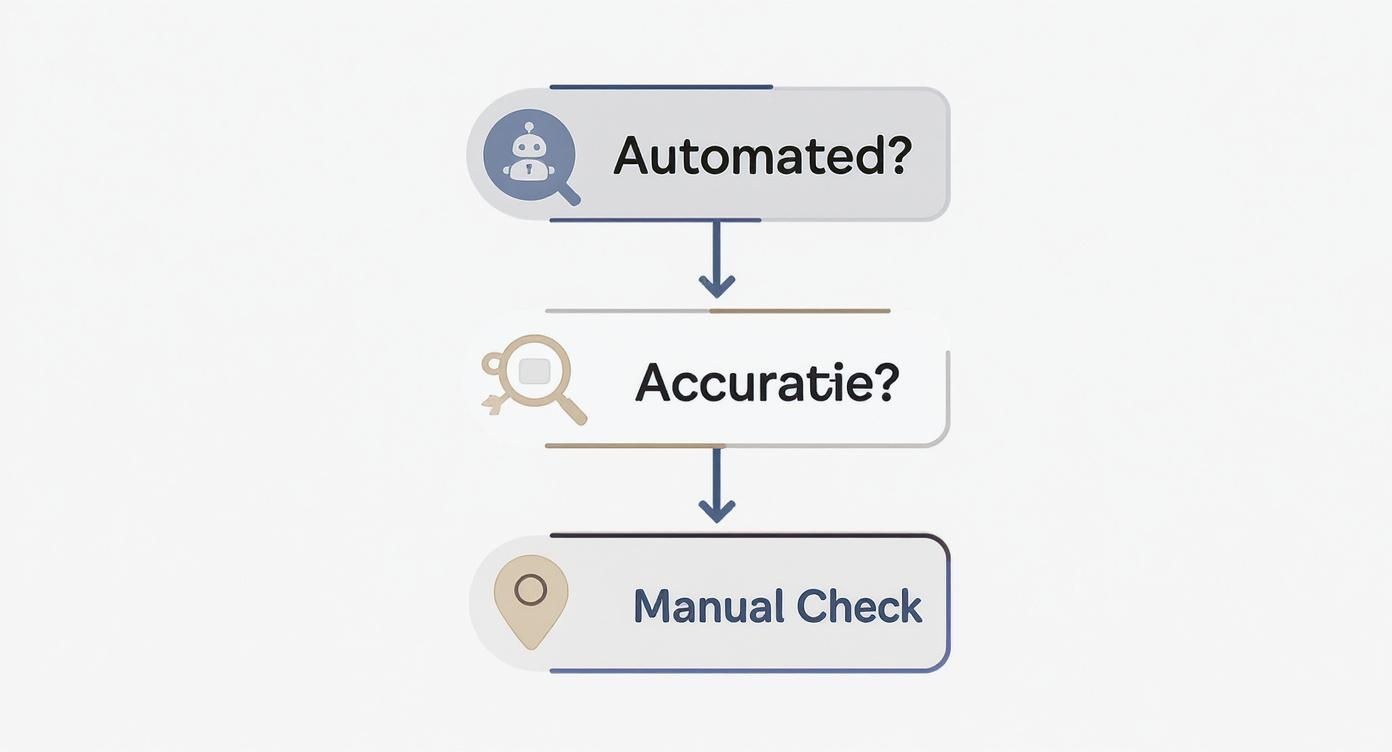
This workflow shows that while automated tools provide a great starting point, manual checks are essential for verifying accuracy and understanding local context.
Identifying Your Quickest Wins
Your fastest path to more traffic often lies with your "striking distance" keywords. These are the terms for which you already rank on page two of Google, typically in positions 11 through 20.
These keywords represent a massive opportunity. Your content is already relevant enough for Google to place it near the top; it just needs an extra push to break onto the coveted first page, where the vast majority of clicks happen.
Here’s how to turn these opportunities into action:
- Filter Your Data: In Google Search Console or your SEO tool, filter your keywords to show only those with an average position between 11 and 20.
- Analyze The Content: Visit the pages ranking for these terms. Is the content a bit thin? Is the information slightly outdated? For instance, if your Kansas City business blog post "Top Marketing Trends" is from two years ago, it's a prime candidate for an update.
- Take Action: Update and expand the content. Add new, relevant statistics, embed a recent video, include more internal links from other relevant pages on your site, or optimize the page title and meta description to be more compelling.
This targeted approach focuses your energy where it will have the most immediate impact, often yielding results much faster than trying to rank for a brand-new, competitive keyword from scratch.
Analyzing Ranking Volatility
Are your keyword positions jumping around wildly from day to day, or are they relatively stable? This is known as ranking volatility, and understanding it is crucial.
Minor fluctuations are perfectly normal. The search results are constantly shifting. However, significant and consistent volatility can signal deeper issues, such as technical SEO problems or inconsistent content quality.
On the other hand, a steady upward trend is a clear sign that your strategy is working. Document what you've been doing—whether it's building backlinks or publishing new content—so you can replicate that success. A comprehensive guide on how to conduct keyword research can help you find more stable, relevant terms to target.
Connecting Drops To Specific Events
A sudden, sharp drop in rankings can be alarming, but it’s almost always traceable to a specific cause. The key is to act like a detective and correlate the drop with recent events.
Did you recently redesign your website? A technical glitch during the relaunch could be the culprit. Did you change the URL of a high-ranking page without setting up a proper redirect? That's a common cause of lost traffic.
Another major factor is Google's algorithm updates. If you see a ranking drop across multiple keywords around the same time, check SEO news sites or social media to see if Google has confirmed an update. If your site was affected, it means you need to re-evaluate your content and strategy to better align with what Google now prioritizes.
Expert Insight: Don't panic over a single-day drop. Monitor the position for 3-5 days. If it doesn't bounce back, then it's time to investigate. Often, these are temporary shifts, and a knee-jerk reaction can do more harm than good.
By methodically analyzing these different scenarios—striking distance keywords, volatility, and sudden drops—you build an action plan rooted in real data. This transforms the task of checking your website ranking from a passive observation into the first step of a proactive and effective SEO strategy.
The table below outlines clear, actionable steps based on a keyword's current ranking, helping you prioritize your SEO efforts for maximum impact.
Matching SEO Actions To Keyword Rank
| Keyword Rank | Interpretation | Recommended Action |
|---|---|---|
| 1-3 | You're a top performer. The goal is to defend this position. | Monitor closely. Refresh content quarterly to keep it current. Build internal links from new content to maintain authority. |
| 4-10 | Strong position on page one, but vulnerable to competitors. | Optimize for user experience. Improve click-through rates with compelling titles/metas. Analyze top 3 competitors and fill content gaps. |
| 11-20 | "Striking distance" opportunity. Google sees your page as relevant. | This is a high-priority area. Enhance on-page SEO: improve content depth, add new media (videos, images), and build internal links. |
| 21-50 | The page has some relevance but lacks authority or comprehensive content. | Major content overhaul may be needed. Re-evaluate if the page truly matches searcher intent. Build a few high-quality backlinks. |
| 50+ | The page is indexed but not seen as a strong match for the keyword. | Re-evaluate keyword targeting. Does this page really serve this query? Consider a new, more targeted piece of content. |
Using a framework like this helps you move beyond simply tracking numbers and start making strategic decisions that directly influence your SEO success.
Creating A Sustainable Rank Monitoring Routine
In SEO, the real wins come from consistency, not intensity. Frantically checking every single keyword every single day is a fast track to burnout. On the flip side, ignoring your data for months on end lets small, fixable problems snowball into full-blown disasters.
The sweet spot is building a practical, sustainable routine. This isn't about staring at a dashboard all day long. It's about getting into a rhythm that lets you spot trends, jump on opportunities, and prove the value of your work to clients or stakeholders. A simple, structured approach keeps you in the driver's seat without driving you crazy.
Establish A Practical Monitoring Schedule
A classic mistake is treating every keyword with the same level of urgency. Your core "money" keywords—the ones that directly drive sales and leads—deserve way more attention than broad, informational terms. A tiered schedule is the best way to focus your energy where it actually counts.
Try adopting a simple two-part cadence:
-
Weekly Spot-Checks (15-20 Minutes): Every Monday morning, take a quick peek at your top 10-15 most critical keywords. Check their positions in your rank tracker and glance at the click and impression data in Google Search Console. The goal here isn't some deep, soul-searching analysis; it's to catch any sudden, alarming drops so you can react immediately.
-
Monthly Deep Dives (1-2 Hours): Once a month, block off some real time for a more thorough review. This is when you'll look at your entire keyword portfolio, hunt for new "striking distance" opportunities lurking on page two, and review your overall search visibility trend. This big-picture view is what helps you adjust your long-term strategy.
This balanced approach stops you from overreacting to normal daily wiggles while making sure you never miss a significant shift in your performance.
Focus On KPIs That Actually Matter
When it's time to report on your progress, it's easy to get lost in a sea of metrics. To keep your reports clear, compelling, and actionable, you need to zero in on a handful of Key Performance Indicators (KPIs) that directly tie back to SEO health and business impact. Vague reports are just noise; they don't help anyone make smarter decisions.
Your SEO reporting should tell a clear story of what happened, why it happened, and what you're doing next. If it's just a data dump, you're missing the point. The goal is to provide insight, not just information.
Your monthly report should be built around these core KPIs:
- Overall Search Visibility: Most good SEO tools have a "visibility score" or percentage. This single number gives a fantastic high-level snapshot of how often your site is showing up for your tracked keywords. It’s the perfect executive summary of your progress.
- Average Position Changes: Don't just look at individual keywords; track the average position for key keyword groups (e.g., by service or product category). Did your "Kansas City Web Design" keywords improve from an average position of 12.1 to 9.5? That shows tangible, meaningful progress.
- Top 10 Keyword Growth: Count how many of your target keywords are ranking on the first page of Google. An increase from 25 keywords in the top 10 to 35 keywords in the top 10 is a powerful and incredibly easy-to-understand win for any stakeholder.
At the end of the day, remember that ranking is just one piece of the puzzle. The most effective monitoring routines always connect the dots between rankings, traffic, and conversions. For a deeper look into this, our guide on how to track website traffic breaks down how to link your SEO efforts to actual visitor behavior and business outcomes. When you tie your work back to the bottom line, you create a powerful feedback loop that fuels smarter, more effective strategies for the long haul.
Common Questions About Checking Website Rankings
Even with the best tools and a solid routine, checking your website rankings can stir up some nagging questions. Why are the numbers all over the place? How long is this actually supposed to take? Let's clear the air and tackle some of the most common questions I hear.
Getting the "why" behind the data is just as important as the numbers themselves. It's the context that helps you avoid classic mistakes, like panicking over normal ups and downs or throwing in the towel right before a breakthrough.
Why Do My Website Rankings Change So Often?
If you've noticed your rankings bouncing around daily, you're not going crazy—this is completely normal. The search engine results pages (SERPs) are in a constant state of flux.
These shifts are driven by a few key things happening all at once:
- Google's Algorithm: Google is always tinkering, making thousands of tiny adjustments to its algorithm every single year.
- Competitor Actions: Your competition isn't sitting still. They're constantly publishing new content and building links to try and leapfrog you.
- User Behavior: What people search for and which results they click on can shift, signaling to Google what's most relevant right now.
- Website Updates: Even small tweaks to your own site can cause temporary ripples in your rankings.
A little daily movement is just part of the game. What you really need to watch is the long-term trend over weeks and months, not the day-to-day volatility.
How Long Does It Take To See Ranking Improvements?
This is the million-dollar question, and the only honest answer is: it depends. The timeline for seeing real, tangible ranking improvements is different for every site and every keyword.
For a well-established website, a small on-page SEO fix—like sharpening up a page title—might move the needle in just a few weeks. But for a brand-new site trying to break into a competitive space, it can easily take 3 to 6 months (or even longer) to see significant, stable gains. SEO is a long-term investment, not an overnight fix.
Can I Check My Ranking For Free?
Absolutely. You don't need a huge budget to start checking your rankings effectively. In fact, the single best tool for the job is 100% free: Google Search Console. It gives you direct, unfiltered data from Google on your average position, clicks, and the exact search queries people are using to find you.
Beyond that, a simple manual search in an incognito browser window is a great way to spot-check your most important keywords. While paid tools offer powerful automation and competitor insights, these free methods provide a rock-solid and reliable foundation for any SEO strategy.
Does My Location Affect The Search Results I See?
Yes, and this is one of the most important things to get your head around. Google heavily personalizes search results based on your physical location, especially for any search that has local intent.
A search for "best web design agency" will show drastically different results for someone in Kansas City, MO, compared to someone in a suburb like Overland Park, KS. This is why relying solely on what you see from your own computer can be dangerously misleading.
To get a true picture, you have to use tools that can simulate a search from your target customer's location. This ensures your strategy is based on what your audience actually sees. If you're new to this idea, our guide on what page ranking is breaks down all the factors that influence where you show up in search results.
At Website Services-Kansas City, we turn data into growth. If you need expert help creating and executing an SEO strategy that gets results, we're here for you. https://websiteservices.io
