
When someone says "spam score," the first thing you need to ask is, "Which one?" Think of it like a credit score for your digital reputation. You've got one score for your website's overall health and another for your email marketing campaigns. A high number in either world is a major red flag that you can't afford to ignore.
Decoding Website and Email Spam Scores
The term spam score is a classic source of confusion because it means two completely different things in two separate corners of the marketing universe. An SEO specialist and an email marketer hear the exact same phrase but immediately think of wildly different problems, tools, and solutions.
Getting this distinction straight is the first step to managing your online reputation.
For an SEO pro, spam score is a metric made famous by tools like Moz. It’s all about judging the quality and trustworthiness of your website's backlink profile.
A website's spam score is a correlation metric. It scans all the sites linking to you and flags characteristics commonly found on websites that have been penalized by Google. A high score suggests you might be associated with a "bad neighborhood" online, putting your rankings at risk.
For an email marketer, however, spam score is a number generated by tools like SpamAssassin. This score tries to predict whether your email campaign is going to land safely in a subscriber's inbox or get tossed into the junk folder.
The Two Worlds of Spam Score
So, the SEO score is about your website's authority and link history, while the email score is all about deliverability and the content of your messages. One impacts how you show up in Google search results, and the other determines if your marketing emails are ever even seen. Trying to fix one without understanding the difference can lead you down a completely wrong path.
To give you a better idea, here's a look at how Moz breaks down the factors that contribute to a website's spam score. It shows the percentage of sites penalized by Google that share specific traits.
As you can see, simple things like having very few pages on your site or no visible contact information are common signals among spammy sites, and they can directly tick your score upward.
To make this crystal clear, let's put the two side-by-side to highlight their core differences.
Website Spam Score vs Email Spam Score at a Glance
This table offers a quick comparison to clear up any confusion between the two main types of spam scores, showing their distinct purposes, metrics, and tools.
| Attribute | Website Spam Score (e.g., Moz) | Email Spam Score (e.g., SpamAssassin) |
|---|---|---|
| Primary Goal | Predicts the risk of being penalized by search engines. | Predicts the likelihood of an email landing in the spam folder. |
| What It Analyzes | The quality and trustworthiness of inbound links (backlinks). | Email content, subject line, sender reputation, and technical setup. |
| Time Focus | Backward-looking (analyzes your existing link history). | Forward-looking (predicts the outcome of a future campaign). |
| Key Metrics | Link diversity, domain authority of linking sites, anchor text. | "Spammy" words, image-to-text ratio, authentication (SPF, DKIM). |
| Primary Impact | Search engine rankings and organic traffic. | Email deliverability and campaign open rates. |
Essentially, the website score is about protecting your long-term search visibility by keeping your site's reputation clean. The email score, on the other hand, is an immediate gatekeeper to the inbox; a bad score means your campaign is likely dead on arrival.
How Your Website’s Spam Score Impacts SEO
Let’s zero in on the SEO side of things. Your website's spam score isn't a direct penalty from Google; think of it more as a risk assessment tool. Imagine your backlink profile is like a network of professional references. A few glowing recommendations from industry leaders (sites with high authority) boost your credibility way more than hundreds of questionable ones from link farms or low-quality directories.
Moz's Spam Score was designed to measure the quality of those "references." It works by analyzing dozens of signals that are strongly correlated with websites Google has penalized. It’s not that Google uses this specific score, but Moz has done the hard work of identifying traits that penalized sites almost always share. When your site starts sharing those traits, your score goes up, signaling a potential risk to your search engine performance.
Interpreting Your Spam Score
The concept of a Spam Score goes beyond just emails, covering comprehensive website and domain assessments. Tools like Moz assign a score from 1% to 100% based on your link profile and the presence of spam signals, such as a flood of poor-quality backlinks or an over-reliance on exact-match anchor text.
Generally, scores break down like this:
- 1%-30%: Considered low risk. Your backlink profile looks clean. This is the healthy range for established websites.
- 31%-60%: Medium risk. This is a yellow flag. It’s time to investigate. A local Kansas City business might see this after a poorly executed link-building campaign.
- 61%-100%: High risk. This suggests a much greater potential for being penalized by Google and requires immediate action.
A high spam score is like a smoke alarm for your SEO. It doesn't mean your house is on fire (penalized), but it’s a loud, clear warning that you need to investigate the source of the smoke (toxic backlinks) before a real fire breaks out.
This infographic breaks down some of the key factors that can influence both website and email spam scores.
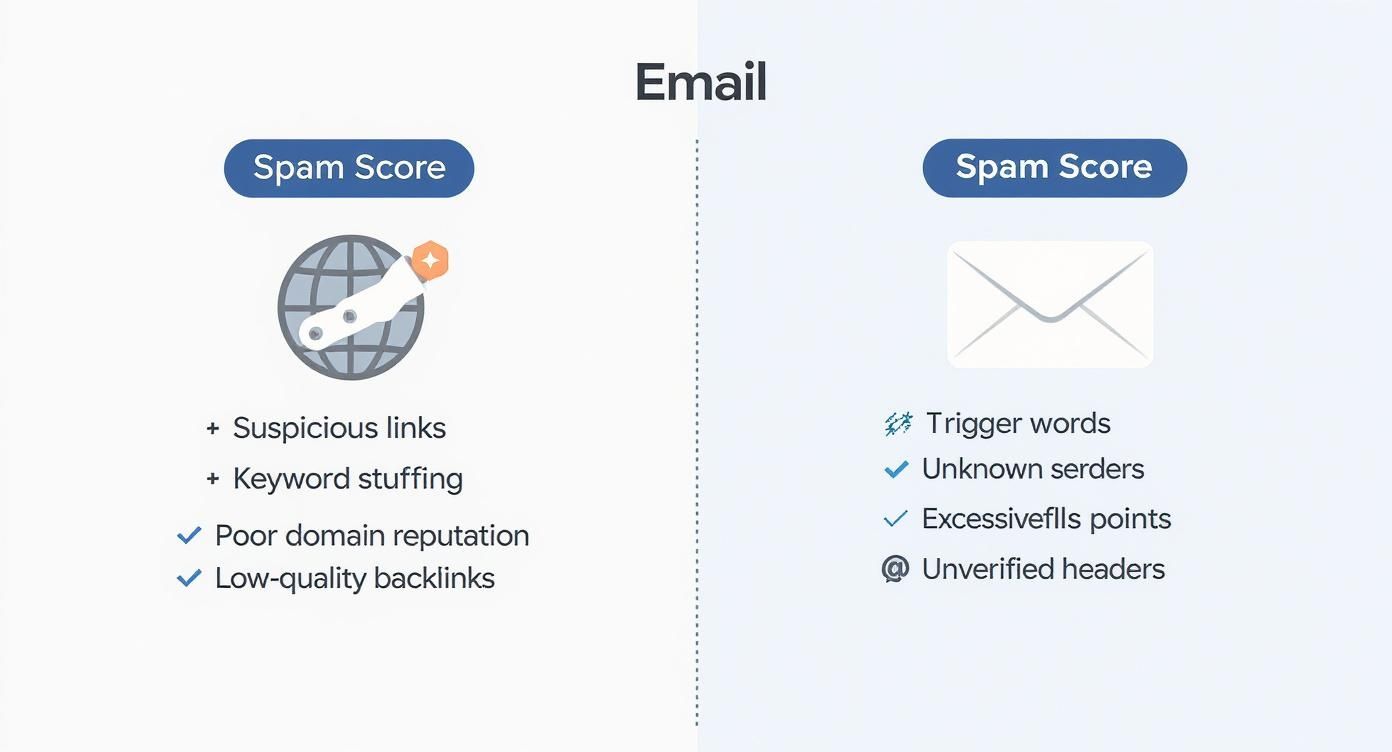
As you can see, a website's score is heavily tied to its external connections, while an email's score is more about its content and technical setup.
The Real Impact on Your Business
A rising spam score, even without an immediate penalty, can quietly chip away at your SEO progress. Here’s how it usually plays out:
- Suppressed Rankings: Search engines may start losing trust in your site, causing your pages to rank lower for your most important keywords. A Kansas City plumber, for example, might drop from page one to page three for "emergency plumbing services" without any obvious reason.
- Reduced Credibility: A high score can make it harder to earn high-quality links, as authoritative sites will be hesitant to link to a domain with a risky-looking profile.
- Future Penalties: Ignoring a high spam score is like leaving the door wide open for future algorithmic devaluations or, even worse, manual actions from Google.
Ultimately, your spam score is a reflection of your site’s authority and trustworthiness. It's closely related to other key metrics, and you can learn more about how this all connects by reading our guide on what domain authority means for your website. Monitoring this score helps you proactively manage your online reputation and protect your hard-earned rankings from potential threats.
Why Your Email Spam Score Determines Campaign Success
Let's switch gears from websites to email marketing, where the spam score is the ultimate gatekeeper standing between you and your audience's inbox. Think of it this way: a low score is like a VIP pass, getting your message straight to the main event. A high score gets you bounced at the door, sending your email directly to the junk folder and wasting all your time and money.
This isn't just a random flip of a coin. Sophisticated systems are making a calculated risk assessment on every single email you send.
Tools like SpamAssassin act like a digital customs agent, inspecting every part of your email before it's allowed to cross the border into the recipient's inbox. This inspection zeroes in on three core pillars that ultimately decide your campaign's fate.
The Three Pillars of Email Deliverability
Your final email spam score is a blend of signals from these three critical areas. If you fail in one, it can easily drag down your success in the others.
- Sender Reputation: Is your sending IP address trustworthy? If your IP has a history of sending unsolicited emails or racking up high complaint rates, filters will be suspicious of everything you send, no matter how good the content is.
- Email Content and Formatting: Are you using spammy language or shady formatting? Overusing words like "Free," "Act Now," or "Winner" in all caps, plastering your email with excessive exclamation points, or using invisible text are all red flags that will add points to your score.
- Technical Authentication: Have you proven you are who you say you are? Proper setup of SPF (Sender Policy Framework), DKIM (DomainKeys Identified Mail), and DMARC (Domain-based Message Authentication, Reporting & Conformance) is completely non-negotiable. These records are like a digital ID, confirming to receiving servers that your email is legit and not a forgery.
Understanding the Scoring Scale
The email Spam Score really came into its own in the 2010s as a way to give marketers a clear, straightforward metric for how likely an email was to be flagged as junk. It's almost always shown on a scale from 0 to 10, where lower is always better.
Generally, scores under 3 are considered great and lead to solid deliverability. Once you creep above a 6, you're in the danger zone, and your emails are highly likely to be marked as spam. Keeping a close eye on this number has become a fundamental best practice for any serious email marketer. You can discover more insights about this essential email marketing metric from Email Mastery.
A high email spam score is a direct threat to your ROI. For every point your score increases, your chances of reaching the primary inbox decrease, directly impacting your open rates, click-through rates, and ultimately, your conversions.
For example, a marketing email could have a perfect technical setup—SPF and DKIM all in order—but still get slapped with a high score of 7. How? If its subject line is "FREE CASH NOW!!!!!" and the body is just one big image with hardly any text, that's how. This combination of content red flags screams to the spam filter that the email is likely a promotion the user won't want, regardless of its technical legitimacy.
To give you a better idea of what these filters are looking for, here are some of the most common triggers that can send your spam score through the roof.
Common Email Spam Triggers and Their Impact
| Spam Trigger | Example | Why It's Flagged |
|---|---|---|
| Aggressive Sales Language | "Act now!", "Limited time offer", "Buy now" | These phrases are classic hallmarks of unsolicited commercial emails and are often weighted heavily by spam filters. |
| Money-Related Terms | "Free", "Cash", "$$$", "Save big money" | Words associated with financial schemes, gambling, or too-good-to-be-true offers are immediate red flags. |
| Overuse of Punctuation | "Don't miss out!!!" or "Sale!!!!" | Multiple exclamation points or other punctuation marks are seen as an attempt to create false urgency and are common in spam. |
| ALL CAPS SUBJECT LINES | "URGENT: OPEN IMMEDIATELY" | Using all capital letters is the digital equivalent of shouting and is a major spam indicator, especially in the subject line. |
| Misleading Subject Lines | "Re: Our Meeting" or "Fwd: Your Invoice" | Using prefixes like "Re:" or "Fwd:" to imply a pre-existing conversation is a deceptive tactic that filters easily detect. |
| Large Images, Little Text | An email that is almost entirely one large image. | Spammers use this to hide text from filters. Modern filters now see a low text-to-image ratio as highly suspicious. |
| Unusual Formatting | Using different c o l o r s or f o n t s in one word. | Strange formatting, excessive highlighting, or invisible text (white text on a white background) are classic tricks to fool older filters. |
Paying attention to these details is crucial. Even a few of these missteps can be enough to land your carefully crafted campaign in the junk folder, completely invisible to the audience you were trying to reach.
Finding Your Spam Score with the Right Tools
Alright, now that you know the difference between a website and an email spam score, it’s time to play doctor. Knowledge is power, and checking your scores is the first step toward protecting your digital reputation. The good news is, several excellent tools make this whole process pretty straightforward, giving you a clear baseline to work from.
Checking Your Website Spam Score with Moz
When it comes to your website, the industry-standard tool is Moz’s Link Explorer. It gives you a quick, reliable way to see your Spam Score and start digging into the data behind it. While a full analysis requires a Moz Pro subscription, you can usually get a basic check with a free account.
Here’s how simple it is:
- Navigate to Moz Link Explorer.
- Pop your domain name into the analysis bar and click "Analyze."
- On the dashboard, look for the "Spam Score" metric in the left-hand sidebar. That percentage is your overall risk assessment.
This score is just your starting point. The real work begins when you start analyzing the "Spam Score" breakdown, which shows you the specific domains linking to you that are pushing your score up. A deeper dive here is essential. You can learn more about how to check your backlinks effectively with Google's tools to get the complete picture.
Testing Your Email Spam Score and Deliverability
For email campaigns, you need a different kind of tool—one that can analyze a test email before you blast it out to your entire list. Services like mail-tester.com are perfect for this. They act like a test inbox that inspects every single aspect of your email and gives you a detailed report card.
The process couldn't be easier:
- Go to a site like mail-tester.com.
- Copy the unique email address they give you.
- Send an exact copy of your email campaign to that unique address.
- Head back to the website and click to see your score.
You'll get a detailed report, usually scored out of 10, that highlights any issues it found.
This report gives you an actionable score and breaks down potential problems, from technical authentication failures to content that might be triggering spam filters. Armed with this data, you can now move on to fixing the specific issues that are hurting your reputation.
A Practical Plan to Lower Your Website Spam Score
https://www.youtube.com/embed/ZE9oaq6LaP4
Discovering your site has a high spam score can feel like a punch to the gut. But here's the good news: it's not a permanent stain on your reputation. It's a solvable problem. With a clear, methodical approach, you can detox your backlink profile, lower your risk, and protect all the SEO progress you've worked so hard for. This is the battle-tested plan to get it done.
The whole journey starts with a thorough backlink audit. This isn't just a quick glance—it's a deep, honest dive into every single domain that links to your site. Tools like Semrush or Ahrefs are pretty much non-negotiable here; they give you the raw data you need to separate the good links from the toxic ones.
Identifying Toxic Links
As you start sifting through all that backlink data, you need to know exactly what you're looking for. Not every low-quality link is a five-alarm fire, but some red flags are universal. Your goal is to pinpoint the links that offer zero real value and exist only to try and manipulate search rankings.
Here's a simple checklist for spotting potentially harmful backlinks:
- Irrelevant Foreign Sites: Getting links from sites in languages or countries that have absolutely nothing to do with your business? A Kansas City-based marketing agency getting dozens of links from Russian or Chinese blogs is a huge red flag.
- Spammy Directories: Links from cheap, generic web directories that are just there for SEO are toxic. We all know what these look like.
- Over-Optimized Anchor Text: An unnatural number of links all using the exact same commercial keyword (e.g., "best kansas city web design") is a massive red flag for manipulative link building.
- Low-Authority Domains: A few of these won't hurt, but a huge volume of links from sites with rock-bottom domain authority and no real traffic can drag your score down over time.
The Link Removal Process
Once you've identified the culprits, it’s time to clean house. The process really has two main stages: good old-fashioned manual outreach and, as a last resort, disavowing the links.
First, you should always try to get the link removed manually. This means tracking down the contact info for the webmaster of the spammy site and sending them a polite, professional email asking them to take down the link to your domain.
Pro Tip: Keep your outreach email short and to the point. Just state who you are, provide the exact URL of the page with the link, and politely ask for it to be removed. You’d be surprised how many webmasters will comply if the request is reasonable.
Let's be real, though—many low-quality sites won't even have a contact page, let alone respond to your email. If you've tried a couple of times and gotten nothing but silence, it's time to escalate. For these stubborn toxic links, you'll need to use Google's Disavow Tool.
This tool essentially tells Google, "Hey, I know these links exist, but please ignore them when you're assessing my site." It neutralizes their negative impact. To do this right, you need to create and submit a file in a very specific format. You can learn more by exploring our detailed guide for creating a properly formatted Google Disavow list. Using the Disavow Tool should always be your final step, reserved only for those links you simply cannot get removed manually.
Proven Methods for Improving Email Deliverability
Landing in the junk folder is one of the most frustrating things in email marketing. It’s a costly mistake that basically torpedoes your entire effort before it even begins. Getting your email spam score down isn't just about dodging a few "spammy" words; it's about building a rock-solid reputation with email providers.
By dialing in a few key areas, you can give your deliverability a major boost and make sure your messages actually get seen.

Master Your List Hygiene
Your sender reputation lives and dies by the quality of your email list. A clean, engaged list sends incredibly powerful positive signals to inbox providers, telling them you're a legitimate sender.
- Implement Double Opt-In: This is non-negotiable. It requires new subscribers to click a link to confirm their email, proving they genuinely want to hear from you. It’s a simple step that cuts down on bounces and ensures a list of real, interested contacts.
- Regularly Prune Inactive Subscribers: It might feel counterintuitive, but routinely removing subscribers who haven't opened your emails in months is a game-changer. Actionable Step: Create a segment of subscribers who haven't opened any of your last 10 emails and send them a final "re-engagement" campaign. If they don't respond, remove them. This keeps your engagement rates high and shows providers that your content is valued.
Optimize Your Email Content
While you should still avoid the obvious spam trigger words, modern spam filters are way more sophisticated now. They're watching how people interact with your emails.
Focus on creating valuable, personalized content that encourages positive engagement like opens, clicks, and replies. These actions tell email servers that your messages are wanted, which is a powerful way to lower your spam score over time.
For instance, that old trick of sending emails that are just one giant image? That’s a massive red flag for filters today. Actionable Step: Always aim for a text-to-image ratio of at least 80/20 (80% text, 20% images). This makes your email look more like a personal communication than a spammy flyer.
Solidify Your Technical Foundation
Think of technical authentication as your email's official ID. It’s how you prove to the world that you are who you say you are, and it's absolutely non-negotiable for good deliverability.
Your sender reputation is a mix of things like complaint rates and bounce rates, but the technical settings are foundational. Emails that lack proper authentication via SPF, DKIM, and DMARC will almost always get hit with higher penalties from email servers.
Setting up these records correctly is a fundamental first step, just like securing a new website right after you buy the domain. If you're just getting started, our guide on what to do after buying a domain will help you make sure your technical foundation is solid from day one.
Got Questions About Spam Score? We've Got Answers.
Jumping into the world of spam scores can feel a bit technical, and it's totally normal for a few questions to pop up. Let's tackle some of the most common ones I hear from clients to clear up any confusion.
Does a High Moz Spam Score Guarantee a Google Penalty?
Not directly, no. It's a classic case of correlation, not causation. Moz's Spam Score is a fantastic diagnostic tool, but it's not a metric Google actually uses in its algorithm. A high score simply means your backlink profile has a lot in common with sites that have been penalized.
Think of it as a smoke alarm—it's telling you to check for a fire, but it doesn't mean your site is already burning down. It is a critical warning sign that you should investigate immediately.
Is a 0% Spam Score Possible for My Website?
For a website, getting a 0% Spam Score is incredibly rare and, frankly, not a realistic goal. Any website that's been around for a while will naturally pick up all sorts of different links. A score somewhere in the 1-30% range is perfectly healthy and considered low-risk.
Email campaigns are a different story, though. In that world, a perfect score (like a 10/10 on a tool like mail-tester.com) is not only possible, it should be your absolute goal. It's a clear sign that your email is perfectly configured to land in the inbox.
How Often Should I Check My Spam Scores?
How often you check in should really depend on how active you are with your marketing. Here’s a simple rule of thumb:
- For Your Website: Plan on checking your Spam Score quarterly as part of a routine SEO health check. However, if you're in the middle of an active link-building campaign, you should bump that up to monthly. This lets you catch any questionable links early before they become a real problem.
- For Email Marketing: You should run a spam test before every single major campaign. This is especially true if you've changed anything about the email—the template, the content, or even just the subject line. This one simple step can be the difference between a successful campaign and a massive deliverability failure.
Ready to take control of your website's SEO health? Website Services-Kansas City offers comprehensive SEO audits and backlink analysis to identify and fix the issues holding you back. Let our experts help you build a trustworthy, high-ranking online presence. Learn more about our professional SEO solutions at https://websiteservices.io.
