
WordPress hosting is a type of web hosting built and fine-tuned specifically to run WordPress websites. It’s the difference between buying a high-performance sports car off the lot, engine tuned and ready to go, versus buying a standard car and trying to upgrade all the parts yourself.
Unpacking What WordPress Hosting Really Means
Let's use an analogy. Think of building a website like building a house.
General, all-purpose web hosting is like buying an empty plot of land. You have total freedom to build whatever you want—a log cabin, a modern mansion, a tiny home—but you have to bring every single tool, every piece of lumber, and all the expertise yourself. It’s flexible, but it’s a lot more work.
WordPress hosting, on the other hand, is like buying a plot of land where the foundation is already poured, the framework is up, and all the specialized tools for building a modern home are waiting for you. The entire environment is prepped from day one to make your WordPress site faster, safer, and much easier to manage.
The Specialized Environment Explained
This isn't just a clever marketing term. WordPress hosting involves very specific server setups and features designed to meet the unique needs of the WordPress platform. Because WordPress is an absolute giant—powering over 43% of all websites on the internet—hosts have created these optimized solutions to handle its specific demands. You can get more details on its incredible market share over at Mobiloud.com.
Here's a quick comparison of the two approaches.
WordPress Hosting vs General Hosting At a Glance
This table gives you a quick snapshot of the key differences between a hosting service specifically tailored for WordPress and a standard, all-purpose web hosting plan.
| Feature | WordPress Hosting | General Web Hosting |
|---|---|---|
| Optimization | Fine-tuned servers for WordPress performance. | Generic servers for all types of software. |
| Updates | Automatic WordPress core updates are standard. | You are responsible for all software updates. |
| Security | Firewalls and scanning for WordPress threats. | Basic, non-specific security protocols. |
| Support | Expert staff trained specifically in WordPress. | General support for a wide range of issues. |
| Ease of Use | Pre-installed, one-click setup for WordPress. | Manual installation and setup required. |
As you can see, WordPress hosting is designed to remove the technical headaches right from the start.
Key optimizations often include things like:
- Server-Side Caching: This is a high-performance caching system built right into the server, which is way more powerful than a simple plugin you’d install yourself. It makes a huge difference in how quickly your pages load for visitors.
- Automatic WordPress Updates: The host takes care of core WordPress updates for you, making sure your site stays secure without you ever having to lift a finger.
- Enhanced Security Protocols: These services come with firewalls and malware scanners configured specifically to block the most common attacks against WordPress sites.
In essence, WordPress hosting removes the technical guesswork. It provides a stable, high-speed foundation so you can focus on what actually matters: creating great content and growing your business.
Choosing the right hosting is one of the most important decisions you'll make for your website. A faster, more reliable site doesn't just give your visitors a better experience; it also gets a thumbs-up from search engines like Google. It all starts with the right foundation, and if you're looking for actionable steps, check out our guide on how to improve website loading speed.
Choosing Your Hosting Blueprint: Shared vs. VPS vs. Dedicated
Picking the right WordPress hosting plan feels a lot like choosing a place to live. It can seem technical and complicated, but at the end of the day, your specific needs are what really dictate the best fit. Each type of hosting strikes a different balance between cost, performance, and how much control you have—just like deciding between an apartment, a townhouse, or a single-family house.
To really get what WordPress hosting is, you have to see where it fits into the bigger picture. While you can use any generic web hosting for any kind of website, specialized services are designed from the ground up to get the best performance out of a specific platform.
This infographic shows exactly how WordPress hosting is a specialized branch of general web hosting, much like you'd find hosting built specifically for e-commerce.
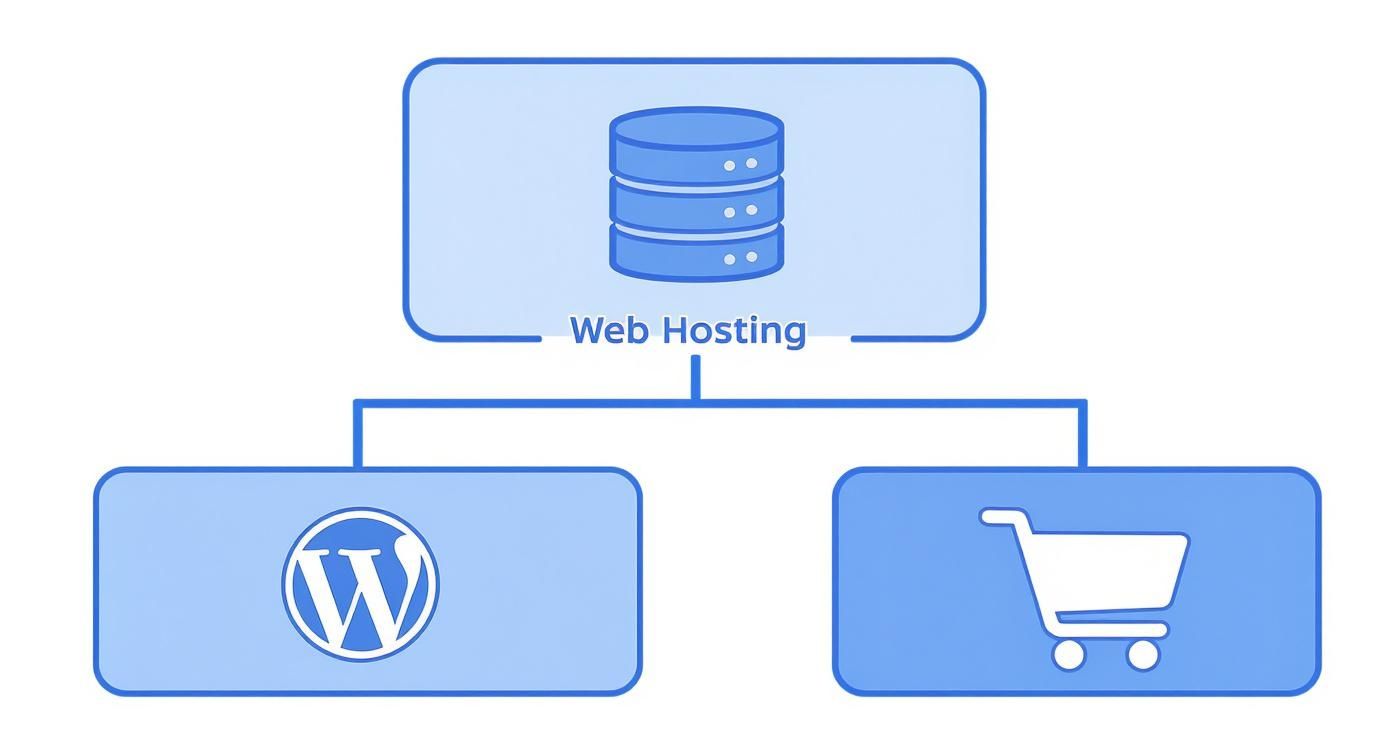
This visual makes it clear: while every website needs hosting, a WordPress site runs best in an environment that’s been fine-tuned for it. Let's break down the main blueprints you can choose from.
Shared Hosting: The Apartment Building
Shared hosting is the most common and affordable place to start. Think of it as living in an apartment building. You get your own private space (your website), but you’re sharing all the building’s core resources—the plumbing, electricity, and main entrance—with all the other tenants. On a server, these resources are things like CPU, RAM, and bandwidth.
This setup is perfect for beginners, small blogs, or local business websites that are just getting off the ground. It’s incredibly cost-effective, with plans often starting at just a few dollars a month. The only catch is that because it's shared, a sudden traffic spike for your "neighbor" could temporarily slow your own site down.
- Best For: New bloggers, personal portfolios, and small businesses with low to moderate traffic.
- Pros: Extremely affordable, super easy for beginners to manage, and requires zero technical skill.
- Cons: Resources are limited, performance can dip because of other sites on the server, and you get less control over server settings.
VPS Hosting: The Townhouse
As your website grows, you’ll eventually need more space and a bit more independence. This is where a Virtual Private Server (VPS) comes into the picture. A VPS is like owning a townhouse. You might share the same plot of land (the physical server) with a few neighbors, but your home is completely self-contained with its own walls, utilities, and front door.
A VPS carves out a dedicated slice of the server’s resources just for you. You get more memory, more processing power, and way more control over your environment than you do with shared hosting. This leads to much better performance and the ability to handle more traffic without ever being affected by what your neighbors are doing.
A VPS strikes a fantastic balance between the affordability of shared hosting and the raw power of a dedicated server, making it the ideal upgrade path for growing websites.
This option is a fantastic fit for businesses that are seeing consistent growth, e-commerce stores, and sites that run more complex plugins. For anyone wanting to dive deeper into making the right choice, our guide on how to choose web hosting provides a detailed roadmap.
Dedicated Hosting: The Single-Family House
Finally, we have dedicated hosting, which is the equivalent of owning your own private, single-family house. With a dedicated plan, an entire physical server and every last one of its resources are 100% yours. You don't share anything with anyone, giving you the ultimate level of control, security, and performance.
This is the top-tier solution for high-traffic websites, large-scale e-commerce operations, and any business that needs absolute control over its hosting environment for security or compliance reasons. While it offers unmatched power, it also comes with the highest price tag and usually requires some real technical expertise to manage properly.
- Best For: High-traffic e-commerce stores, large corporate websites, and applications needing maximum security and resources.
- Pros: Unmatched performance, complete control over server configuration, and enhanced security.
- Cons: It’s the most expensive option by a long shot and typically requires advanced technical knowledge to manage.
Core Features That Define a Great WordPress Host
Okay, so we’ve covered the basic types of hosting. Now, let’s get into the good stuff—the features that separate a decent hosting plan from a truly great one. These are your non-negotiables, the digital insurance policy that saves you from massive headaches down the road and keeps your website humming from day one.
Think of it this way: these features are like the essential systems in a well-built house. You’ve got the reliable plumbing, the solid wiring, and the efficient HVAC system. You don’t really notice them when they’re working, but you definitely notice when they fail.
A top-tier WordPress host doesn’t just sell you a slice of a server; it hands you a whole suite of tools designed to make your life easier and your site perform better.
Effortless Setup and Maintenance
The best WordPress hosts get the technical junk out of your way. Instead of making you mess with complex manual setups, they offer a one-click WordPress installation that gets your site up and running in minutes. For anyone who isn't a developer, this is an absolute game-changer.
They also handle automated updates for the WordPress core software, plus your themes and plugins. This proactive maintenance is absolutely critical for security, as outdated software is the number one target for hackers. It’s like having a mechanic who services your car on schedule, before something has a chance to break.
Blazing-Fast Performance Boosters
In the online world, speed is everything. A great host builds performance features right into the server itself, which is way more powerful than just slapping a few speed plugins on your site and hoping for the best.
- Server-Level Caching: This is a big one. The server stores pre-built copies of your site's pages. When a visitor shows up, it delivers that ready-made page instantly instead of rebuilding it from scratch. This simple trick dramatically slashes your load times.
- Integrated Content Delivery Network (CDN): A CDN is a network of servers spread all over the world that stores copies of your website's assets (like images and code). When someone visits your site, the content gets delivered from the server closest to them, guaranteeing a speedy experience for your entire global audience.
This stuff really matters. With over 409 million users viewing more than 20 billion pages on WordPress sites every single month, the demand for fast, reliable hosting is just massive. This is exactly why the top hosts bundle features like CDNs and advanced caching—they know what it takes to handle that kind of traffic.
Ironclad Security and Reliability
Your website is a valuable asset, and a great host will protect it like one. Proactive security measures are a true hallmark of quality WordPress hosting.
Daily automated backups are your ultimate safety net. If anything ever goes wrong—a plugin update breaks something, you make a mistake, or you get hacked—you can restore your site to a previous working version with a single click. Think of it as a time machine for your website.
On top of that, a good host provides proactive malware scanning and removal. They’re constantly on the lookout for threats and will clean up any infections, often before you even realize there was a problem. This also includes providing free SSL certificates, which are crucial for security. In fact, 88% of websites globally now use HTTPS to encrypt their data. If you ever need a hand with that, our guide on how to install an SSL certificate can walk you through it.
Understanding Managed WordPress Hosting
https://www.youtube.com/embed/20-wN8iQXKs
If standard WordPress hosting gives you the tools to build your site, think of managed WordPress hosting as hiring a dedicated pit crew to keep it running at peak performance. It’s a premium, hands-off solution where the hosting company takes care of all the technical heavy lifting, acting as your expert partner behind the scenes.
This is a true concierge service for your website. Instead of you losing sleep over server maintenance, security threats, or performance tweaks, a team of actual WordPress specialists handles it all for you. This frees you up to focus entirely on what you do best—creating great content, talking to customers, and growing your business.
What Does "Managed" Really Mean?
That word, "managed," isn't just marketing fluff. It points to a specific suite of services designed to optimize, secure, and maintain your WordPress installation. Your host becomes an active participant in your website's health, not just a landlord renting you some server space.
This proactive approach means the entire hosting environment is fine-tuned specifically for WordPress. The servers are configured with aggressive caching, top-tier security, and other optimizations you just don't get with a standard plan. It’s an environment built from the ground up to make WordPress fly.
Key managed services almost always include:
- Proactive Security Monitoring: The host is actively scanning for malware and blocking threats before they can do any damage to your site.
- Automated Backups: Daily, reliable backups are created and stored securely, giving you one-click restoration if anything ever goes wrong.
- Performance Optimization: Server-level caching and CDN integration are standard features, making sure your site loads lightning-fast for visitors everywhere.
- Expert WordPress Support: You get access to a support team made up of real WordPress experts who can troubleshoot complex issues, not just basic server problems.
The Value Proposition: Is It Worth The Cost?
Let’s be honest: managed WordPress hosting costs more than shared or basic VPS plans. There's no getting around that. But the value isn't just in the server resources; it's in the time and peace of mind you get back. The return on investment comes from ditching the need to hire a developer or spend your own valuable hours wrestling with technical headaches.
With a managed host, you're paying for expertise and convenience. It's an investment in stability and performance that lets you offload the technical burden and concentrate on your core business goals.
For any business owner who sees their website as a critical asset, this level of service is often a complete game-changer. The entire process becomes simpler, from the initial setup to ongoing maintenance. This is especially true when moving an existing site; if you're curious about that, you can learn more about how to migrate a website to a new host in our detailed guide.
How to Choose the Right WordPress Host for Your Needs

Alright, let's turn all this theory into something you can actually use. Choosing the right WordPress hosting isn’t about finding a single “best” host that works for everyone. It’s about finding the one that’s the perfect fit for your specific goals, your budget, and how comfortable you are with the technical side of things.
Before you even glance at a pricing page, you need to ask yourself a few honest questions about your project. This simple exercise will do wonders for narrowing down your options. More importantly, it will keep you from overpaying for power you don't need or, even worse, underpowering a site that's built for growth.
Assess Your Core Requirements
Start by thinking through these four key areas. Your answers will act as a compass, pointing you straight toward the right kind of hosting plan.
- Website Traffic: Let’s be realistic. Are you expecting a few hundred visitors a month for a local Kansas City business site? Or are you gearing up for thousands of daily visitors to a brand-new e-commerce store? Your initial traffic projection is a huge factor.
- Technical Skill: How hands-on do you want to be? Are you looking for a solution where everything just works behind the scenes (Managed Hosting), or do you have the chops to handle server tweaks and updates yourself (VPS)?
- Budget: What are you prepared to spend each month? Shared hosting is incredibly affordable and a great starting point, but a managed plan is an investment in performance and peace of mind that often pays for itself down the road.
- Site Purpose: What is this website actually for? Is it a simple online brochure, a blog you plan to update constantly, or a complex online store running WooCommerce? An e-commerce site has far greater security and performance needs than a basic portfolio.
The web hosting market is booming to meet all these different needs. The global market is projected to skyrocket from $125 billion to about $356 billion by 2029. Shared hosting, the classic entry point for most new WordPress sites, is a huge slice of that pie, expected to hit $70.6 billion thanks to its affordability. You can find more insights on these web hosting statistics in Hostinger's tutorial.
Matching Scenarios to Solutions
Let's put this framework into action with a couple of real-world examples.
Scenario 1: The Local Kansas City Service Business
You're launching your first website for a local plumbing or HVAC company to generate leads in the Kansas City metro area. You need a professional online presence but don't expect a flood of traffic right away.
Ideal Host: A reliable Shared Hosting plan is the perfect place to start. It’s cheap, it’s easy to manage, and it gets you online fast without a big upfront investment. Companies like Bluehost or SiteGround offer excellent entry-level WordPress plans.
Scenario 2: The Growing E-commerce Store
Your online shop is finally getting some traction. Traffic is up, sales are climbing, and now site speed and security are your top priorities to keep customers happy and their data safe.
Ideal Host: It’s time to level up to a VPS or Managed WordPress Hosting plan. This gives you the dedicated resources and performance horsepower needed to handle transactions securely and keep your pages loading lightning-fast, even during a big sale. A provider like WP Engine or Kinsta specializes in this exact scenario.
Making the right choice here is a critical first step. For a complete walkthrough of the entire process, check out our guide on how to launch a new website.
Got Questions About WordPress Hosting? We've Got Answers.
Even with a solid game plan, it's totally normal for a few specific questions to pop up when you're digging into the world of hosting. Let's tackle some of the most common ones I hear from clients, tying up any loose ends so you can move forward with confidence.
Think of this as the final check-in before you make your choice. We'll clear up a few key points to make sure you're ready to pick the right solution for your website.
Can I Use Regular Web Hosting for WordPress?
Yes, technically you can. Any standard web hosting plan can run a WordPress site, but it’s far from optimized for it. It’s a bit like using an all-purpose wrench on a specialized bolt—it’ll probably work, but it’s not the most efficient, secure, or easiest tool for the job.
WordPress hosting, on the other hand, is specifically configured for the platform's unique demands. That means you get better performance and tighter security right out of the gate.
Do I Need WordPress Hosting to Start a Blog?
You don't need it, but I highly recommend it. For anyone just starting a blog, the sheer ease of use that comes with a good WordPress host is a massive advantage. Features like one-click installations and automatic updates save you from common technical headaches.
It lets you pour your energy into creating great content instead of wrestling with server configurations.
The biggest benefit of specialized WordPress hosting is that it removes the technical barriers. It handles the backend complexities, ensuring your site is fast, secure, and reliable from day one, which is crucial for building an audience.
What Happens if My Site Outgrows Its Plan?
First off, that’s a fantastic problem to have—it means your website is a success. Just about every hosting provider makes upgrading your plan incredibly simple. The process is usually seamless, often taking just a few clicks in your hosting dashboard to jump from a shared plan to a more powerful VPS, for example.
Most hosts will handle the technical side of the migration for you, ensuring there's little to no downtime for your visitors. It’s a standard part of their service because they want to keep your business as you grow.
Is Managed WordPress Hosting Worth the Extra Cost?
For most business owners, the answer is a resounding yes. While managed plans do cost more, the real value is in the time and peace of mind you get back. Just think about the cost of your own time spent on updates, security monitoring, and troubleshooting performance hiccups.
If your website is a critical business asset, the expert support and hands-off maintenance that a managed host provides is almost always a worthwhile investment. You’re paying for a premium service that lets you focus on your business, not your server.
Ready to build a powerful online presence with a hosting solution that’s built for success? Website Services-Kansas City specializes in creating and optimizing WordPress websites that get results. Let us handle the technical details so you can focus on what you do best. Explore our professional website development and SEO solutions at https://websiteservices.io.
